Ultimate Guide to Virtual Reality Headsets for Gaming
virtual reality headsets for gaming

Ultimate Guide to Virtual Reality Headsets for Gaming

Unlock unparalleled immersion and discover the perfect virtual reality headset to elevate your gaming adventures.

Explore VR Now

Key Takeaways

  • ✓ VR gaming offers unparalleled immersion, placing you directly inside the game world.
  • ✓ There are standalone, PC-tethered, and console-specific VR headsets, each with unique advantages.
  • ✓ Refresh rate and resolution are crucial specifications for a smooth and clear VR gaming experience.
  • ✓ Comfort and controller ergonomics significantly impact long-term playability in virtual reality.

How It Works

1
Visual Immersion via Displays

VR headsets utilize high-resolution displays, often one per eye, positioned very close to the user's face. These screens render slightly different perspectives of the same virtual scene, creating a stereoscopic 3D effect that tricks the brain into perceiving depth.

2
Motion Tracking for Interaction

Integrated sensors (accelerometers, gyroscopes, magnetometers) and external cameras track the headset's position and orientation in real-time. This allows your head movements to directly control your in-game view, providing a natural and intuitive way to look around the virtual environment.

3
Hand Tracking and Controllers

Specialized controllers, often held in each hand, are also tracked in 3D space. These controllers typically feature buttons, joysticks, and haptic feedback, allowing players to interact with virtual objects, navigate menus, and simulate actions like grabbing or shooting.

4
Powerful Computing & Software

Whether it's a standalone unit with an onboard processor or a PC/console-tethered system, powerful computing is essential to render complex virtual worlds at high frame rates. Dedicated VR software and game engines optimize content for these unique display and input methods, ensuring a seamless experience.

Understanding the Core Technology Behind Gaming VR Headsets
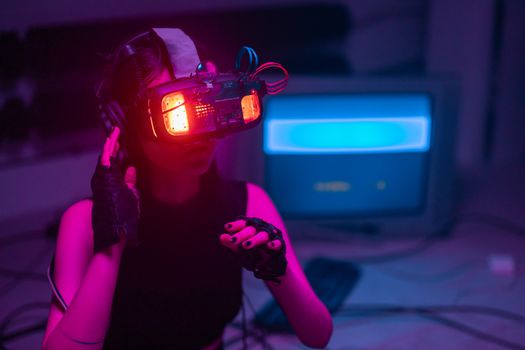
A woman immerses in virtual reality with neon-lit goggles and gloves in a tech-savvy environment. Photo: cottonbro studio / Pexels
The landscape of virtual reality headsets for gaming has evolved dramatically, moving from niche curiosities to increasingly accessible and powerful devices. At its heart, VR technology aims to trick your senses into believing you are present in a simulated environment. This 'presence' is achieved through a sophisticated interplay of visual, auditory, and haptic feedback. High-resolution displays, often with fast refresh rates, are paramount. These screens are positioned mere centimeters from your eyes, and the clarity and responsiveness directly impact how convincing the virtual world appears. A low resolution can lead to a 'screen door effect,' where you can discern individual pixels, breaking immersion. Conversely, a high refresh rate (90Hz, 120Hz, or even higher) is crucial for smooth motion and to prevent motion sickness, which can be a significant barrier for new users. Beyond the visuals, precise head and hand tracking are fundamental. Modern VR headsets employ inside-out tracking (where cameras on the headset map your environment) or outside-in tracking (where external sensors monitor the headset and controllers). This tracking data is then used to translate your physical movements into the virtual world, allowing you to look around, walk (within your play space), and interact with objects as if they were physically present. The controllers themselves have become highly advanced, incorporating haptic feedback to simulate touch and impact, and offering intuitive button layouts for complex interactions. For instance, squeezing a trigger on your controller might translate to firing a weapon in a first-person shooter, or grasping a virtual object. The audio component is equally vital; spatial audio, which simulates sound coming from specific directions in 3D space, significantly enhances immersion, allowing you to pinpoint enemy locations or feel the grandeur of a virtual concert hall. Connectivity is another key differentiator. Standalone headsets, like the Meta Quest series, are self-contained units that don't require a PC, offering unparalleled freedom of movement and ease of setup. PC-tethered headsets, such as the Valve Index or HTC Vive Pro, offer superior graphical fidelity and performance, leveraging the power of a high-end gaming PC. Then there are console-specific options, like PlayStation VR2, designed to integrate seamlessly with a particular gaming ecosystem. Each type has its advantages and disadvantages, influencing factors like cost, setup complexity, and the breadth of available games. Understanding these foundational technologies is the first step in choosing the right tech for your gaming needs, ensuring your dive into virtual worlds is as smooth and captivating as possible.

Choosing the Right Virtual Reality Headset for Your Gaming Style
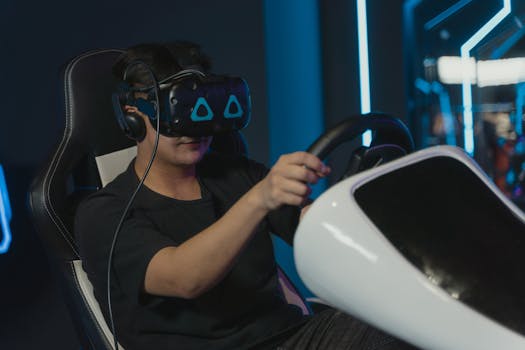
Man engaging in immersive virtual gaming with VR headset and steering wheel setup indoors. Photo: Tima Miroshnichenko / Pexels
Selecting the ideal virtual reality headset for gaming isn't a one-size-fits-all decision; it heavily depends on your budget, existing gaming setup, and the type of experiences you seek. For those prioritizing accessibility and ease of use, standalone VR headsets are often the top recommendation. Devices like the Meta Quest 3 offer a completely untethered experience, meaning no cables connecting to a PC, and an all-in-one design that includes processing power, displays, and tracking. This makes them incredibly portable and simple to set up, ideal for casual gamers or those new to VR. While their graphical fidelity might not match high-end PC VR, the sheer convenience and growing library of excellent standalone titles make them a compelling choice. They also often support PC VR streaming (via Air Link or Virtual Desktop), offering a hybrid solution for those who want the best of both worlds without the full commitment to a tethered setup. On the other end of the spectrum are PC-tethered VR headsets, which unlock the pinnacle of virtual reality gaming performance. Headsets like the Valve Index, HTC Vive Pro 2, or Pimax series require a powerful gaming PC to operate. This setup delivers superior graphics, wider fields of view, higher refresh rates, and often more precise tracking, resulting in the most immersive and visually stunning VR experiences available. If you already own a high-end gaming rig and are willing to invest in premium VR hardware, these systems provide access to the most graphically demanding VR titles and a vast library of SteamVR games. The trade-off, however, is the need for cables, potentially more complex room setup with base stations (for some models), and a significantly higher overall cost. Gamers interested in competitive VR titles, detailed simulations, or visually rich narrative experiences will find their home here. Console gamers aren't left out, with options like the PlayStation VR2 (PS VR2) specifically designed for the PlayStation 5. This offers a streamlined, high-quality VR experience tailored to the console ecosystem, featuring impressive OLED displays, haptic feedback in the headset, and advanced Sense controllers. While its game library is exclusive to the PlayStation platform, it provides an excellent entry point for PS5 owners wanting a premium VR experience without the need for a separate gaming PC. When making your decision, consider not just the headset's specifications, but also the available game library, the comfort of the head strap, the ease of adjusting for different users, and the overall ecosystem support. Reviews regarding comfort for extended play sessions and controller ergonomics can be particularly insightful.

Optimizing Your Gaming Environment for Peak VR Performance
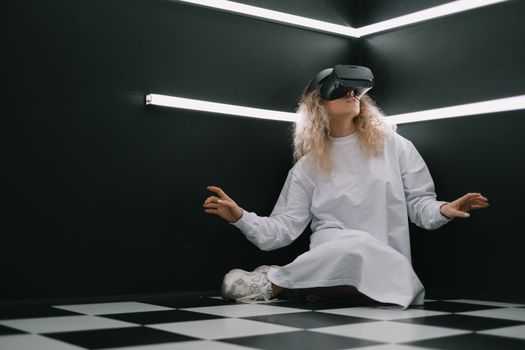
Woman wearing a VR headset in a stylish room, exploring virtual reality. Photo: SHVETS production / Pexels
Achieving the best possible experience with virtual reality headsets for gaming extends beyond just the hardware; your physical environment plays a critical role. First and foremost, a dedicated play space is essential. Clear an area free of obstacles, furniture, and anything you might trip over or strike while immersed. The recommended space varies by headset, but generally, at least 6.5 x 6.5 feet (2m x 2m) is ideal for 'room-scale' experiences that allow you to walk around. For 'standing' or 'seated' experiences, a smaller area might suffice, but always err on the side of caution. Defining your play space boundary within the VR system (often called a 'Guardian' or 'Chaperone' system) is crucial for safety, creating a virtual wall that appears when you get too close to the edge of your real-world space. Lighting also significantly impacts tracking performance, especially for headsets utilizing inside-out tracking. Avoid direct sunlight, which can interfere with the headset's cameras and potentially damage the internal displays. Overly dark rooms can also be problematic, as the cameras need some ambient light to effectively map your surroundings. A well-lit, evenly illuminated room with diffused lighting is generally best. Reflective surfaces, such as large mirrors or shiny windows, can confuse tracking systems and should ideally be covered or avoided within your play area. For PC-tethered setups, cable management is a game-changer. VR cable management systems, often involving pulleys attached to the ceiling, can lift the cable off the floor, preventing tangles and greatly enhancing freedom of movement. If you're using a wireless PC VR solution (like Meta Air Link or Virtual Desktop), optimizing your home network is paramount. A dedicated Wi-Fi 6 router, ideally in the same room as your play space and connected to your PC via Ethernet, will minimize latency and maximize bandwidth, ensuring a smooth, low-lag experience. Close proximity to the router and minimizing other network traffic during VR sessions are key. Finally, don't underestimate the importance of audio. While most VR headsets come with integrated audio, investing in a good pair of over-ear headphones can dramatically deepen immersion. They block out external distractions and deliver superior spatial audio, allowing you to fully lose yourself in the game world. Remember, a well-prepared environment not only enhances your gaming enjoyment but also significantly improves safety, preventing accidental collisions and ensuring a seamless, uninterrupted virtual adventure. For more advanced tech setups, consider investing in a dedicated gaming PC with a powerful GPU and CPU to handle the demanding rendering requirements of modern VR titles.

Common Mistakes to Avoid When Diving into VR Gaming

Lower view of a man in jeans hiking on a rocky path. Outdoor adventure scene. Photo: 水 金 / Pexels
Embarking on your virtual reality gaming journey is exciting, but a few common pitfalls can quickly diminish the experience. Avoiding these mistakes will ensure a smoother, more enjoyable introduction to VR. One of the most frequent errors is neglecting your physical play space. Many new users jump into VR without adequately clearing their environment, leading to bumped knees, stubbed toes, or even damaged equipment. Always establish and adhere to your Guardian or Chaperone boundaries. Another common mistake is pushing through discomfort, particularly motion sickness. VR sickness is real, and while many adapt over time, forcing yourself through it can create a negative association. Start with experiences designed to be comfortable (e.g., seated games, teleport locomotion), take breaks, and consider anti-nausea remedies if needed. Ignoring headset fit and hygiene is another oversight. A poorly fitted headset can cause blurry visuals, light leakage, and discomfort. Take the time to adjust straps and interpupillary distance (IPD) settings for optimal clarity. Regularly cleaning the lenses with a microfiber cloth and wiping down foam interfaces (or using washable covers) is crucial for both visual clarity and hygiene, especially if sharing the headset. For PC VR users, underestimating PC specifications is a significant mistake. VR gaming is demanding; attempting to run high-fidelity titles on an underpowered machine will result in stuttering, low frame rates, and a generally poor experience. Always check the recommended system requirements for your headset and desired games. Finally, don't forget about sound. While visuals are key, good audio dramatically enhances immersion. Relying solely on weak built-in speakers can detract from the experience. **Key Mistakes to Avoid:** * **Insufficient Play Space:** Clear your area; define and respect virtual boundaries. * **Ignoring Motion Sickness:** Start slow, take breaks, and listen to your body. * **Poor Headset Fit/Hygiene:** Adjust for clarity and comfort; clean regularly. * **Underpowered PC (for PC VR):** Ensure your rig meets or exceeds recommended specs. * **Neglecting Audio Quality:** Invest in good headphones for superior immersion. * **Rushing Setup:** Take time to properly calibrate tracking and settings. * **Expecting Full Realism Instantly:** VR is amazing, but it's still evolving; manage expectations. By being mindful of these common missteps, you can ensure your initial forays into virtual reality gaming are as magical and immersive as they're meant to be.

Comparison

FeatureMeta Quest 3Valve IndexPS VR2
TypeStandalone/PC VRPC-TetheredConsole-Tethered
Resolution (per eye)2064x22081440x16002000x2040
Refresh Rate90Hz (120Hz experimental)80/90/120/144Hz90/120Hz
Field of View (approx.)110 degrees horizontal130 degrees horizontal110 degrees horizontal
TrackingInside-outOutside-in (Base Stations)Inside-out
ControllersTouch PlusIndex ControllersSense Controllers
Price (Headset Only)$499+$999+$549+
PC RequiredOptional (for PC VR)
Console Required✓ (PS5)

What Readers Say

"The Meta Quest 3 has completely transformed my gaming nights. The freedom of no wires while playing Beat Saber is just incredible, and the graphics are surprisingly sharp for a standalone unit. It's truly opened up a new dimension of entertainment."

Sarah J. · Austin, TX

"As a long-time PC gamer, the Valve Index was a significant upgrade. The high refresh rate and wide field of view in Half-Life: Alyx are unparalleled. The knuckle controllers feel so natural for interaction, it's a game-changer for immersion."

Mark D. · Seattle, WA

"I was skeptical about VR, but the PS VR2 with my PS5 blew me away. Horizon Call of the Mountain felt so real; I actually ducked from virtual birds! The haptic feedback in the headset adds an amazing layer of sensation I didn't expect."

Emily R. · Miami, FL

"My virtual reality headsets for gaming experience with my old Oculus Rift S has been mostly positive. While the resolution isn't cutting-edge anymore, the vast library of PC VR games keeps me entertained. Just wish the cable was a bit longer!"

Alex P. · Denver, CO

"I use my Quest 2 for both fitness games and social VR. It's robust, easy to pack for travel, and the ability to link it to my PC for more demanding titles means I get the best of both worlds. Fantastic value for the price."

David L. · Chicago, IL

Frequently Asked Questions

What are the essential components of virtual reality headsets for gaming?

Essential components include high-resolution displays (often one per eye) for visual immersion, advanced motion tracking sensors to translate head and body movements into the game, ergonomic controllers for hand interaction and haptic feedback, and a powerful processing unit (either integrated or external) to render the virtual world at a smooth frame rate. Good audio is also crucial for a complete immersive experience.

Is VR gaming still prone to motion sickness?

While VR technology has greatly improved to reduce motion sickness (with higher refresh rates, better tracking, and comfort options), some users may still experience it. Many games now offer various locomotion options (e.g., teleportation vs. smooth locomotion) to cater to different sensitivities. Starting with short sessions and taking breaks can help users acclimate, and for some, motion sickness lessens over time.

How do I set up my play space for virtual reality headsets for gaming?

First, clear a physical area free of obstructions. Most headsets recommend a minimum of 6.5ft x 6.5ft for room-scale gaming. Ensure good, even lighting without direct sunlight or overly reflective surfaces. Follow your headset's specific setup guide to define your virtual boundaries (Guardian/Chaperone system) and calibrate tracking, which is crucial for both immersion and safety.

Are virtual reality headsets for gaming expensive, and what's the typical cost range?

The cost of virtual reality headsets for gaming varies significantly. Entry-level standalone headsets can start around $300-$500. Mid-range options, including console VR or more advanced standalone units, are typically in the $500-$800 range. High-end PC-tethered systems, often requiring a powerful gaming PC (which adds to the overall cost), can range from $1000 to $2000 or more for the headset and accessories alone. Consider the total investment, including any required PC upgrades.

How do standalone VR headsets compare to PC-tethered VR headsets for gaming?

Standalone VR headsets offer unparalleled convenience, portability, and ease of setup, making them great for new users and casual gaming. They are all-in-one units with integrated processors. PC-tethered VR headsets leverage the power of a high-end gaming PC to deliver superior graphical fidelity, wider fields of view, and higher refresh rates, resulting in the most visually stunning and immersive experiences. The choice depends on budget, existing hardware, and desired graphical quality.

Who should consider investing in virtual reality headsets for gaming?

Anyone looking for a deeply immersive and interactive gaming experience beyond traditional flat-screen gaming should consider VR. This includes enthusiasts seeking cutting-edge technology, gamers who enjoy unique challenges and perspectives, fitness enthusiasts looking for engaging workouts, and those interested in social gaming in virtual environments. It's particularly rewarding for fans of simulation, horror, and puzzle genres.

Are there any health or safety concerns with extended VR gaming sessions?

Extended VR sessions can lead to eye strain, fatigue, or motion sickness for some users. It's recommended to take regular breaks (e.g., every 20-30 minutes), ensure proper headset fit, and adjust IPD for visual comfort. Always play in a clear, safe space to prevent physical injury from bumping into real-world objects. If you experience persistent discomfort, consult a healthcare professional.

What does the future hold for virtual reality headsets for gaming?

The future of VR gaming is exciting, with trends pointing towards higher resolution displays, wider fields of view, more accurate eye-tracking (for foveated rendering), and more sophisticated haptics for enhanced realism. Wireless PC VR solutions will continue to improve, and standalone headsets will become even more powerful and compact. Expect more seamless mixed reality experiences, blending virtual and real worlds, and continued innovation in controller design and input methods.

Ready to step into new worlds and redefine your gaming experience? Explore the incredible possibilities that virtual reality headsets for gaming offer. Find your perfect headset today and embark on an unforgettable journey into immersive digital adventures.

Topics: virtual reality headsets for gamingVR gaming headsetsbest VR for gaminggaming VR experienceimmersive gaming
Leo List
Brampton weed
Adultwork