
Top Smart Home Devices for Beginners: Your Easy Start
Transform your home with intuitive smart devices that simplify daily tasks and enhance comfort, even if you're new to tech.
Start Your Smart HomeKey Takeaways
- ✓ Smart lighting and plugs offer the simplest entry point into home automation.
- ✓ Voice assistants like Alexa and Google Assistant are central to most smart home ecosystems.
- ✓ Security cameras and video doorbells provide peace of mind and are surprisingly easy to install.
- ✓ Compatibility is crucial; choose devices that work together or with a central hub.
How It Works
Decide between major platforms like Amazon Alexa, Google Home, or Apple HomeKit. This choice often dictates device compatibility and user experience.
Begin with one or two easy-to-install devices such as smart plugs or smart bulbs. These offer immediate benefits and minimal setup complexity.
Download the device's app and follow the on-screen instructions to connect it to your home Wi-Fi and smart home ecosystem. Most modern devices are designed for quick pairing.
Once set up, explore automation routines (e.g., lights on at sunset). As you get comfortable, gradually add more devices to enhance your smart home capabilities.
Building Your Foundation: Voice Assistants and Smart Hubs
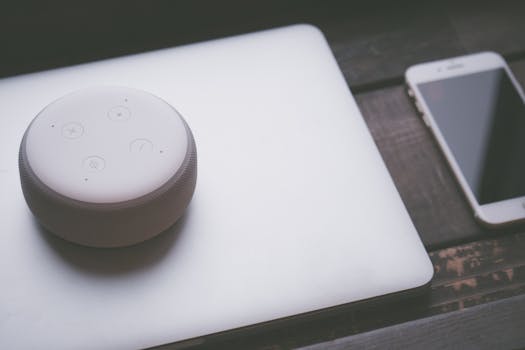 Photo: Jessica Lewis 🦋 thepaintedsquare / Pexels
Beyond voice assistants, some users might consider a dedicated smart home hub like SmartThings or Hubitat. While voice assistants are fantastic for direct control, hubs often provide more robust automation capabilities, local control (meaning devices can still function even if your internet goes down), and broader compatibility with older or less common smart home protocols like Z-Wave and Zigbee. However, for a true beginner, adding a dedicated hub can introduce an extra layer of complexity. Most modern smart devices are designed to connect directly to your Wi-Fi and be controlled by Alexa or Google Assistant without the need for an additional hub, simplifying the initial setup immensely. Start by choosing one voice assistant that aligns with your current tech preferences and budget. An Amazon Echo Dot or a Google Nest Mini are incredibly affordable entry points, offering surprisingly powerful capabilities for their size and price. They allow you to play music, get weather updates, set timers, and, most importantly, control your growing collection of smart home devices with simple voice commands. This ease of interaction is precisely what makes them ideal for beginners. They demystify the smart home concept, turning complex actions into intuitive requests. As you become more comfortable, you can explore the deeper functionalities, such as creating routines or integrating with other services. The key here is not to overcommit but to choose a system that feels natural and easy to interact with, laying the groundwork for a truly intuitive smart home experience. Understanding the core function of these foundational devices is paramount for anyone looking to dip their toes into home automation. Learn more about smart home ecosystems and how they integrate. This initial decision is less about choosing the 'best' and more about choosing the 'best for you' as a beginner, focusing on simplicity and ease of use.
Illuminating Your World: Smart Lighting and Plugs
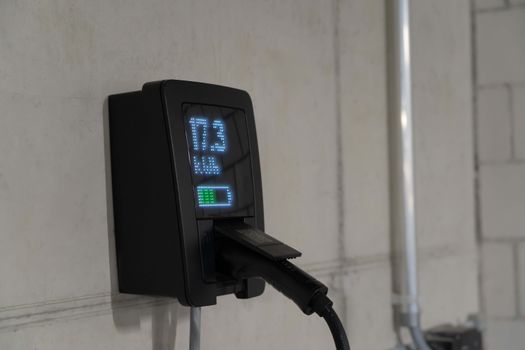 Photo: smart-me AG / Pexels
Smart plugs, on the other hand, are the ultimate gateway device for making almost any 'dumb' appliance smart. These small, inconspicuous devices plug into a standard wall outlet, and then you plug your traditional lamp, coffee maker, fan, or even a holiday decoration into the smart plug. Suddenly, you can control that appliance with your voice, through an app, or by setting schedules. This means you can schedule your coffee maker to start brewing before you wake up, turn off a fan you forgot about from miles away, or automate your Christmas lights. Smart plugs are incredibly versatile, affordable, and require no wiring or complex installation – just plug and play. Brands like TP-Link Kasa, Wyze, and Amazon Smart Plug are popular choices for their ease of use and reliability. For beginners, the beauty of smart plugs lies in their ability to transform existing appliances without needing to replace them entirely, making smart home adoption much more budget-friendly and less daunting. They are also excellent for energy management, allowing you to monitor and control power consumption of connected devices. Starting with smart lighting and plugs provides a quick win, demonstrating the power and convenience of a smart home without a steep learning curve. These devices integrate seamlessly with your chosen voice assistant, allowing for intuitive control and opening up a world of automation possibilities. The immediate impact on daily routines makes them incredibly rewarding for new users.
Enhancing Security and Convenience: Smart Cameras and Video Doorbells
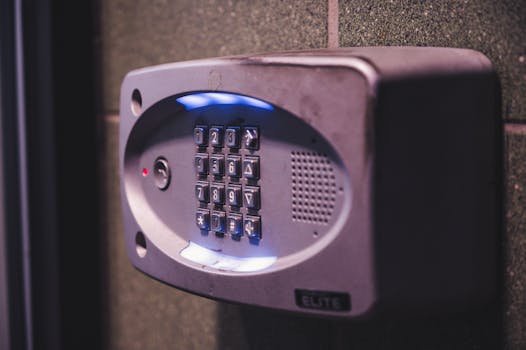 Photo: Brett Sayles / Pexels
Video doorbells, such as the Ring Video Doorbell or Google Nest Doorbell, are another excellent addition for beginners. These devices replace your traditional doorbell and offer a host of advanced features. When someone approaches your door or rings the bell, you receive an alert on your phone and can see, hear, and speak to the visitor, even if you're not home. This is invaluable for package deliveries, screening visitors, or simply knowing who is at your door without having to open it. Installation for many video doorbells is designed to be user-friendly, often utilizing your existing doorbell wiring or offering battery-powered options for even simpler setup. The integration with your voice assistant means you can often see who’s at the door on a smart display or have your assistant announce visitors. For instance, an internal link to smart security guide could provide more in-depth information. The combination of smart cameras and video doorbells provides a comprehensive, yet approachable, security solution for beginners. They leverage existing home infrastructure (Wi-Fi, and sometimes existing doorbell wiring) and offer intuitive app controls, making them a natural progression in building a smart home. The peace of mind they offer, combined with their ease of use, makes them highly recommended for those looking to expand beyond basic automation.
Tips for a Seamless Smart Home Start and Common Mistakes to Avoid
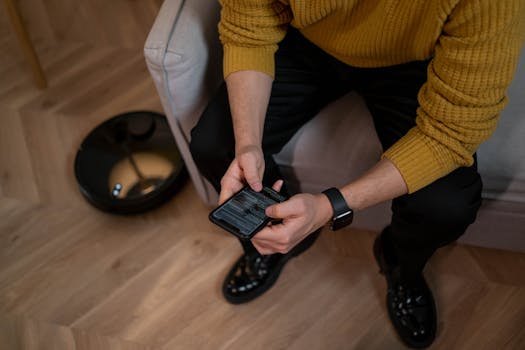 Photo: cottonbro studio / Pexels
Secondly, **prioritize compatibility**. As discussed, choosing a primary smart home ecosystem (Alexa, Google Home, HomeKit) is crucial. When purchasing new devices, always check that they are compatible with your chosen ecosystem. Look for labels like 'Works with Alexa' or 'Google Assistant built-in.' Mixing incompatible devices can lead to fragmented control and a frustrating user experience.
**Ensure your home network is robust**. A strong and reliable Wi-Fi signal is the backbone of any smart home. If you have dead spots or an older router, consider upgrading or investing in a mesh Wi-Fi system to ensure all your smart devices have a stable connection.
**Embrace routines and automation**. The true power of a smart home lies in its ability to automate tasks. Once you have a few devices, explore creating routines within your voice assistant's app. For example, a 'Good Morning' routine could turn on your bedroom lights, start your coffee maker (via a smart plug), and play the news. This moves beyond simple remote control to proactive convenience.
**Common Mistakes to Avoid:**
- **Overspending initially:** You don't need the most expensive gadgets to start. Many affordable options offer excellent functionality for beginners.
- **Ignoring privacy settings:** Smart devices collect data. Take the time to review privacy settings for each device and app to understand what information is being shared.
- **Neglecting software updates:** Keep your device firmware and app software updated. Updates often include security patches, bug fixes, and new features that enhance performance and security.
- **Forgetting about network security:** Secure your Wi-Fi network with a strong, unique password. Smart devices are connected to your network, so protecting it is paramount.
- **Underestimating the learning curve:** While designed for ease of use, there's still a learning curve. Be patient with yourself and don't be afraid to consult online forums or support resources if you encounter issues.
Comparison
| Feature | Amazon Echo Dot (5th Gen) | Google Nest Mini (2nd Gen) | TP-Link Kasa Smart Plug Mini | Wyze Bulb Color |
|---|---|---|---|---|
| Device Type | Voice Assistant | Voice Assistant | Smart Plug | Smart Bulb |
| Primary Use | Voice control, Music | Voice control, Music | Automate appliances | Smart lighting |
| Ecosystem | Alexa | Google Assistant | Alexa/Google/HomeKit (via app) | Alexa/Google |
| Setup Difficulty | Easy | Easy | Very Easy | Easy |
| Requires Hub | ✗ | ✗ | ✗ | ✗ (Wi-Fi Direct) |
| Price Point | Affordable | Affordable | Very Affordable | Very Affordable |
What Readers Say
"As a complete tech novice, I was hesitant about smart home devices. But the Amazon Echo Dot and a few Kasa smart plugs were so easy to set up! Now I can turn on my lights with my voice and schedule my coffee maker. It's truly changed my mornings for the better."
Sarah J. · Austin, TX"The Google Nest Mini was my first step, and it's fantastic. I love being able to ask for the weather and play music hands-free. Adding a Wyze security camera was also a breeze, and it gives me peace of mind when I'm away from home."
Mark D. · Seattle, WA"I started with Philips Hue bulbs and the bridge, and the difference in ambiance is incredible. Setting up custom scenes for different times of day was surprisingly intuitive. My home feels so much more modern and comfortable now."
Emily R. · Denver, CO"The Ring Video Doorbell was a good investment for security. Installation was a bit trickier than I expected with my old wiring, but once it was done, the app and notifications are very reliable. I appreciate being able to see who's at the door even when I'm not home."
David L. · Miami, FL"For someone who travels a lot, smart plugs for lamps have been a game-changer. I can make it look like someone's home, which adds a layer of security. The setup with Alexa was incredibly simple, taking only minutes for each plug."
Jessica M. · Chicago, ILFrequently Asked Questions
What are the top smart home devices for beginners to start with?
For beginners, the absolute best devices to start with are smart plugs and smart bulbs. These offer immediate, tangible benefits like remote control and scheduling for lights and appliances, are very affordable, and require minimal setup. A voice assistant device like an Amazon Echo Dot or Google Nest Mini is also crucial as it serves as the central control point for your growing smart home ecosystem.
Are smart home devices difficult to install and use for someone new to tech?
No, most modern smart home devices designed for consumers are specifically made to be easy to install and use, even for tech novices. Many connect directly to your existing Wi-Fi network and are controlled via intuitive smartphone apps or simple voice commands. The key is to start with simple devices and gradually expand as you get more comfortable.
How do I connect my smart home devices to each other?
Most smart home devices connect to your home's Wi-Fi network and are then linked through a central smart home app (like Amazon Alexa, Google Home, or Apple HomeKit) or the device's own manufacturer app. Once connected to the central app, you can create routines and automations that allow different devices to work together, even if they are from different brands.
What is the typical cost for starting a smart home system?
You can start a smart home system for as little as $25-$50 by purchasing a single smart plug or smart bulb. If you want a voice assistant, an Amazon Echo Dot or Google Nest Mini can be acquired for around $30-$50. A basic starter kit with a few devices might range from $70-$150, making smart home technology surprisingly accessible on a budget.
Should I choose Amazon Alexa, Google Home, or Apple HomeKit?
The best choice depends on your existing technology and preferences. Amazon Alexa generally has the widest device compatibility and is very user-friendly. Google Home integrates well with Android devices and Google services. Apple HomeKit offers seamless integration for iPhone users and prioritizes privacy. For beginners, Alexa or Google Home often provide a broader and more affordable entry point.
Who benefits most from adopting smart home technology as a beginner?
Anyone looking to simplify daily routines, enhance home security, or improve energy efficiency can benefit. Beginners who are busy professionals, seniors seeking ease of access, or families wanting more control over their home environment will find smart home devices incredibly helpful. The convenience and peace of mind are universal benefits.
Are smart home devices secure, and what about privacy concerns?
Reputable smart home device manufacturers prioritize security with encryption and regular software updates. However, it's crucial for users to use strong, unique passwords for their Wi-Fi and smart home accounts, enable two-factor authentication, and keep device firmware updated. Regarding privacy, review the privacy policies of each device and app to understand how your data is used and stored, and adjust settings as needed.
What are the next steps after mastering basic smart home devices?
After mastering basic devices, consider expanding into smart thermostats for energy savings, smart door locks for enhanced security, or smart blinds for automated light control. You can also delve deeper into creating complex routines and automations, integrating more devices into a cohesive system that anticipates your needs and truly transforms your living space.
Ready to transform your home into a smarter, more convenient, and secure living space? Start your journey today with these top smart home devices for beginners. Embrace the future of home automation and experience the ease and comfort it brings, one simple step at a time.