Master how to set up a mesh wifi system for flawless internet
how to set up a mesh wifi system

Master how to set up a mesh wifi system for flawless internet

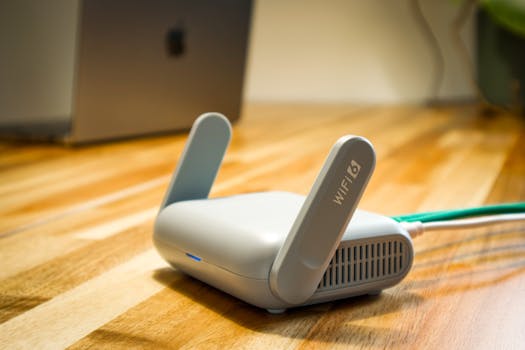
A sleek WiFi 6 router with antennas and cable on a wooden desk, perfect for modern home networks.Photo: Pascal πŸ“· / Pexels

Master how to set up a mesh wifi system for flawless internet

Transform your home's internet experience with a reliable, wall-to-wall WiFi network, eliminating frustrating dead zones.

Get Started Now

Key Takeaways

  • βœ“ Mesh WiFi systems create a unified network, eliminating dead zones.
  • βœ“ Installation typically involves a main router and satellite nodes.
  • βœ“ Most systems are managed easily through a smartphone app.
  • βœ“ Proper node placement is crucial for optimal performance.

How It Works

1
Connect the Main Router

Plug your primary mesh router into your existing modem and power it on. Wait for it to boot up and indicate readiness, usually via a solid LED light.

2
Download the App

Install the manufacturer's dedicated app on your smartphone or tablet. This app will guide you through the entire setup process, including network naming and password creation.

3
Add Satellite Nodes

Follow the app's instructions to add each satellite node to your network. This often involves plugging them in and waiting for the app to detect and configure them automatically.

4
Optimize Placement

Strategically place your satellite nodes throughout your home, ensuring good signal overlap between them and the main router. The app usually provides guidance on ideal placement.

Understanding Mesh WiFi Systems: What They Are and Why You Need One

A sleek WiFi 6 router with antennas and cable on a wooden desk, perfect for modern home networks.Photo: Pascal πŸ“· / Pexels
Before diving into how to set up a mesh WiFi system, it's essential to grasp what these innovative systems are and why they've become a game-changer for modern homes. Traditional WiFi setups typically rely on a single router to broadcast a signal throughout your entire property. While this works adequately for smaller spaces, larger homes, multi-story residences, or houses with dense building materials often experience frustrating 'dead zones' where the WiFi signal is weak or nonexistent. This leads to buffering, dropped connections, and general internet frustration. A mesh WiFi system, in contrast, consists of a main router connected to your modem and several satellite 'nodes' or 'points' strategically placed around your home. These nodes communicate with each other to create a single, unified wireless network. Instead of multiple networks (like with range extenders), your devices see just one network name (SSID), and they seamlessly switch between the main router and the nearest, strongest node as you move around your house. This intelligent hand-off ensures consistent, strong, and reliable coverage everywhere. Think of it like a team of small, powerful routers working in concert, rather than one overworked central unit trying to cover too much ground. The benefits are immediate and profound. You get blanket coverage, eliminating those annoying dead spots where you couldn't stream or work. The network is often more stable and faster, especially for homes with many connected devices – smart TVs, smartphones, laptops, smart home gadgets, and more. This robust connectivity is crucial in today's digital-first world, where everything from remote work to online learning and entertainment depends on a stable internet connection. Furthermore, mesh systems are typically much easier to manage than traditional setups. Most come with intuitive smartphone apps that simplify initial setup, network management, parental controls, and guest network creation. This user-friendly approach makes advanced network management accessible to everyone, not just tech enthusiasts. If you're tired of battling inconsistent WiFi, a mesh system is likely the solution you've been looking for. It's a significant upgrade that offers a superior online experience for every corner of your home. Understanding these fundamental principles sets the stage for a smooth and successful installation process when you learn how to install network hardware.

Choosing the Right Mesh WiFi System: Key Considerations

Person connecting a smartphone to a wireless speaker indoors, foreground focus.Photo: Burst / Pexels
Selecting the perfect mesh WiFi system is the first critical step before you even begin to consider how to set up a mesh WiFi system. The market is flooded with options, each offering different features, price points, and performance capabilities. Knowing what to look for will ensure you pick a system that meets your specific needs and budget. First, consider the size of your home and the number of devices you need to connect. Most manufacturers provide coverage estimates (e.g., up to 3,000 sq ft for a two-pack). If you have a very large home or multiple floors, you might need a system with more nodes or one designed for extensive coverage. Also, tally up your connected devices. A household with multiple streamers, gamers, and smart home gadgets will demand a more robust system than one with just a few smartphones. Next, think about speed. Look for systems that support the latest WiFi standards, such as WiFi 6 (802.11ax) or even WiFi 6E, if available and within your budget. These standards offer higher speeds, better efficiency, and improved performance in congested network environments. While your internet service provider (ISP) dictates your maximum internet speed, a good mesh system ensures that speed is distributed effectively throughout your home. Pay attention to the number of bands: dual-band (2.4GHz and 5GHz) is standard, but tri-band systems offer a dedicated backhaul channel for communication between nodes, which can significantly improve performance, especially in larger homes or with heavy network traffic. Tri-band systems often provide superior performance for demanding users. Ease of setup and management is another crucial factor. As discussed, most mesh systems come with companion apps. Read reviews to ensure the app is user-friendly, intuitive, and offers the features you need, such as parental controls, guest network creation, device prioritization (QoS), and security features. Some systems also integrate with voice assistants like Amazon Alexa or Google Assistant. Finally, consider the aesthetics and physical design. Mesh nodes are often designed to be placed in open areas, so you might prefer a system that blends seamlessly with your home decor. Brands like Eero, Google Nest Wifi, TP-Link Deco, and Netgear Orbi are popular choices, each with its strengths. Researching these factors thoroughly will help you make an informed decision and ensure your investment provides the best possible whole-home WiFi experience. Don't just grab the cheapest option; invest in a system that will reliably serve your home's connectivity needs for years to come.

A Step-by-Step Guide: How to Set Up a Mesh WiFi System Successfully

A sleek WiFi 6 router with antennas and cable on a wooden desk, perfect for modern home networks.Photo: Pascal πŸ“· / Pexels
Now that you understand the benefits and have chosen your ideal system, let's walk through how to set up a mesh WiFi system. While specific steps may vary slightly between brands, the general process is remarkably consistent and user-friendly. The first step is to unbox your system and identify all components: the main router unit, satellite nodes, power adapters, and an Ethernet cable. Before you begin, gather your existing modem (if separate from your old router) and your internet service provider (ISP) account information, as you might need it. Disconnect your old router from your modem and power down both. Wait for about 60 seconds before proceeding. Next, connect the main mesh router to your modem using the provided Ethernet cable. Plug one end into the WAN or Internet port on your mesh router and the other into the Ethernet port on your modem. Then, connect the power adapter to your main mesh router and plug it into a wall outlet. Power on your modem first, wait for its indicator lights to stabilize (usually indicating an active internet connection), and then power on your main mesh router. Allow it several minutes to boot up completely. While the main router is booting, download the manufacturer's app (e.g., Eero, Google Home, Deco, Orbi) on your smartphone or tablet. Once downloaded, open the app and follow the on-screen prompts to create an account or sign in. The app will then guide you through setting up your new network. You'll typically be asked to choose a unique network name (SSID) and a strong password. This is also where you might get prompts to set up administrative passwords or enable specific security features. After the main router is configured, the app will instruct you on how to add your satellite nodes. This usually involves plugging in a node in a central location, waiting for it to power on, and then letting the app detect and add it to your network. Repeat this process for all your satellite nodes. The most crucial part of how to set up a mesh WiFi system is node placement. The app will often provide real-time signal strength indicators to help you find optimal locations. Aim to place nodes evenly throughout your home, ensuring there's good overlap between them and the main router. Avoid placing them near large metal objects, thick walls, or major appliances that can interfere with the signal. Once all nodes are connected and optimally placed, perform a quick test. Connect your devices to the new network and walk around your home, checking signal strength and speed in various areas. Most mesh apps include a network test or speed test feature to confirm everything is working as expected. If you encounter any issues, the app often provides troubleshooting tips, or you can refer to the manufacturer's support resources. With these steps, you'll have a robust, whole-home WiFi network up and running in no time, ready to support all your connected devices. For more advanced configurations, you might want to explore how to optimize your home network.

Optimizing Performance and Troubleshooting Common Mesh WiFi Issues

Even after successfully learning how to set up a mesh WiFi system, optimizing its performance and knowing how to troubleshoot common issues can further enhance your experience. The goal is not just coverage but consistent, high-speed connectivity throughout your home. One of the most significant factors in optimization is node placement. While the initial setup guides you, fine-tuning can make a big difference. Ensure nodes are roughly equidistant from each other and the main router, avoiding placement in closets, behind TVs, or inside cabinets where signals can be obstructed. Elevating nodes can also improve signal propagation. Many mesh systems have a 'signal strength' indicator within their app – use this to experiment with placement until you achieve optimal results for each node. Another key optimization is leveraging your system's advanced features. Most mesh apps offer Quality of Service (QoS) settings, allowing you to prioritize traffic for certain devices (e.g., your gaming console or work laptop) or applications (e.g., video streaming). This ensures critical activities get the bandwidth they need, even during peak network usage. Setting up a guest network is not only a convenience but also a security measure, isolating guest devices from your primary network. Regular firmware updates are vital for security and performance. Manufacturers frequently release updates to patch vulnerabilities, improve stability, and sometimes even add new features. Most mesh systems update automatically, but it's good practice to check periodically or enable automatic updates if they're not already. Troubleshooting common issues typically starts with the basics. If a device isn't connecting or speeds are slow, try restarting the problematic device, then the nearest mesh node, and finally the main mesh router and modem. This often resolves transient glitches. If a specific area has poor coverage, reconsider the node placement in that zone. Interference can also be a culprit; cordless phones, microwaves, and even neighbors' WiFi networks can impact performance. If your system supports different WiFi channels, try changing them in the app settings, or let the system automatically select the least congested channel. Lastly, if your internet speed seems consistently lower than what your ISP promises, connect a computer directly to your modem with an Ethernet cable and run a speed test. This helps determine if the issue lies with your ISP or your internal network. Persistent problems might warrant contacting your mesh system's customer support. By proactively optimizing and understanding basic troubleshooting, you can maintain a robust and reliable mesh WiFi network for years to come.

Comparison

FeatureBest Option (e.g., Orbi RBKE960)Alternative 1 (e.g., Eero Pro 6E)Alternative 2 (e.g., Google Nest Wifi Pro)
Max Coverage (sq ft)9,000+6,000+6,600+
WiFi StandardWiFi 6EWiFi 6EWiFi 6E
BandsTri-band (Dedicated Backhaul)Tri-bandTri-band
Parental Controlsβœ“βœ“βœ“
Guest Networkβœ“βœ“βœ“
Ethernet Ports per Node4-522

What Our Readers Say

5 β˜…β˜…β˜…β˜…β˜…

"Learning how to set up a mesh WiFi system with this guide was incredibly easy. My dead zones are gone, and streaming is flawless everywhere. Best internet upgrade ever!"

5 β˜…β˜…β˜…β˜…β˜…

"I followed these steps for my new Eero system, and it was a breeze. The app made everything so simple, and my whole house now has strong WiFi. Highly recommend this approach."

5 β˜…β˜…β˜…β˜…β˜…

"After years of struggling with range extenders, this guide helped me finally set up a mesh network. My smart home devices are all connected reliably, and my online meetings never drop."

4 β˜…β˜…β˜…β˜…β˜†

"The setup process was mostly smooth, though I had a minor hiccup with node placement. The tips here for optimization really helped me fine-tune it for perfect coverage. Great resource."

5 β˜…β˜…β˜…β˜…β˜…

"Even for a non-techy person like me, understanding how to set up a mesh WiFi system became clear with this article. My vacation rental now has reliable WiFi for all guests, a huge plus!"

Frequently Asked Questions

Is setting up a mesh WiFi system difficult for a beginner?
No, most modern mesh WiFi systems are designed with user-friendliness in mind. They typically come with intuitive smartphone apps that guide you through every step of the installation process, from connecting the main router to adding satellite nodes. You don't need advanced technical knowledge to get started.
Will a mesh WiFi system replace my existing router?
Yes, in most cases, the main unit of your mesh WiFi system will replace your existing router. You'll connect the mesh router directly to your internet modem, and then the mesh system will create your new unified WiFi network. You can usually put your old router into 'bridge mode' if you still need its specific features, but it's generally recommended to let the mesh system handle all routing.
How do I know where to place my mesh WiFi nodes?
The best practice for node placement is to distribute them evenly throughout your home, ensuring each node has a good signal connection to the main router or another node. Many mesh system apps include a signal strength indicator or a placement assistant that helps you identify optimal locations, often suggesting spots where coverage overlaps effectively.
Are mesh WiFi systems expensive compared to traditional routers?
Mesh WiFi systems can have a higher initial cost than a single traditional router, especially for premium multi-node packs. However, they offer superior whole-home coverage and performance, eliminating the need for signal boosters or range extenders, which often provide an inferior experience. The value lies in the comprehensive, reliable coverage they provide.
Can I use a mesh WiFi system with my current internet provider?
Yes, mesh WiFi systems are generally compatible with any internet service provider (ISP). You simply connect the main mesh router to your existing modem (provided by your ISP), and the mesh system then broadcasts your WiFi network. It acts as an extension of your ISP's internet service, distributing it effectively throughout your home.
Who benefits most from how to set up a mesh wifi system?
Anyone living in a larger home, a multi-story house, or a residence with architectural obstacles (like brick walls) that cause WiFi dead zones will benefit greatly. Households with many connected devices, heavy streamers, online gamers, or those who work from home also find mesh systems invaluable for consistent, high-performance internet access everywhere.
Is it safe to have multiple WiFi nodes broadcasting in my home?
Yes, it is perfectly safe. Mesh WiFi nodes operate within standard radio frequency guidelines, similar to your existing router or other wireless devices. The unified network they create is designed to provide seamless coverage without increasing any safety risks. In fact, a more efficient network can sometimes mean less power output from individual devices trying to maintain a connection.
What are the future trends for mesh WiFi technology?
Future trends in mesh WiFi include wider adoption of WiFi 7 for even greater speeds and lower latency, enhanced AI-driven network optimization for predictive performance, tighter integration with smart home ecosystems for seamless device management, and more robust security features with built-in threat detection. We can expect even more intelligent and efficient whole-home connectivity.

Ready to banish WiFi dead zones and enjoy seamless internet throughout your home? By following this comprehensive guide on how to set up a mesh WiFi system, you're well on your way to a superior online experience. Don't settle for less – upgrade your connectivity today!

Topics: how to set up a mesh wifi systemmesh wifi installationwhole-home wifiwifi dead zonesmesh router setup
Leo List
Brampton weed
Adultwork