✓ Your online activities generate a vast digital footprint that can be collected, analyzed, and sold.
✓ Data breaches expose millions of records annually, making personal information vulnerable.
✓ Strong passwords and two-factor authentication are foundational for digital security.
✓ Privacy-focused browsers and search engines can significantly reduce tracking.
✓ Understanding app permissions and adjusting privacy settings are crucial steps.
✓ VPNs encrypt your internet connection, shielding your online activity from prying eyes.
How It Works
1
Assess Your Digital Footprint
Understand what information about you is already online. Use tools to check for your data on breached sites and review your social media profiles.
2
Strengthen Account Security
Implement unique, complex passwords for every account and enable two-factor authentication (2FA) wherever possible. This is your primary defense against unauthorized access.
3
Control Browser & App Data
Switch to privacy-focused browsers, adjust your browser's tracking prevention settings, and meticulously review app permissions on your mobile devices before granting access.
4
Encrypt Your Connection & Data
Utilize a Virtual Private Network (VPN) for all internet traffic, especially on public Wi-Fi. Consider encrypting your devices and cloud storage for an extra layer of protection.
Understanding Your Digital Footprint and Why It Matters
Photo: Nic Wood / Pexels
In today's hyper-connected world, every click, search, and interaction leaves a trace – a digital footprint. This footprint isn't just a benign trail; it's a comprehensive data set that can reveal your habits, preferences, location, and even your health status. From the moment you log onto social media to the instant you make an online purchase, data is being collected. Tech giants, advertisers, data brokers, and even governments are constantly gathering this information, often without your explicit knowledge or consent. Understanding the scope of this data collection is the first critical step in learning how to protect your online privacy.
Your digital footprint is composed of two main types: passive and active. Your active digital footprint includes data you intentionally share, like social media posts, online comments, and information filled out in forms. While you might think you control this, the reality is that once it's online, it can be difficult to fully retract. Your passive digital footprint, on the other hand, is generated without your conscious effort. This includes your browsing history, IP address, location data from your phone, cookies tracking your website visits, and even metadata from your emails. This passive data is often the most insidious because it's collected silently in the background, building a detailed profile of your online behavior.
Why does this matter? For individuals, this data can be used for targeted advertising, leading to a constant barrage of personalized ads that can feel invasive. More concerningly, it can be sold to data brokers who compile extensive profiles for various purposes, including credit scoring, insurance risk assessment, and even political campaigning. In the wrong hands, this data can be exploited for identity theft, fraud, or phishing attacks. Furthermore, governments and law enforcement agencies may access this data, potentially compromising your civil liberties.
For businesses, the implications are equally significant. Breaches of customer data can lead to massive financial penalties, reputational damage, and a loss of consumer trust. The recent surge in data breaches, affecting millions of users annually, underscores the urgency of proactive cybersecurity measures and robust privacy practices. Every piece of data you share or generate online contributes to this digital identity, making it imperative to be mindful and strategic about how you navigate the internet. Ignoring your digital footprint is akin to leaving your front door unlocked – it's an open invitation for others to walk in and take what they want. Reclaiming control starts with awareness and proactive steps to minimize the data you leave behind.
Fortifying Your Digital Defenses: Passwords, 2FA, and Software
Photo: REINER SCT / Pexels
Once you understand the breadth of your digital footprint, the next crucial step in how to protect your online privacy is to fortify your digital defenses. This involves a multi-layered approach, starting with the very foundations of your online accounts: passwords and two-factor authentication (2FA). Many people still use weak, easily guessable passwords or reuse the same password across multiple sites. This is a critical security vulnerability. If one account is compromised, all other accounts using the same credentials become immediately susceptible. The solution is simple yet powerful: use unique, strong passwords for every single online service. A strong password should be long (at least 12-16 characters), complex (a mix of uppercase and lowercase letters, numbers, and symbols), and completely random.
Memorizing dozens of complex passwords is impractical, which is where a reputable password manager becomes indispensable. Tools like LastPass, 1Password, or Bitwarden encrypt and store your passwords securely, generating strong new ones for you and even auto-filling them on websites. You only need to remember one master password for the manager itself. This single investment in a password manager dramatically elevates your overall security posture.
Beyond strong passwords, two-factor authentication (2FA) acts as an essential second line of defense. Even if someone manages to steal your password, they won't be able to access your account without the second factor. This typically involves a code sent to your phone via SMS, generated by an authenticator app (like Google Authenticator or Authy), or a physical security key (like YubiKey). Enable 2FA on every account that offers it – email, social media, banking, and cloud services are non-negotiable. It's a small inconvenience for a massive boost in security.
Software updates are another often-overlooked aspect of digital defense. Operating systems, web browsers, and applications frequently release updates that include critical security patches. Ignoring these updates leaves you vulnerable to newly discovered exploits that hackers can leverage. Always keep your software up to date, enabling automatic updates whenever possible. This includes your computer's OS (Windows, macOS, Linux), your smartphone's OS (iOS, Android), and all your installed applications. Similarly, invest in reputable antivirus and anti-malware software. While not a complete solution, these tools can detect and neutralize common threats, acting as an important safeguard against malicious software that could compromise your privacy. Regularly scan your devices and ensure your security software's definitions are current. These foundational steps are not just good practice; they are non-negotiable for anyone serious about how to protect your online privacy.
Navigating the Web Anonymously: Browsers, VPNs, and Privacy Settings
Photo: Dan Nelson / Pexels
Even with robust account security, your browsing habits and online interactions can still reveal a wealth of personal information. To truly understand how to protect your online privacy, you must become proactive about controlling the data your browser and internet connection generate. The default settings on most popular web browsers (Chrome, Edge, Safari) are often configured for convenience and advertising, not privacy. They allow cookies, trackers, and other technologies to follow you across the web, building detailed profiles of your interests and activities.
The first step towards anonymous browsing is to switch to privacy-focused browsers. Browsers like Brave, Firefox (with enhanced tracking protection enabled), or DuckDuckGo Privacy Browser are built from the ground up with user privacy in mind. They automatically block third-party trackers, cross-site cookies, and intrusive ads, significantly reducing your digital footprint. For an even higher level of anonymity, consider using the Tor Browser, which routes your internet traffic through a decentralized network of relays, making it extremely difficult to trace your online activity back to your IP address. While Tor is excellent for anonymity, it can be slower and isn't necessary for everyday browsing for most users.
Beyond the browser, a Virtual Private Network (VPN) is an indispensable tool for protecting your online privacy. A VPN encrypts your internet connection, creating a secure tunnel between your device and the internet. This means your Internet Service Provider (ISP), potential hackers on public Wi-Fi, and other third parties cannot see what websites you visit, what data you upload or download, or your actual IP address. Your traffic appears to originate from the VPN server's location, masking your true geographical position. When choosing a VPN, opt for a reputable provider with a strict no-logs policy, strong encryption protocols (like OpenVPN or WireGuard), and servers in locations that suit your needs. Avoid free VPNs, as they often monetize your data or inject ads, defeating the purpose of privacy. Services like NordVPN, ExpressVPN, and ProtonVPN are well-regarded options. Choosing the right VPN is paramount for effective privacy.
Finally, diligently review and adjust privacy settings on all online services you use. Social media platforms, search engines, and even your operating system have extensive privacy controls. Take the time to go through each setting, limiting data sharing, location tracking, ad personalization, and audience visibility. On your mobile devices, regularly check app permissions. Does a flashlight app really need access to your camera and microphone? Deny unnecessary permissions. Regularly clearing your browser's cookies and cache also helps to remove tracking data. By combining privacy-focused browsers, a reliable VPN, and meticulous privacy setting adjustments, you can significantly reduce your online exposure and regain control over your personal data.
Advanced Strategies and Common Pitfalls to Avoid
Photo: Thomas Windisch / Pexels
Taking your online privacy to the next level involves adopting advanced strategies and being acutely aware of common pitfalls that can undermine your efforts. While basic steps like strong passwords and VPNs are crucial, a truly robust privacy posture requires continuous vigilance and a deeper understanding of how data flows online.
Here are some advanced strategies:
* **Email Anonymity:** Consider using an email alias service (like SimpleLogin or AnonAddy) or a privacy-focused email provider (like ProtonMail or Tutanota) for different online registrations. This prevents your primary email from being exposed in data breaches and helps you identify which services are selling your data if you receive spam through a specific alias. For sensitive communications, encrypted email is a must.
* **Secure Messaging:** Move away from less secure messaging apps to end-to-end encrypted alternatives. Signal is widely considered the gold standard for secure messaging, ensuring only the sender and intended recipient can read messages.
* **Metadata Stripping:** Photos and documents often contain metadata (EXIF data for photos) that can reveal location, device type, and even date/time. Use tools to strip this metadata before sharing files publicly.
* **DNS over HTTPS (DoH) / DNS over TLS (DoT):** Your DNS requests (which translate website names into IP addresses) can be monitored by your ISP. Enabling DoH or DoT in your browser or operating system encrypts these requests, adding another layer of privacy.
* **Regular Data Audits:** Periodically review your online accounts, deleting old ones you no longer use. Use services like 'Have I Been Pwned?' to check if your email addresses have been compromised in data breaches and take action to change passwords immediately.
* **Physical Device Security:** Your online privacy is only as strong as your physical device security. Use strong passcodes/biometrics on your phones and computers, and encrypt your hard drives (e.g., BitLocker for Windows, FileVault for macOS).
**Common Pitfalls to Avoid:**
* **Over-reliance on 'Incognito' Mode:** Incognito or private browsing modes prevent your browser from saving history, cookies, and site data locally. However, they do not hide your activity from your ISP, employer, or the websites you visit. It's not a privacy tool against external monitoring.
* **Free VPNs:** As mentioned, many free VPN services are notorious for logging user data, injecting ads, or even selling bandwidth. True privacy often comes with a small subscription fee.
* **Clicking Suspicious Links:** Phishing and malware attacks are primary vectors for privacy compromise. Always be skeptical of unsolicited emails, texts, or social media messages, especially those asking for personal information or containing links.
* **Sharing Too Much on Social Media:** The 'oversharing' culture of social media is a privacy nightmare. Be mindful of what you post – photos with identifying landmarks, location tags, and personal details can all be pieced together.
* **Ignoring App Permissions:** Mindlessly granting permissions to apps on your smartphone can give them access to your contacts, photos, microphone, and location, even when they don't need it. Always review and revoke unnecessary permissions.
* **Not Reading Privacy Policies:** While often long and complex, glancing at key sections of privacy policies for new services can reveal how your data is collected, used, and shared. If it sounds too intrusive, find an alternative.
By integrating these advanced strategies and avoiding common missteps, you can significantly enhance your control over your digital life and truly protect your online privacy.
Comparison
Feature
ProtonVPN (Best Option)
ExpressVPN (Alternative 1)
NordVPN (Alternative 2)
No-Logs Policy
Audited, Strong
Audited, Strong
Audited, Strong
Encryption
AES-256, OpenVPN, WireGuard
AES-256, OpenVPN, Lightway
AES-256, OpenVPN, NordLynx
Server Network
60+ countries
105+ countries
111+ countries
Ad/Malware Blocker
✓ (NetShield)
✗
✓ (Threat Protection)
Jurisdiction
Switzerland (Privacy-friendly)
British Virgin Islands (Privacy-friendly)
Panama (Privacy-friendly)
Free Tier Available
✓ (Limited)
✗
✗
What Readers Say
★★★★★
"This guide completely changed how I approach my online presence. Before, I felt overwhelmed, but now I know exactly how to protect my online privacy with practical steps. The password manager recommendation alone was worth it."
Sarah J. · Austin, TX
★★★★★
"I thought I was tech-savvy, but this article revealed so many gaps in my online security. Implementing the VPN and privacy browser tips has given me peace of mind I didn't know I was missing."
Mark D. · Seattle, WA
★★★★★
"Following these steps for how to protect your online privacy, I've noticed a significant reduction in targeted ads and spam. It's amazing how much control you can reclaim with the right knowledge."
Emily R. · New York, NY
★★★★★
"A very comprehensive guide. While some parts felt a bit technical, the clear breakdown of steps made it manageable. I'm still working on switching all my accounts to 2FA, but the progress is noticeable."
David K. · Chicago, IL
★★★★★
"As a small business owner, the section on digital footprint and data breaches was particularly insightful. It's not just about personal privacy but also about protecting client data. Excellent advice!"
Jessica L. · Los Angeles, CA
Frequently Asked Questions
What is the single most important thing I can do to protect my online privacy?
The single most important step is to use unique, strong passwords for every account and enable two-factor authentication (2FA) wherever possible. This forms the foundational layer of your digital security, protecting against unauthorized access even if one of your passwords is leaked.
Is using 'Incognito Mode' enough to protect my online privacy?
No, 'Incognito Mode' (or private browsing) primarily prevents your browser from saving local browsing history, cookies, and site data. It does not hide your online activity from your Internet Service Provider (ISP), the websites you visit, your employer, or government surveillance. For true privacy, you need a VPN and privacy-focused browser.
How do I choose a good VPN service?
When choosing a VPN, look for providers with a strict 'no-logs' policy (meaning they don't record your online activity), strong encryption (like AES-256), support for secure protocols (OpenVPN, WireGuard), and a good reputation. Avoid free VPNs, as they often compromise your privacy to monetize their service. Reputable options include ProtonVPN, ExpressVPN, and NordVPN.
Do I need to pay for privacy tools, or are free options sufficient?
While some free privacy tools exist (like the free tier of ProtonVPN or privacy-focused browsers), for comprehensive protection, investing in paid services like a reputable VPN or password manager is highly recommended. Free services often come with limitations, collect your data, or offer weaker security, which defeats the purpose of privacy.
How does my smart home device affect my online privacy?
Smart home devices (like voice assistants, smart TVs, and security cameras) collect vast amounts of data, including audio recordings, video feeds, and usage patterns. Review their privacy policies, disable unnecessary features (like continuous listening), use strong, unique passwords for their associated accounts, and ensure your home network is secure to limit data exposure.
Who should prioritize protecting their online privacy?
Everyone should prioritize protecting their online privacy. In an era of rampant data breaches, identity theft, and targeted surveillance, safeguarding your personal information is essential for financial security, personal safety, and maintaining control over your digital identity, regardless of your profession or online activity level.
Is it safe to use public Wi-Fi?
Using public Wi-Fi without precautions is inherently risky because your data can be easily intercepted by others on the same network. To use public Wi-Fi safely, always connect through a reputable VPN. The VPN will encrypt your data, making it unreadable to anyone trying to snoop on your connection.
What are the future trends in online privacy?
Future trends include a greater emphasis on decentralized identity solutions (self-sovereign identity), advancements in homomorphic encryption (processing data without decrypting it), and increased regulatory pressure for data protection (like GDPR and CCPA). We'll also see more AI-driven privacy tools and the challenge of balancing convenience with privacy in emerging technologies like the metaverse.
Taking control of your digital life is not just a recommendation; it's a necessity in today's digital landscape. By implementing the strategies outlined in this guide, you can significantly enhance how to protect your online privacy and reclaim ownership of your personal data. Start today, one step at a time, to build a more secure and private online future.

 Photo: Nic Wood / Pexels
 Photo: REINER SCT / Pexels
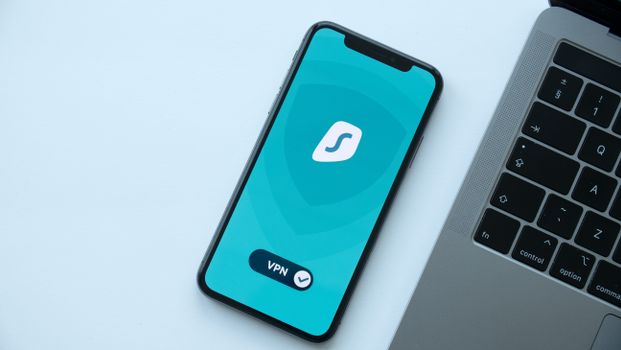 Photo: Dan Nelson / Pexels
 Photo: Thomas Windisch / Pexels