How to Choose a Gaming Monitor: The Ultimate Guide
how to choose a gaming monitor

How to Choose a Gaming Monitor: The Ultimate Guide

Unlock your gaming potential by selecting the perfect monitor for unparalleled visual fidelity and performance.

Find Your Perfect Display

Key Takeaways

  • ✓ Resolution (1080p, 1440p, 4K) impacts visual clarity and GPU demands.
  • ✓ Refresh rate (Hz) determines smoothness; 144Hz+ is ideal for competitive gaming.
  • ✓ Response time (ms) affects motion blur; 1ms GTG is optimal for fast-paced games.
  • ✓ Panel types (IPS, VA, TN) offer trade-offs in color, contrast, and speed.

How It Works

1
Assess Your Gaming Needs

Determine your primary game genres (competitive vs. casual), your current PC hardware capabilities, and your budget. This foundational step guides all subsequent decisions.

2
Understand Key Specifications

Familiarize yourself with refresh rates, response times, panel types, and resolution. These technical terms directly translate to your in-game experience and visual quality.

3
Prioritize Features by Game Type

Competitive gamers will prioritize high refresh rates and low response times, while story-driven gamers might favor color accuracy and higher resolution. Tailor your focus to your playstyle.

4
Consider Ergonomics and Connectivity

Don't overlook adjustable stands, VESA mounting options, and essential ports like DisplayPort and HDMI. A comfortable and well-connected setup enhances long gaming sessions.

Understanding Core Gaming Monitor Specifications
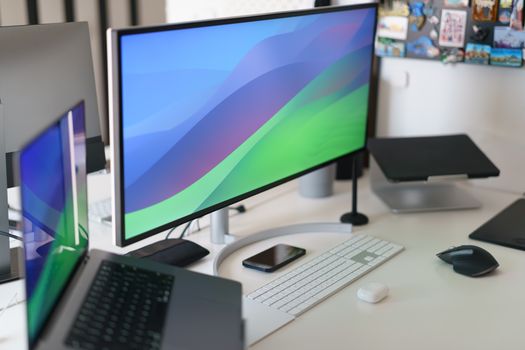
Sleek home office setup with multiple monitors, keyboard, smartphone, and stylish decor. Photo: Jakub Zerdzicki / Pexels
Choosing the right gaming monitor can be a daunting task, given the myriad of specifications and technical jargon. However, a solid understanding of a few core features will empower you to make an informed decision that significantly enhances your gaming experience. The most crucial aspects to consider are resolution, refresh rate, response time, and panel technology. Each plays a pivotal role in how your games look and feel. Starting with resolution, this refers to the number of pixels a monitor can display, typically expressed as width x height (e.g., 1920x1080 for 1080p, 2560x1440 for 1440p, or 3840x2160 for 4K). Higher resolutions mean more detailed and sharper images, but they also demand significantly more processing power from your graphics card. For competitive esports titles, 1080p or 1440p are often preferred for their balance of visual clarity and high frame rates. For immersive, single-player experiences, 4K can offer breathtaking visuals, provided your PC can handle it. Next, the refresh rate, measured in Hertz (Hz), indicates how many times per second the monitor updates its image. A 60Hz monitor refreshes 60 times per second, while a 144Hz monitor refreshes 144 times. A higher refresh rate results in smoother motion and a more fluid gaming experience, which is particularly beneficial in fast-paced games where every millisecond counts. Most gaming enthusiasts aim for at least 144Hz, with 240Hz and even 360Hz monitors available for professional esports players. Response time, measured in milliseconds (ms), refers to how quickly a pixel can change from one color to another. A lower response time minimizes motion blur and ghosting, which are visual artifacts that can make fast-moving objects appear blurry or leave trails. For gaming, a 1ms Grey-to-Grey (GtG) response time is generally considered ideal, especially for competitive gaming genres like first-person shooters. While a 5ms GtG might be acceptable for casual gaming, anything higher can noticeably detract from the experience. Finally, panel technology is a fundamental differentiator. The three main types are TN (Twisted Nematic), IPS (In-Plane Switching), and VA (Vertical Alignment). TN panels are known for their extremely fast response times and high refresh rates, making them a favorite among competitive gamers, but they often sacrifice color accuracy and viewing angles. IPS panels offer superior color reproduction, wider viewing angles, and good response times, making them excellent all-rounders for both gaming and content creation. VA panels strike a balance, offering better contrast ratios and deeper blacks than IPS, but typically with slower response times, though modern VA panels have improved significantly. Understanding these core specifications is your first step in learning how to choose a gaming monitor that perfectly aligns with your gaming style and hardware capabilities. Evaluating these elements carefully will ensure your investment translates into a truly enhanced gaming setup.

Optimizing Your Gaming Experience: Adaptive Sync, HDR, and Ergonomics
Close-up of a USB-C adapter on a marble surface, showcasing modern technology. Photo: ready made / Pexels
Beyond the fundamental specifications, several advanced features and ergonomic considerations can significantly elevate your gaming experience. Adaptive Sync technologies, such as NVIDIA's G-Sync and AMD's FreeSync, are game-changers. These technologies synchronize your monitor's refresh rate with your graphics card's frame rate, eliminating screen tearing and reducing stuttering. Screen tearing occurs when your GPU sends new frames faster than your monitor can display them, resulting in a horizontal split in the image. Stuttering happens when the frame rate drops, causing a jerky motion. Adaptive Sync ensures a smooth, fluid visual experience, regardless of frame rate fluctuations. While both G-Sync and FreeSync achieve similar results, G-Sync typically requires a dedicated hardware module in the monitor, often leading to higher costs, whereas FreeSync is an open standard and more widely adopted across a broader range of monitors. High Dynamic Range (HDR) is another feature that can dramatically improve visual quality by offering a wider range of colors, brighter whites, and deeper blacks, leading to a more realistic and immersive image. However, HDR implementation varies widely across monitors. True HDR performance requires specific brightness levels (nits) and local dimming zones, which are often found in higher-end displays. A monitor merely labeled 'HDR compatible' might not deliver the full HDR experience. Look for VESA DisplayHDR certifications (e.g., DisplayHDR 400, 600, 1000) as an indicator of actual HDR capability. While not essential for competitive gaming, HDR can make single-player, graphically intensive games look absolutely stunning. Ergonomics and connectivity are often overlooked but are vital for long-term comfort and convenience. An adjustable stand that allows for height, tilt, swivel, and pivot adjustments is crucial for maintaining a healthy posture and reducing strain during extended gaming sessions. If a monitor lacks these adjustments, consider investing in a VESA-compatible monitor arm. Connectivity options are equally important. Ensure the monitor has the necessary ports for your graphics card, typically DisplayPort for high refresh rates and resolutions, and HDMI for consoles or secondary devices. USB hubs built into monitors can also be incredibly useful for connecting peripherals like keyboards, mice, and headsets, reducing cable clutter on your desk. Don't forget built-in speakers; while generally not high-quality, they can be convenient for casual use or when headphones aren't desired. Considering these aspects ensures your gaming monitor isn't just powerful, but also comfortable and convenient to use, providing a truly optimized setup for any gamer.

Matching Your Monitor to Your Gaming Setup and Budget
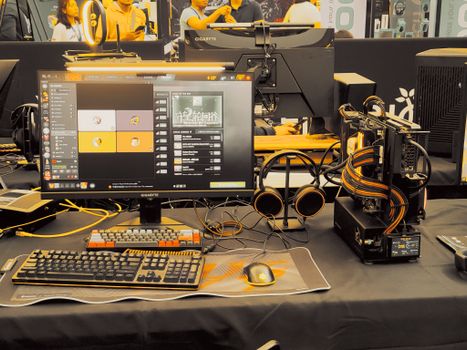
Modern gaming gear setup on display at a tech expo. Photo: Virgie & Mike / Pexels
Selecting a gaming monitor isn't just about understanding technical terms; it's also about finding the perfect match for your existing gaming setup, your primary use cases, and your budget. The most powerful monitor in the world won't provide its full benefit if your PC can't drive it, and conversely, a high-end PC will be bottlenecked by a low-performance display. This symbiotic relationship between your graphics card and monitor is paramount. If you have a mid-range graphics card (e.g., NVIDIA RTX 3060/4060 or AMD RX 6700 XT/7700 XT), a 1080p monitor with a high refresh rate (144Hz-240Hz) or a 1440p monitor with a moderate refresh rate (120Hz-165Hz) would be an excellent pairing. These cards can comfortably push high frame rates at 1080p and offer a good experience at 1440p without breaking the bank. For high-end graphics cards (e.g., NVIDIA RTX 3080/4080/4090 or AMD RX 6900 XT/7900 XT), you can confidently aim for 1440p at very high refresh rates (165Hz-240Hz) or even venture into 4K gaming, though 4K will still be demanding, especially with ray tracing enabled. It's crucial to balance resolution and refresh rate with your GPU's capabilities to avoid disappointment and ensure you're getting the most out of both components. Your gaming priorities also heavily influence the choice. Are you a competitive esports player where every millisecond of advantage matters? Then prioritize maximum refresh rate (240Hz+), lowest response time (1ms GTG), and possibly a TN panel, even if it means sacrificing some color vibrancy. For immersive single-player adventures and visual fidelity, an IPS or high-quality VA panel with good color accuracy, higher resolution (1440p or 4K), and HDR support would be more suitable. A refresh rate of 120Hz-165Hz is often perfectly adequate here, as frame rates rarely reach esports levels in graphically demanding titles. If you also engage in content creation or professional work, an IPS panel with excellent color calibration becomes even more important. Finally, budget constraints are a realistic factor for most gamers. Entry-level gaming monitors (1080p, 144Hz, 1-5ms) can be found for under $200-$250. Mid-range options (1440p, 144Hz-165Hz, 1ms, IPS/VA) typically fall into the $300-$500 bracket. High-end monitors (4K, high refresh rate, G-Sync Ultimate/FreeSync Premium Pro, true HDR, ultrawide) can easily exceed $700, reaching well over $1000. It's important to set a realistic budget and prioritize the features that matter most to you within that range. Don't overspend on features you won't utilize, and equally, don't underspend if it means compromising on the core elements that define your gaming experience. Remember, a good monitor is a long-term investment, often outlasting several GPU upgrades, so choosing wisely now will pay dividends for years to come. For more detailed advice on optimizing your PC setup, consider how your monitor integrates.

Common Mistakes to Avoid and Pro Tips for Your Purchase
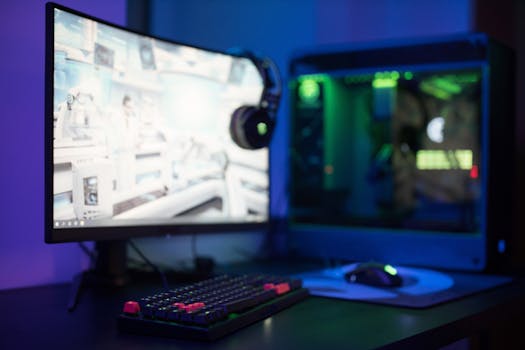
High-tech gaming setup featuring a curved monitor, RGB keyboard, and vibrant lighting. Photo: Ron Lach / Pexels
Navigating the world of gaming monitors can be tricky, and it's easy to fall into common pitfalls. Avoiding these mistakes and leveraging a few pro tips will ensure you make the best purchase for your needs and budget. **Common Mistakes to Avoid:** * **Overspending on resolution without the GPU to match:** A 4K monitor is wasted if your graphics card can only push 30-40 FPS in games at that resolution. Always balance monitor resolution with your GPU's power. * **Ignoring refresh rate for competitive games:** For fast-paced shooters or esports titles, a high refresh rate (144Hz+) is far more impactful than a higher resolution. Don't prioritize 4K 60Hz over 1440p 144Hz if competitive play is your focus. * **Confusing MPRT with GTG response time:** Manufacturers sometimes advertise Motion Picture Response Time (MPRT), which sounds lower but isn't the same as Grey-to-Grey (GtG). Always look for GtG for true pixel response speed. * **Neglecting adaptive sync:** Not utilizing G-Sync or FreeSync means you're missing out on the smoothest possible gameplay, leading to screen tearing and stuttering. Ensure your monitor and GPU support one of these technologies. * **Forgetting about ergonomics:** A cheap monitor stand can lead to neck and back pain. Prioritize adjustability or factor in the cost of a monitor arm. **Pro Tips for Your Purchase:** * **Read reputable reviews:** Don't just rely on manufacturer specs. Look for in-depth reviews from tech websites and YouTube channels that provide real-world testing and comparisons. * **Check connectivity options:** Ensure the monitor has the correct ports (DisplayPort, HDMI) and enough of them for all your devices, including consoles or secondary PCs. * **Consider panel uniformity:** While hard to gauge from specs, some monitors suffer from backlight bleed or uneven brightness. User reviews can often highlight these issues. * **Future-proof where possible:** If your budget allows, investing in a slightly better monitor than your current PC strictly demands can be wise, as monitors tend to last longer than GPUs. This means you won't need to upgrade your display when you eventually upgrade your graphics card. * **Compare prices across retailers:** Prices for monitors can fluctuate significantly. Use price comparison tools to ensure you're getting the best deal. * **Think about monitor size:** The ideal monitor size depends on your desk space and viewing distance. For 1080p, 24-27 inches is common. For 1440p, 27-32 inches is popular. 4K monitors often start at 27 inches and go up. Ultrawide monitors also offer a unique, immersive experience. By keeping these points in mind, you'll be well-equipped to make an informed decision and invest in a gaming monitor that truly elevates your play.

Comparison

FeatureCompetitive Gamer (Esports)Immersive Gamer (Single-player)Balanced/All-Rounder
Resolution1080p or 1440p1440p or 4K1440p
Refresh Rate144Hz, 240Hz, 360Hz+60Hz, 120Hz, 144Hz144Hz, 165Hz
Response Time (GtG)1ms1ms - 5ms1ms - 3ms
Panel TypeTN or Fast IPSIPS or VAIPS or VA
Adaptive SyncG-Sync/FreeSync (Essential)G-Sync/FreeSync (Recommended)G-Sync/FreeSync (Essential)
HDR✗ (Low Priority)✓ (High Priority)✓ (Nice to Have)
Screen Size24-27 inches27-34 inches (Ultrawide possible)27-32 inches

What Readers Say

"This guide truly helped me understand how to choose a gaming monitor. I finally distinguished between refresh rate and response time, leading me to a perfect 1440p 144Hz IPS panel. My games look and feel so much better!"

Alex M. · Austin, TX

"As a casual gamer, I was overwhelmed. The section on matching monitors to GPU power was a lifesaver. I picked a monitor that complements my RTX 3060 perfectly, and I'm seeing amazing visuals without breaking the bank."

Sarah J. · Orlando, FL

"I used to suffer from screen tearing, but this article explained adaptive sync so clearly. After reading how to choose a gaming monitor, I invested in a FreeSync monitor, and now my gameplay is incredibly smooth. Huge performance boost!"

David L. · Seattle, WA

"The guide is very comprehensive, though I wish there was a bit more on specific monitor models. However, the breakdown of panel types and ergonomics was extremely helpful for my office and gaming setup."

Emily P. · Denver, CO

"I'm a competitive FPS player, and the advice on prioritizing refresh rate and response time was spot on. This article gave me the confidence to choose a 240Hz TN panel, and my K/D ratio has definitely seen an improvement."

Mark R. · Boston, MA

Frequently Asked Questions

What's the most important spec for a gaming monitor?

It depends on your primary gaming style. For competitive esports, refresh rate (144Hz+) and response time (1ms GtG) are paramount. For immersive, visually stunning single-player games, resolution (1440p/4K) and panel quality (IPS/VA with good color) might take precedence, alongside adaptive sync technology.

Will a better monitor make me a better gamer?

While skill is paramount, a good gaming monitor can certainly give you an edge, especially in competitive titles. Higher refresh rates and lower response times mean you see action sooner and react faster, reducing input lag and motion blur that can hinder performance.

How do I know if my PC can handle a 1440p or 4K monitor?

Check your graphics card's specifications and benchmarks for the games you play. Generally, an NVIDIA RTX 3060/4060 or AMD RX 6700 XT/7700 XT is suitable for 1440p at good frame rates, while RTX 3080/4080/4090 or RX 6900 XT/7900 XT are needed for comfortable 4K gaming.

Are expensive gaming monitors worth the cost?

For dedicated gamers, the investment in a high-quality monitor is often worth it. They offer superior performance, visual fidelity, and features like adaptive sync that significantly enhance the gaming experience. However, diminishing returns apply, so balance features with your budget and actual usage.

Should I get an ultrawide monitor for gaming?

Ultrawide monitors offer an incredibly immersive experience, especially in games that support the wider aspect ratio (21:9 or 32:9). They are great for single-player adventures and productivity, but they demand more GPU power and might not be ideal for competitive play where a standard aspect ratio is preferred.

Who should prioritize a TN panel over IPS or VA?

TN panels are primarily for competitive esports players who prioritize the absolute fastest response times and highest refresh rates at the lowest cost. They are willing to sacrifice color accuracy and viewing angles for pure speed. Most other gamers will find IPS or VA panels more suitable.

Is screen burn-in a concern with modern gaming monitors?

Screen burn-in (image retention) is primarily a concern for older display technologies like plasma or some OLEDs if static images are displayed for extremely long periods. Modern LCD gaming monitors (IPS, VA, TN) are generally not susceptible to permanent burn-in under normal gaming use.

What's the future of gaming monitors?

The future of gaming monitors includes higher refresh rates (500Hz+), more widespread adoption of advanced OLED and Mini-LED technologies for incredible contrast and color, potentially higher resolutions for smaller screen sizes, and further integration of AI-powered scaling and adaptive technologies to enhance visual performance.

Armed with this comprehensive guide, you're now ready to confidently navigate the market and choose a gaming monitor that perfectly matches your playstyle, hardware, and budget. Elevate your gaming experience today by making an informed decision for your ultimate display.

Topics: how to choose a gaming monitorbest gaming monitorgaming monitor buying guidemonitor specs explainedgaming display selection
Leo List
Brampton weed
Adultwork EstrelaBet Vai de Bet R7 Bet Betão Galera Bet Rainbet Bet9ja Shop SportyBet BetKing Sisal Loto Foot Hollywoodbets YesPlay Odibets RushBet Jugabet BetWarrior BetCity MSport betPawa Fortebet