How to Choose a Gaming Laptop: Your Ultimate Buying Guide
how to choose a gaming laptop

How to Choose a Gaming Laptop: Your Ultimate Buying Guide

Unlock the secrets to selecting the perfect portable gaming machine tailored to your needs and budget.

Find Your Perfect Laptop

Key Takeaways

  • ✓ GPU is the most critical component for gaming performance.
  • ✓ Screen refresh rate significantly impacts gameplay fluidity.
  • ✓ SSD storage is essential for fast loading times.
  • ✓ Battery life is often a compromise in high-performance gaming laptops.

How It Works

1
Assess Your Gaming Needs & Budget

Determine the types of games you play and your desired resolution/frame rate. Establish a realistic budget range to narrow down your options effectively.

2
Prioritize Key Components

Focus on the GPU, CPU, RAM, and storage as these dictate performance. Understand their roles and how they interact to deliver your gaming experience.

3
Consider Display and Peripherals

Evaluate screen size, resolution, and refresh rate for visual immersion. Don't forget about keyboard quality, trackpad, and connectivity options.

4
Read Reviews & Compare Models

Consult expert reviews and user testimonials for real-world performance insights. Compare several models side-by-side to find the best value and fit.

Understanding Core Components: GPU, CPU, and RAM for Gaming Performance
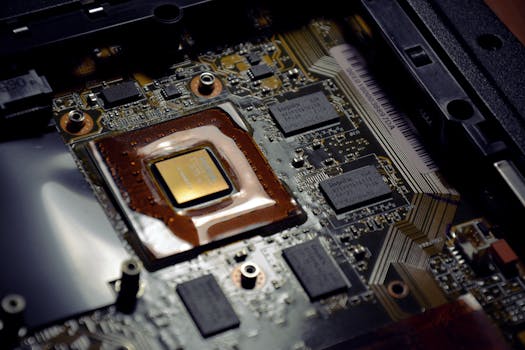
Detailed view of computer processor on motherboard with visible components and circuits. Photo: Alexandra Krainyukhova / Pexels
When embarking on the journey of how to choose a gaming laptop, the triumvirate of GPU, CPU, and RAM stands as the bedrock of your machine's performance. The Graphics Processing Unit (GPU) is, without a doubt, the single most critical component for gaming. It's responsible for rendering everything you see on your screen, from intricate textures to complex lighting effects. For a truly immersive experience, you'll want to prioritize a powerful dedicated GPU from NVIDIA's GeForce RTX series or AMD's Radeon RX series. Higher-tier GPUs, like an RTX 4070 or RX 7800M, will allow you to play the latest AAA titles at high settings and resolutions, often with ray tracing enabled for incredibly realistic visuals. Lower-tier options, such as an RTX 4050, are still capable but might require compromises on settings or resolution. Always look at the TGP (Total Graphics Power) of the GPU, as a lower TGP can significantly reduce the performance of an otherwise powerful chip in a laptop. A higher TGP generally means the GPU can draw more power and thus perform better. Next in line is the Central Processing Unit (CPU). While the GPU handles the heavy lifting of graphics rendering, the CPU is responsible for game logic, AI, physics, and feeding instructions to the GPU. For gaming, a modern Intel Core i7 (12th gen or newer) or AMD Ryzen 7 (6000 series or newer) is typically sufficient. While a Core i9 or Ryzen 9 offers more cores and threads, the performance uplift for pure gaming is often marginal compared to the cost increase. Focus on a CPU with strong single-core performance, as many games still benefit more from this than from a high core count. The CPU also plays a vital role in multitasking, streaming, or content creation alongside gaming, so consider your broader usage patterns. Finally, Random Access Memory (RAM) acts as the short-term memory for your system, allowing quick access to data your CPU needs. For most modern games, 16GB of DDR4 or DDR5 RAM is the sweet spot. While 8GB might suffice for older titles, it will quickly become a bottleneck for new releases and multitasking. Upgrading to 32GB is beneficial if you plan to stream, edit videos, or run multiple demanding applications simultaneously. Ensure the RAM is running in dual-channel mode (two sticks of RAM) for optimal performance, as this significantly increases bandwidth compared to a single stick. These core components work in concert, and a balanced configuration ensures that no single part bottlenecks the others, providing a smooth and responsive gaming experience. Understanding these laptop components is crucial for an informed decision.

Display Dominance: Screen Size, Resolution, and Refresh Rate for Immersion

Warmly lit home office with dual screens for coding and programming. Perfect modern workspace for tech enthusiasts. Photo: Paras Katwal / Pexels
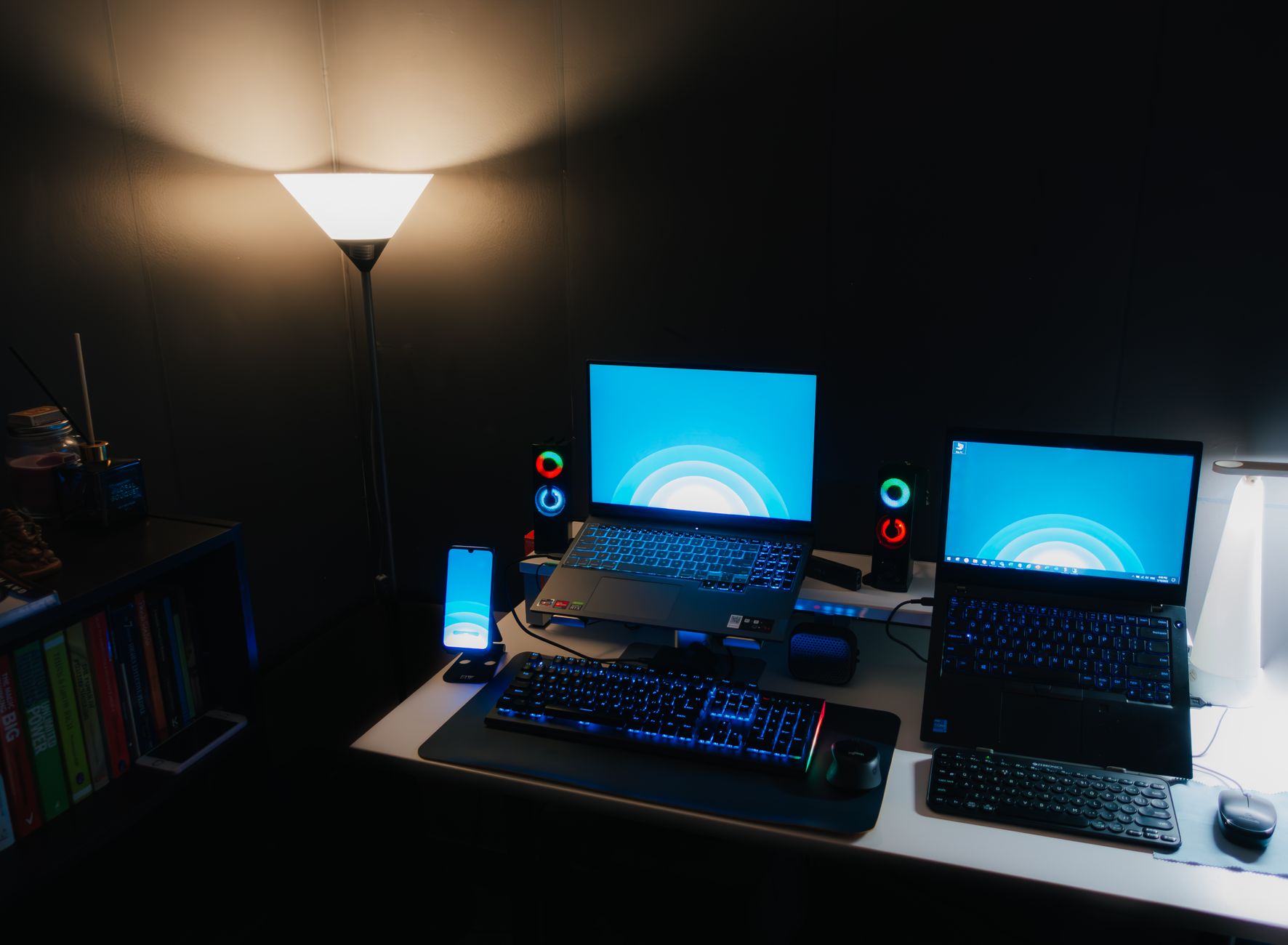
The visual gateway to your gaming world is the laptop's display, and its specifications play a crucial role in your overall immersion and competitive edge. When considering how to choose a gaming laptop, the screen is where you'll spend all your time, so don't overlook its importance. Screen size is often a personal preference, with 15.6-inch and 17.3-inch being the most common. A 15.6-inch laptop offers more portability, while a 17.3-inch model provides a larger, more immersive viewing area, often at the expense of portability and weight. Resolution is another key factor. Full HD (1920x1080) is still the most popular choice for gaming laptops, especially when paired with high refresh rates, offering a great balance between visual fidelity and performance. Quad HD (2560x1440) or 1440p displays are becoming increasingly common and offer a sharper image, but they require a more powerful GPU to maintain high frame rates. 4K (3840x2160) displays are available but are generally overkill for gaming on a laptop screen and demand top-tier GPUs to run games smoothly, often leading to significant compromises in frame rates unless you're playing less demanding titles or primarily using it for productivity. However, the refresh rate is arguably the most impactful display specification for gaming. Measured in Hertz (Hz), the refresh rate indicates how many times per second the screen can update its image. Standard laptops typically have a 60Hz display, but gaming laptops commonly feature 120Hz, 144Hz, 240Hz, or even 360Hz panels. A higher refresh rate translates to smoother motion, reduced input lag, and a more responsive feel, which can be a significant advantage in fast-paced competitive games. Paired with a powerful GPU that can push high frame rates, a high refresh rate display delivers an incredibly fluid and engaging experience. Look for displays that also support adaptive sync technologies like NVIDIA G-Sync or AMD FreeSync, which synchronize the display's refresh rate with the GPU's frame rate, eliminating screen tearing and stuttering. Panel type (IPS, OLED) also matters: IPS offers excellent color accuracy and viewing angles, while OLED provides unparalleled contrast and true blacks, albeit at a higher cost and with potential burn-in concerns, though these are less prevalent in modern panels.

Storage, Cooling, and Build Quality: Beyond the Core Specs
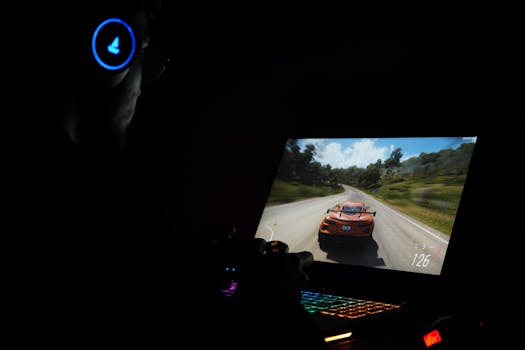
A gamer using a laptop and headphones to play a car racing game in a dark setting. Photo: Rajat Yadav / Pexels
While the GPU, CPU, and display grab the headlines, other critical elements contribute significantly to the overall gaming laptop experience. Storage is paramount for game loading times and system responsiveness. Solid State Drives (SSDs) are now the standard for gaming laptops due to their incredible speed compared to traditional Hard Disk Drives (HDDs). An NVMe PCIe SSD is the fastest type of SSD and is highly recommended. Aim for at least a 512GB NVMe SSD, though 1TB or more is preferable if you plan to install many large games. Some laptops offer configurations with a smaller NVMe SSD for the operating system and a larger secondary HDD for mass storage, but the performance difference makes pure SSD setups more desirable for dedicated gaming. Faster storage means less time waiting for games to load and quicker access to your files, enhancing your overall user experience. Effective cooling is another non-negotiable aspect of a high-performance gaming laptop. Powerful components generate a lot of heat, and without adequate cooling, they will 'throttle' or reduce their performance to prevent overheating. This can lead to frame rate drops and a less enjoyable gaming session. Look for laptops with robust cooling systems, often featuring multiple fans, heat pipes, and strategically placed vents. Reviews often delve into cooling performance under sustained load, so pay close attention to these details. A well-cooled laptop will maintain peak performance for longer, ensuring your investment delivers consistent power. Finally, don't overlook build quality and design. While raw power is essential, a flimsy chassis or poor keyboard can detract from the experience. Gaming laptops can range from sleek, minimalist designs to aggressive, RGB-laden behemoths. Consider the materials used (aluminum vs. plastic), keyboard feel (key travel, backlight, anti-ghosting), and trackpad responsiveness. Connectivity options are also important: ensure it has enough USB ports (Type-A and Type-C), an HDMI or DisplayPort for external monitors, and a reliable Wi-Fi 6/6E or even Wi-Fi 7 module. Audio quality, while often addressed with external headsets, can also be a factor for casual listening. A good webcam and microphone are also valuable for streaming or online communication. These 'non-core' aspects collectively contribute to the usability and longevity of your gaming laptop, making it a more satisfying purchase in the long run. Exploring advanced laptop features can further refine your choice.

Tips for Choosing and Common Gaming Laptop Mistakes to Avoid
Person holds a gaming controller while interacting with a laptop, emphasizing modern gaming technology. Photo: Castorly Stock / Pexels
Navigating the vast market of gaming laptops can be daunting, but with a few key tips and awareness of common pitfalls, you can make a confident decision. Here are some actionable tips and mistakes to steer clear of: **Tips for Choosing:** * **Set a Realistic Budget:** Gaming laptops can range from under $1,000 to over $4,000. Define your budget early to narrow down options. Remember to factor in potential accessories like a gaming mouse, headset, and external monitor. * **Prioritize GPU Above All Else:** As discussed, the GPU is the most critical component for gaming. Allocate the largest portion of your budget to getting the best GPU you can afford within your chosen price range. * **Read Professional and User Reviews:** Don't just rely on spec sheets. Professional reviews offer benchmark data and in-depth analysis of cooling, display quality, and build. User reviews provide real-world insights into daily usage and potential issues. * **Consider Future-Proofing (Within Reason):** While technology evolves rapidly, opting for a slightly more powerful GPU or 32GB of RAM now can extend the laptop's viability for new games by a year or two. Don't overspend on components you won't fully utilize. * **Check Upgradeability:** Some gaming laptops allow you to upgrade RAM and storage (SSDs). If you're on a tighter budget, buying a model with 8GB RAM and upgrading to 16GB later can be a cost-effective strategy. **Common Gaming Laptop Mistakes to Avoid:** * **Ignoring Cooling System Reviews:** A powerful laptop with a poor cooling system will throttle performance, making its high-end specs useless. Always check reviews specifically addressing thermal performance. * **Underestimating the Importance of an SSD:** Opting for an HDD to save money is a false economy. SSDs dramatically improve load times for games and the operating system, fundamentally enhancing the user experience. * **Overspending on a CPU for Pure Gaming:** While a good CPU is necessary, the jump from a high-end i7/Ryzen 7 to an i9/Ryzen 9 often yields diminishing returns for pure gaming performance, but significantly increases cost. * **Neglecting Display Refresh Rate:** A powerful GPU paired with a 60Hz display is a wasted opportunity. Ensure your display's refresh rate can keep up with the frames your GPU can produce for a smooth experience. * **Forgetting Portability and Battery Life:** If you plan to travel frequently with your laptop or use it unplugged, consider its weight, dimensions, and reported battery life. High-performance gaming laptops often have poor battery life, but some are better than others. By keeping these tips and avoiding these common pitfalls, you'll be well-equipped to choose a gaming laptop that perfectly matches your needs and provides countless hours of enjoyment.

Comparison

FeatureHigh-End Gaming LaptopMid-Range Gaming LaptopBudget Gaming Laptop
GPUNVIDIA RTX 4070/4080/4090 or AMD RX 7800M/7900MNVIDIA RTX 4060/4070 or AMD RX 7600M/7700MNVIDIA RTX 3050/4050 or AMD RX 6600M
CPUIntel Core i9 (13th/14th Gen) or AMD Ryzen 9 (7000/8000 Series)Intel Core i7 (12th/13th Gen) or AMD Ryzen 7 (6000/7000 Series)Intel Core i5 (11th/12th Gen) or AMD Ryzen 5 (5000/6000 Series)
RAM32GB DDR516GB DDR4/DDR58GB DDR4 (upgradeable)
Storage1TB+ NVMe SSD512GB NVMe SSD256GB-512GB NVMe SSD
Display Refresh Rate240Hz+ QHD/FHD144Hz+ FHD (or 120Hz QHD)60Hz-120Hz FHD
Cooling SystemAdvanced multi-fan, vapor chamberRobust dual-fan, multiple heat pipesStandard dual-fan
Price Range (approx.)$2000+$1200 - $2000$700 - $1200

What Readers Say

"This guide was incredibly helpful in understanding how to choose a gaming laptop. I used it to pick out an RTX 4070 model, and I couldn't be happier with the performance and smooth gameplay."

Alex P. · Seattle, WA

"I was totally lost before reading this article. The breakdown of GPU vs. CPU priority and the importance of refresh rate made my decision so much clearer. Highly recommend!"

Samantha L. · Austin, TX

"Thanks to this guide, I avoided the mistake of buying a laptop with a weak cooling system. My new gaming laptop runs cool and quiet even during intense sessions, leading to consistent high frame rates."

Ben K. · Chicago, IL

"While very thorough, I wish there was a bit more emphasis on the aesthetic choices and RGB options. Still, the core component advice for choosing a gaming laptop was invaluable for my purchase."

Chloe M. · Denver, CO

"As someone who also does video editing, the advice on RAM and CPU balance for multitasking, in addition to gaming, helped me find a laptop that perfectly suits all my needs, not just gaming."

David R. · Miami, FL

Frequently Asked Questions

What is the single most important component when choosing a gaming laptop?

The GPU (Graphics Processing Unit) is the single most important component for gaming performance. It directly impacts frame rates, resolution capabilities, and graphical settings you can run. Prioritize allocating the largest portion of your budget to the best GPU you can afford.

Is 8GB of RAM enough for a gaming laptop?

While 8GB of RAM might run older or less demanding games, it is generally insufficient for modern AAA titles and multitasking. 16GB of RAM is the recommended minimum for a smooth gaming experience in current and upcoming games, with 32GB being ideal for streaming or content creation.

How do I know if a gaming laptop's cooling system is good?

To assess a gaming laptop's cooling, you should read professional reviews that include thermal performance benchmarks. Look for information on CPU and GPU temperatures under sustained load, and whether the laptop experiences 'thermal throttling,' which reduces performance to prevent overheating. User reviews can also provide insights into real-world cooling effectiveness.

Are gaming laptops worth the cost compared to gaming desktops?

Gaming laptops offer unmatched portability, allowing you to game anywhere. While a desktop often provides more raw power for the same price and easier upgradeability, a gaming laptop is a compelling choice for those who need a powerful, all-in-one portable gaming solution. The 'worth' depends on your priority for portability versus raw power and budget flexibility.

What is the difference between a 60Hz and a 144Hz display for gaming?

A 60Hz display refreshes its image 60 times per second, while a 144Hz display refreshes 144 times per second. This higher refresh rate on a 144Hz display results in significantly smoother motion, reduced input lag, and a more responsive feel in games, especially fast-paced competitive titles, offering a distinct visual and performance advantage.

Who should consider buying a gaming laptop?

A gaming laptop is ideal for gamers who need portability, students who want a single machine for both studies and gaming, professionals who travel frequently but still want to game, or anyone with limited space who cannot accommodate a full desktop setup. It's for those who prioritize a powerful all-in-one solution.

Can gaming laptops overheat and damage components?

While gaming laptops can get very hot under load, modern systems are designed with safeguards to prevent permanent damage from overheating. Components will 'thermal throttle,' reducing performance to lower temperatures. However, consistent high temperatures can shorten component lifespan, which is why a good cooling system is crucial.

What are the future trends for gaming laptops?

Future trends for gaming laptops include more powerful and efficient GPUs and CPUs, wider adoption of AI-powered upscaling technologies like DLSS and FSR, increasingly high refresh rate and OLED displays, thinner and lighter designs with improved cooling, and longer battery life through more power-efficient components and larger batteries. Wi-Fi 7 and Thunderbolt 5 are also on the horizon for enhanced connectivity.

Armed with this comprehensive guide on how to choose a gaming laptop, you're now ready to make an informed decision. Dive into the world of portable gaming with confidence, knowing you've selected a machine that perfectly matches your needs and delivers an unparalleled gaming experience.

Topics: how to choose a gaming laptopgaming laptop buying guidebest gaming laptopgaming laptop specsportable gaming
Leo List
Brampton weed
Adultwork EstrelaBet Vai de Bet R7 Bet Betão Galera Bet Rainbet Bet9ja Shop SportyBet BetKing Sisal Loto Foot Hollywoodbets YesPlay Odibets RushBet Jugabet BetWarrior BetCity MSport betPawa Fortebet