Essential Cybersecurity Tips for Small Business Success
cybersecurity tips for small business

Essential Cybersecurity Tips for Small Business Success

Fortify your digital defenses and ensure the resilience of your small business against ever-evolving cyber threats.

Secure Your Business Now

Key Takeaways

  • ✓ 60% of small businesses close within six months of a cyber attack.
  • ✓ The average cost of a small business data breach is $120,000 to $1.24 million.
  • ✓ Phishing is the most common cyber attack vector for small businesses.
  • ✓ Employee training is a critical, yet often overlooked, cybersecurity defense.

How It Works

1
Assess Your Risks

Identify your most valuable digital assets and potential vulnerabilities. Understand where your business is most exposed to cyber threats.

2
Implement Core Protections

Deploy foundational security measures like strong passwords, multi-factor authentication, and robust antivirus software. These are your first lines of defense.

3
Educate Your Team

Train employees on cybersecurity best practices and how to recognize threats. Your team is often the weakest link, but also your strongest defense when properly informed.

4
Plan for Recovery

Develop an incident response plan and regularly back up your data. Knowing how to react and recover quickly can minimize damage after an attack.

Understanding the Cyber Threat Landscape for Small Businesses

A person in a hoodie sits at a computer screen, engaged in coding or hacking activities. Photo: Mikhail Nilov / Pexels
In today's interconnected digital world, no business, regardless of its size, is immune to cyber threats. While large corporations often make headlines for massive data breaches, small businesses are increasingly becoming prime targets for cybercriminals. Why? Because they often have fewer resources dedicated to cybersecurity, making them perceived as easier targets with potentially valuable data. The misconception that 'we're too small to be targeted' is a dangerous one that many small business owners unfortunately hold. In reality, cybercriminals operate on a scale, using automated tools to scan for vulnerabilities across millions of IP addresses. If your small business has an internet connection, you are on their radar. The types of threats small businesses face are diverse and constantly evolving. Phishing attacks, where criminals attempt to trick employees into revealing sensitive information or clicking malicious links, remain incredibly prevalent. Ransomware, which encrypts a business's data and demands payment for its release, can cripple operations overnight. Malware, denial-of-service attacks, and even insider threats (whether malicious or accidental) all pose significant risks. Each of these attack vectors can lead to devastating consequences, including financial loss, reputational damage, legal penalties, and even business closure. The average cost of a small business data breach can range from tens of thousands to well over a million dollars, a sum that can easily put a small enterprise out of business. Beyond the immediate financial hit, there's the long-term damage to customer trust and brand reputation, which can be even harder to recover from. Understanding this complex and hostile environment is the first critical step in building an effective defense strategy. It's not about fear-mongering, but about acknowledging the reality of the digital age and taking proactive measures. Ignoring these threats is no longer an option; proactive defense is essential for survival and growth. For more insights into broader tech security, consider exploring general tech security best practices.

Foundational Cybersecurity Tips for Small Business Data Protection
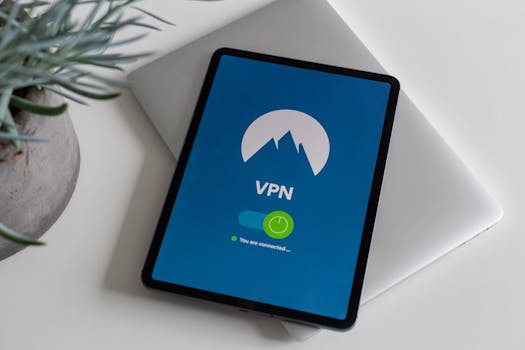
Modern tablet displaying a connected VPN app screen, symbolizing cybersecurity. Photo: Stefan Coders / Pexels
Building a robust cybersecurity posture for your small business doesn't require an army of IT specialists or an exorbitant budget. It starts with implementing foundational practices that address the most common vulnerabilities. One of the most critical steps is enforcing strong password policies. This means requiring employees to use complex passwords that combine uppercase and lowercase letters, numbers, and symbols, and discouraging the reuse of passwords across multiple accounts. Beyond complexity, multi-factor authentication (MFA) is a game-changer. MFA adds an extra layer of security by requiring a second form of verification, such as a code sent to a mobile device, in addition to a password. Even if a password is stolen, MFA can prevent unauthorized access. It's a simple yet incredibly effective deterrent against credential theft. Regular software updates are another cornerstone of effective cybersecurity. Software vendors constantly release patches to fix newly discovered security vulnerabilities. Failing to update operating systems, applications, and firmware leaves your systems exposed to known exploits that cybercriminals are eager to leverage. Automate updates whenever possible to ensure your systems are always running the most secure versions. Antivirus and anti-malware software are also non-negotiable. These tools act as your digital immune system, scanning for, detecting, and removing malicious software before it can cause harm. Ensure these programs are installed on all devices, kept up-to-date, and configured to perform regular scans. Furthermore, implementing a robust backup strategy is paramount. Data loss can occur due to cyberattacks, hardware failure, or human error. Regular, automated backups of all critical business data, stored securely off-site or in the cloud, ensure that you can recover quickly and minimize downtime. Test your backup recovery process periodically to ensure its effectiveness. Finally, secure your network. This involves using strong encryption for Wi-Fi networks (WPA2 or WPA3), changing default router passwords, and segmenting your network if possible to isolate critical systems. These foundational steps, while seemingly basic, form the bedrock of a secure digital environment for any small business.

Employee Training and Incident Response: Your Human Firewall

Wooden blocks spell 'ethical hacking', symbolizing cybersecurity concepts. Photo: Ann H / Pexels
While technology provides essential defenses, your employees are often the first and last line of defense against cyber threats. A well-trained workforce can act as a 'human firewall,' capable of identifying and thwarting attacks that automated systems might miss. Conversely, an untrained employee can inadvertently open the door to a cyberattack through a simple click or oversight. Therefore, comprehensive and ongoing cybersecurity awareness training is not just beneficial; it's absolutely crucial. This training should cover topics such as recognizing phishing emails, understanding the dangers of suspicious links and attachments, the importance of strong passwords and MFA, safe browsing habits, and proper handling of sensitive data. Regular simulated phishing exercises can also be highly effective in testing employee vigilance and reinforcing training concepts. Make it clear that cybersecurity is everyone's responsibility and foster a culture where employees feel comfortable reporting suspicious activities without fear of reprisal. Beyond prevention, every small business needs a clear and actionable incident response plan. A cyberattack is not a matter of 'if,' but 'when.' Having a predefined plan allows your business to react swiftly and effectively, minimizing damage and facilitating a quicker recovery. An incident response plan should outline specific steps to take immediately after a breach is detected, including isolating affected systems, preserving evidence for forensic analysis, notifying relevant authorities (if required), and communicating with affected customers and stakeholders. It should also detail who is responsible for each action and provide contact information for key personnel and external resources, such as cybersecurity experts or legal counsel. Regularly review and update this plan, and conduct tabletop exercises to ensure everyone understands their role. A well-executed incident response can mean the difference between a minor setback and a catastrophic business failure. For more on proactive measures, consider reviewing proactive security measures.

Common Cybersecurity Mistakes Small Businesses Must Avoid

Young Asian woman engaged in computer hacking in a dimly lit, technologically equipped room. Photo: cottonbro studio / Pexels
Many small businesses, despite their best intentions, fall prey to common cybersecurity pitfalls. Avoiding these mistakes is as crucial as implementing good practices. Here are some critical errors to steer clear of: * **Neglecting Regular Backups:** Not having a consistent, tested backup strategy is akin to operating without insurance. Data loss, whether from a cyberattack or hardware failure, can be devastating. Ensure backups are automated, stored off-site, and regularly verified for integrity. * **Ignoring Software Updates:** 'Later' often means 'never' when it comes to software updates. Outdated software is a primary entry point for cybercriminals. Enable automatic updates for all operating systems, applications, and network devices. * **Weak Password Practices:** Relying on simple, easily guessable passwords or reusing the same password across multiple services is an open invitation for attackers. Implement strong password policies and enforce multi-factor authentication (MFA) everywhere possible. * **Lack of Employee Training:** Your employees are your first line of defense. Without proper training on phishing, social engineering, and safe data handling, they can inadvertently become your biggest vulnerability. Invest in ongoing cybersecurity awareness programs. * **No Incident Response Plan:** Waiting until a breach occurs to figure out what to do is a recipe for disaster. Develop a clear, actionable incident response plan that outlines steps for detection, containment, eradication, recovery, and post-incident analysis. * **Over-Reliance on Free Security Tools:** While some free tools offer basic protection, they often lack the comprehensive features, support, and advanced threat intelligence necessary for robust business security. Invest in reputable, business-grade security solutions. * **Not Securing Mobile Devices:** In an era of remote work, mobile phones and tablets are often used for business. Ensure these devices are protected with strong passwords, remote wipe capabilities, and up-to-date security software. * **Ignoring Physical Security:** Cybersecurity isn't just about digital threats. Unsecured physical access to servers, workstations, or network equipment can compromise your entire digital infrastructure. Control access to sensitive areas and secure devices physically. By actively avoiding these common mistakes, small businesses can significantly reduce their risk exposure and build a much stronger, more resilient cybersecurity posture.

Comparison

FeatureBest Option (Paid)Alternative 1 (Freemium)Alternative 2 (Open Source)
Endpoint ProtectionSophos Intercept X AdvancedAvast Business AntivirusClamAV (Linux focus)
Password ManagerLastPass BusinessDashlane FreeKeePassXC
MFA SolutionDuo SecurityGoogle AuthenticatorFreeOTP
Backup SolutionVeeam Backup & ReplicationBackblaze BusinessDuplicati
Phishing TrainingKnowBe4PhishMe (limited free)Gophish (self-hosted)

What Readers Say

"Following these cybersecurity tips for my small consulting firm was a game-changer. We feel much more secure, especially after implementing MFA and regular backups. It's practical advice that actually works."

Sarah Chen · Austin, TX

"As a small e-commerce owner, I was overwhelmed by cybersecurity. This article broke it down into manageable steps. The emphasis on employee training was particularly insightful and has made a real difference."

Mark Johnson · Denver, CO

"We had a near-miss with a phishing scam last year. After reading these tips, we overhauled our security protocols. Our team is now much more vigilant, and our data is better protected, leading to increased client confidence."

Emily Rodriguez · Miami, FL

"The advice is solid, especially the sections on incident response. While some of the paid tool recommendations are a bit out of our current budget, the foundational tips are invaluable for any small business starting its cybersecurity journey."

David Lee · Portland, OR

"Running a small non-profit means every penny counts. These cybersecurity tips for small business helped us implement robust defenses without breaking the bank. The focus on human firewalls was particularly impactful for our volunteer-driven organization."

Jessica White · Chicago, IL

Frequently Asked Questions

What is the single most important cybersecurity tip for small businesses?

While many tips are crucial, implementing multi-factor authentication (MFA) across all possible accounts is arguably the single most impactful step. It drastically reduces the risk of account compromise, even if passwords are stolen, offering a robust layer of defense against common attacks.

How can I convince my employees to take cybersecurity seriously?

The key is ongoing education, making it relatable, and fostering a culture of security. Explain the 'why' behind policies, use real-world examples of attacks, and make training engaging. Emphasize that cybersecurity protects not just the business, but also their jobs and the customers they serve.

How often should a small business back up its data?

Critical business data should be backed up continuously or at least daily, with multiple versions retained. The frequency depends on how much data your business can afford to lose. For highly dynamic data, real-time or hourly backups are ideal; for less critical data, daily or weekly might suffice.

What's the typical cost for small business cybersecurity solutions?

Costs vary widely based on the size of your business and the complexity of solutions. Basic protection (antivirus, backup, password manager) might start from $50-$200/month. Comprehensive solutions, including managed services, can range from $500-$2000+ per month, but the investment is significantly less than the cost of a breach.

Is cloud storage inherently more secure for small business data?

Cloud storage can be highly secure, often more so than on-premise solutions for small businesses, due to providers' extensive security measures. However, its security depends on strong user authentication, proper configuration, and understanding the shared responsibility model (you're responsible for your data, they're responsible for the infrastructure).

Who in a small business is responsible for cybersecurity?

Ultimately, the business owner or leadership is responsible for establishing and enforcing cybersecurity policies. However, in practice, cybersecurity is a shared responsibility. Every employee plays a role in maintaining security through their daily actions and adherence to best practices.

Are free antivirus programs sufficient for small businesses?

Generally, no. While free antivirus offers basic protection for personal use, business-grade solutions provide more comprehensive features like centralized management, advanced threat detection, ransomware protection, and dedicated support, which are crucial for a business environment.

What emerging cyber threats should small businesses be aware of?

Small businesses should monitor threats like AI-powered phishing (more convincing scams), supply chain attacks (targeting vendors to reach you), and deepfakes (used for social engineering). Staying informed and adaptable is key to countering these evolving threats.

Don't wait until it's too late. Implement these essential cybersecurity tips for small business today to protect your assets, maintain customer trust, and ensure the long-term success and resilience of your enterprise in the digital age.

Topics: cybersecurity tips for small businesssmall business cyber securitydata protection small businesscyber threat preventionSMB cyber defense
Leo List
Brampton weed
Adultwork EstrelaBet Vai de Bet R7 Bet Betão Galera Bet Rainbet Bet9ja Shop SportyBet BetKing Sisal Loto Foot Hollywoodbets YesPlay Odibets RushBet Jugabet BetWarrior BetCity MSport betPawa Fortebet