✓ Apple Watch is exclusive to iPhone users; Samsung Galaxy Watch is compatible with Android, with limited iOS functionality.
✓ Both offer advanced health tracking, including ECG, blood oxygen, and sleep monitoring.
✓ Apple Watch generally leads in app ecosystem and seamless integration with iOS services.
✓ Samsung Galaxy Watch often provides better battery life and more diverse design options.
✓ Pricing for both brands varies significantly based on model, features, and cellular connectivity.
How It Works
1
Understand Your Phone's Ecosystem
Your current smartphone is the primary determinant. Apple Watches only pair with iPhones, while Samsung Watches are best with Android phones, especially Samsung Galaxy devices.
2
Prioritize Key Features
Identify what's most important to you: advanced health sensors, battery life, fitness tracking accuracy, cellular connectivity, or specific apps. Both brands excel in different areas.
3
Consider Design and Comfort
Smartwatches are worn daily, so aesthetics, material quality, and comfort are crucial. Explore different sizes, materials (aluminum, stainless steel, titanium), and band options from both brands.
4
Evaluate Budget and Value
Set a realistic budget. While both offer premium options, consider the long-term value, including software updates, accessory availability, and potential resale value.
Ecosystem Integration and Compatibility: A Core Distinction
Photo: Florian Doppler / Pexels
When you compare smartwatches Apple vs Samsung, the most fundamental difference lies in their respective ecosystems. This isn't just about which phone they pair with; it's about the entire user experience, app availability, and seamlessness of integration. The Apple Watch, unequivocally, is designed to be an extension of the iPhone. It operates on watchOS, a highly refined operating system that mirrors the intuitive nature of iOS. This tight integration means unparalleled performance when paired with an iPhone, offering features like seamless Handoff, instant notifications, Apple Pay, and deep integration with Apple's health, fitness, and communication services. For iPhone users, the Apple Watch is often the default, most logical choice, providing a cohesive and frictionless experience. Trying to use an Apple Watch with an Android phone is simply not possible; it's a closed garden.
On the other side, the Samsung Galaxy Watch series, primarily running on Google's Wear OS (co-developed with Samsung), is built for the Android ecosystem. While it technically offers limited compatibility with iOS devices for some basic functions, its full potential is unlocked when paired with an Android smartphone, especially a Samsung Galaxy device. With a Samsung phone, users benefit from Samsung Health integration, SmartThings connectivity, Samsung Pay, and Bixby voice assistant. The Wear OS platform also grants access to Google services like Google Maps, Google Assistant, and the Google Play Store for a broader app selection than previous Tizen OS versions. For Android users, particularly those invested in the Samsung ecosystem, the Galaxy Watch provides a robust and feature-rich experience. The choice here often boils down to which smartphone brand you're loyal to, as switching ecosystems just for a smartwatch is rarely practical. Understanding this core compatibility is the first and most critical step in deciding which smartwatch is right for you. It dictates not just functionality but also the overall convenience and utility you'll derive from your device. Learn more about smartwatch operating systems.
Health, Fitness Tracking, and Advanced Sensors
Photo: MART PRODUCTION / Pexels
Both Apple and Samsung have positioned their smartwatches as powerful health and fitness companions, packed with an impressive array of sensors. When you compare smartwatches Apple vs Samsung in this domain, you'll find a lot of overlap but also some key differentiators. Both brands offer robust heart rate monitoring, sleep tracking, step counting, calorie tracking, and a wide variety of workout modes. They both feature ECG (electrocardiogram) capabilities for detecting signs of atrial fibrillation (AFib), and blood oxygen (SpO2) sensors, which became particularly relevant during recent health crises. Fall detection is another critical safety feature present on both, capable of alerting emergency services if a hard fall is detected and the user is unresponsive.
However, the implementation and additional features can vary. Apple Watch has been a pioneer in many health features, often being among the first to receive FDA clearance for certain functionalities in the US. Its Activity Rings system is a highly motivating and widely adopted way to track daily movement, exercise, and standing goals. Apple also introduced temperature sensing for retrospective ovulation estimates and advanced crash detection in its latest models, further enhancing its safety profile. The Apple Health app provides a comprehensive dashboard for all health data, integrating seamlessly with third-party apps.
Samsung's Galaxy Watch, on the other hand, often boasts more granular body composition analysis (BIA), allowing users to measure body fat percentage, skeletal muscle mass, and body water directly from their wrist. This can be a significant draw for fitness enthusiasts looking for more detailed insights. Samsung Health also offers excellent tracking and coaching features, and its sleep tracking often includes more detailed metrics like snoring detection. While both offer GPS for outdoor activity tracking, some users report slight differences in accuracy depending on the model and environment. The choice here might come down to whether you prioritize Apple's broad, medically-focused health features and intuitive activity tracking, or Samsung's detailed body composition analysis and robust fitness coaching within its own ecosystem. Both are excellent, but their nuances cater to slightly different user preferences.
Design, Display, Battery Life, and Performance
Photo: indra projects / Pexels
Beyond features and compatibility, the tangible aspects of design, display quality, battery life, and overall performance play a crucial role in the user experience when you compare smartwatches Apple vs Samsung. Apple Watch typically features a distinctive square or rectangular design with rounded corners, available in aluminum, stainless steel, and titanium. Samsung Galaxy Watches, conversely, mostly stick to a classic circular watch face, offering a more traditional aesthetic. This fundamental design choice is often a deal-breaker for users, preferring one shape over the other. Both brands offer a wide array of customizable watch faces and interchangeable bands, allowing for personal expression. Display technology is top-notch on both, utilizing vibrant OLED or AMOLED panels that offer excellent brightness, contrast, and always-on capabilities, ensuring readability even in direct sunlight.
Battery life is an area where Samsung has traditionally held an edge, especially with some of its larger models. While Apple Watch models typically offer an 'all-day' battery life of around 18-36 hours (depending on usage and model, with Ultra models extending this significantly), many Samsung Galaxy Watch models can push beyond 24 hours, with some lasting multiple days on a single charge, particularly with optimized settings. This difference can be crucial for users who don't want to charge their watch every night or during multi-day trips. However, both brands have made strides in fast charging, reducing downtime.
In terms of performance, both Apple's S-series chips and Samsung's Exynos W-series (or more recent chips in collaboration with Google for Wear OS) provide snappy, responsive user interfaces. Apps launch quickly, and navigation is fluid. Apple's watchOS is renowned for its smooth animations and intuitive gestures. Wear OS on Samsung watches, especially with the latest iterations, has significantly improved in fluidity and responsiveness compared to older versions. Both offer cellular (LTE) connectivity options, allowing you to make calls, send messages, and stream music without your phone nearby, albeit at an extra cost and with increased battery drain. The choice here often boils down to aesthetic preference (square vs. circle), battery life priorities, and the overall feel of the operating system. Explore the latest smartwatch innovations.
Pricing, Value, and Long-Term Considerations
Photo: Anastasiya Badun / Pexels
When evaluating smartwatches, the price tag is always a significant factor, but it's equally important to consider the long-term value. When you compare smartwatches Apple vs Samsung, you'll find a similar pricing structure for their flagship models, but variations exist across their product lines. Apple Watch models typically start with the SE series as the entry-level option, moving up to the standard Series models, and culminating in the premium Apple Watch Ultra. Prices can range from approximately $250 for an SE to $800+ for an Ultra, depending on connectivity (GPS vs. GPS + Cellular) and materials. Samsung offers a similar tiered approach with its Galaxy Watch series, often having a 'Classic' or 'Pro' variant alongside the standard model, with prices generally ranging from $200 for entry-level models to $450+ for premium versions. Both brands frequently offer discounts, especially around major shopping holidays.
Beyond the initial purchase, consider the cost of accessories. Both offer a vast ecosystem of first-party and third-party bands, chargers, and protective cases. Apple's accessories tend to be pricier, but the market for third-party Apple Watch bands is enormous and competitive. Samsung also has a strong accessory market. Software updates are another crucial value proposition. Apple is known for providing many years of software support for its devices, ensuring that even older models receive new features and security updates. Samsung, with its move to Wear OS, has also committed to longer software support, which is a welcome change for Android users.
Resale value is also worth noting; Apple products generally hold their value better than Android counterparts, including smartwatches. This can be a factor if you plan to upgrade frequently. Ultimately, the 'value' depends on your budget, how deeply you're integrated into either ecosystem, and which specific features you prioritize. A cheaper watch that doesn't integrate well with your phone or lacks crucial health features might be a false economy. Conversely, paying for features you'll never use is also not good value. Carefully weigh the initial cost against the features, ecosystem benefits, and anticipated lifespan of the device to make the most informed decision.
"I was torn between an Apple Watch and a Samsung Galaxy Watch, but this guide helped me realize the Apple Watch was the only choice for my iPhone. The seamless integration with my health apps and messages is incredible."
Sarah J. · Austin, TX
★★★★★
"As an Android user, I initially considered switching for an Apple Watch, but learning about the Galaxy Watch's body composition analysis and better battery life convinced me. It's perfect for my fitness goals."
Mark D. · Seattle, WA
★★★★★
"The comparison table was a lifesaver! It clearly showed me that for my specific needs (long battery and circular design), the Samsung Galaxy Watch was the winner. I've been using it for months and love it."
Emily R. · Miami, FL
★★★★★
"This article provided a balanced view. While I ultimately chose an Apple Watch for its superior app ecosystem, I appreciated the detailed breakdown of Samsung's strengths, especially in battery life and design diversity."
David L. · Chicago, IL
★★★★★
"I'm a runner, and the GPS accuracy and robust fitness tracking on my Apple Watch are unmatched. This guide helped me confirm my choice by highlighting the deep integration with Apple Fitness+ and other services."
Jessica M. · Denver, CO
Frequently Asked Questions
Which smartwatch is better for iPhone users, Apple Watch or Samsung Galaxy Watch?
For iPhone users, the Apple Watch is overwhelmingly the better choice due to its exclusive compatibility and deep, seamless integration with the iOS ecosystem. While Samsung Galaxy Watches offer limited iOS functionality, you will miss out on many core features and a fluid user experience.
Can I use a Samsung Galaxy Watch with an iPhone?
Yes, you can connect a Samsung Galaxy Watch to an iPhone, but functionality is severely limited compared to pairing with an Android phone or using an Apple Watch with an iPhone. You'll get basic notifications and fitness tracking, but advanced features, app installations, and full ecosystem integration will be unavailable.
How do Apple Watch and Samsung Galaxy Watch compare in terms of battery life?
Generally, Samsung Galaxy Watches tend to offer longer battery life, with some models lasting multiple days on a single charge, especially with optimized settings. Apple Watch models typically provide 18-36 hours of 'all-day' battery, though the Apple Watch Ultra significantly extends this to 36-72 hours.
Is the Apple Watch or Samsung Galaxy Watch more expensive?
Both brands offer a range of models with varying price points. Apple Watch models can range from $250 (SE) to $800+ (Ultra). Samsung Galaxy Watches generally range from $200 for entry-level models to $450+ for their premium versions. Pricing depends heavily on features, connectivity (GPS vs. Cellular), and materials.
Which smartwatch has better health tracking features?
Both offer excellent health tracking, including ECG, blood oxygen, and sleep monitoring. Apple Watch excels with features like temperature sensing for ovulation estimates, advanced crash detection, and its intuitive Activity Rings. Samsung Galaxy Watch stands out with its Body Composition Analysis (BIA) and more detailed sleep metrics like snoring detection. The 'better' one depends on your specific health priorities.
Who should choose an Apple Watch?
An Apple Watch is ideal for iPhone users who want the most seamless integration with their phone, access to a vast app ecosystem, robust health and safety features, and a premium, intuitive user experience within the Apple ecosystem.
Are smartwatches safe to wear all the time?
Yes, smartwatches from reputable brands like Apple and Samsung are generally considered safe to wear all the time. They emit low levels of non-ionizing electromagnetic radiation, similar to cell phones, which is not considered harmful by major health organizations. Always ensure the watch fits properly to avoid skin irritation.
What's the future trend for smartwatches from Apple and Samsung?
Future trends for both brands likely include enhanced health monitoring with more advanced sensors (e.g., non-invasive blood glucose, blood pressure), improved battery efficiency, more sophisticated AI integration for personalized coaching, and greater independence from the smartphone, potentially with more robust cellular capabilities and on-device processing.
Armed with this comprehensive comparison, you're now ready to make an informed decision. Whether you prioritize seamless ecosystem integration, advanced health tracking, or specific design aesthetics, understanding the nuances when you compare smartwatches Apple vs Samsung is key to finding your perfect wearable companion. Choose wisely and elevate your daily tech experience!

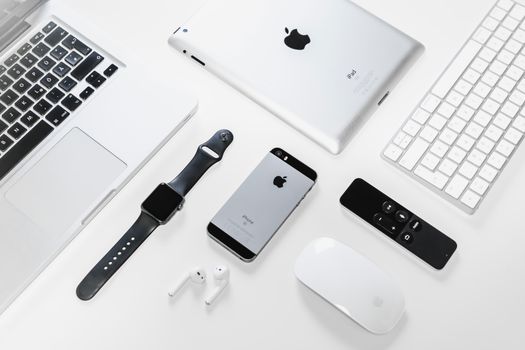 Photo: Florian Doppler / Pexels
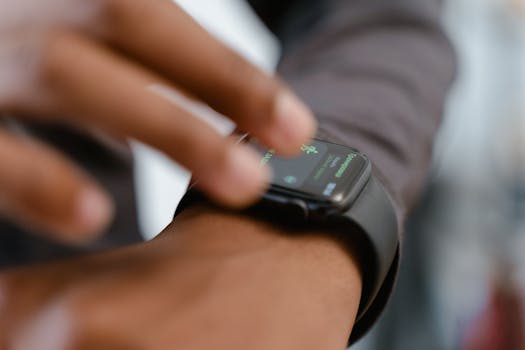 Photo: MART PRODUCTION / Pexels
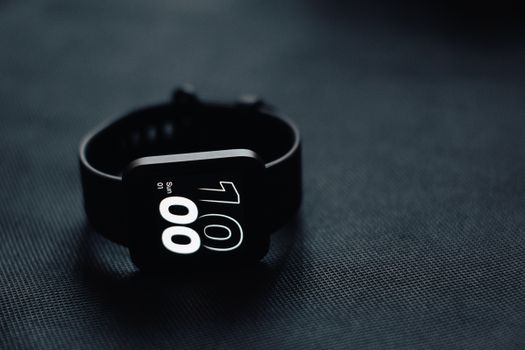 Photo: indra projects / Pexels
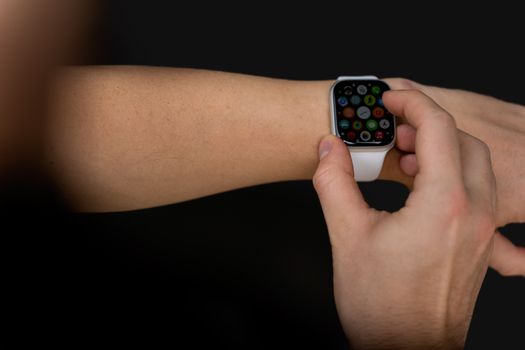 Photo: Anastasiya Badun / Pexels