✓ Latest generation GPUs offer significant performance gains over predecessors.
✓ Ray tracing and AI upscaling (DLSS/FSR) are standard features on new cards.
✓ Power efficiency has improved, but newer cards may require more robust PSUs.
✓ VRAM capacity is crucial for high-resolution gaming and professional applications.
How It Works
1
Assess Your Needs
Determine if your primary use is gaming, content creation, or professional applications. This will dictate the required performance tier and features.
2
Check System Compatibility
Ensure your motherboard has a compatible PCIe slot and your power supply unit (PSU) can handle the new card's power draw. Physical dimensions also matter for your case.
3
Research Current Models
Compare performance benchmarks, features like ray tracing and VRAM, and price points across different manufacturers (NVIDIA, AMD). Look for reputable reviews.
4
Purchase and Install
Buy from a trusted retailer and follow installation guides carefully. Update your drivers immediately after installation for optimal performance and stability.
Understanding the Evolution: Why Upgrade Your Graphics Card?
Photo: Matheus Bertelli / Pexels
The world of computing, particularly gaming and professional content creation, is in a constant state of flux, driven by relentless innovation in hardware. At the heart of this evolution lies the Graphics Processing Unit (GPU), a component that has transformed from a simple display adapter into a powerful, parallel processing engine. When you consider to buy latest generation graphics card, you're not just getting a minor improvement; you're investing in a leap forward in technology that redefines visual fidelity, performance, and even the types of tasks your PC can handle.
Previous generations of graphics cards, while capable in their time, simply cannot compete with the raw power and advanced features offered by the newest models. Modern games, for instance, are designed with technologies like ray tracing and path tracing in mind, effects that simulate light and shadows with incredible realism. These are computationally intensive features that older GPUs struggle to render, often forcing users to turn them off or suffer significant performance penalties. Latest-gen cards, on the other hand, boast dedicated RT (Ray Tracing) cores and Tensor Cores (NVIDIA) or AI Accelerators (AMD) that are specifically engineered to handle these complex calculations efficiently, providing a truly immersive and lifelike experience.
Beyond gaming, creative professionals in fields such as 3D rendering, video editing, graphic design, and scientific simulation stand to gain immensely. Applications like Blender, Adobe Premiere Pro, and DaVinci Resolve are increasingly leveraging GPU acceleration for faster rendering times, smoother previews, and the ability to work with higher-resolution assets. The increased CUDA cores (NVIDIA) or Stream Processors (AMD), coupled with larger and faster VRAM (Video Random Access Memory), translate directly into productivity gains. Tasks that once took hours on older hardware can now be completed in a fraction of the time, freeing up valuable resources and allowing for more iterations and higher quality outputs.
Furthermore, the latest generation introduces significant advancements in power efficiency and cooling solutions. While performance has soared, manufacturers have also focused on optimizing power consumption, leading to more efficient designs. This often means that despite offering far greater performance, some newer cards might consume only marginally more power than their older counterparts, or even less in some specific scenarios, making them more environmentally friendly and potentially reducing your electricity bill in the long run. Advanced cooling systems, including larger heatsinks, more efficient fan designs, and even liquid cooling options, ensure that these powerful components can operate at their peak performance without overheating, contributing to overall system stability and longevity. The decision to buy latest generation graphics card is therefore not just about keeping up, but about embracing the future of computing performance and visual excellence. It’s an investment that pays dividends in both entertainment and productivity, making it a compelling choice for anyone serious about their PC experience.
Key Technologies Driving the Latest GPU Performance
Photo: Matheus Bertelli / Pexels
When you decide to buy latest generation graphics card, you're not just acquiring more raw power; you're gaining access to a suite of groundbreaking technologies that fundamentally change how graphics are rendered and perceived. Two of the most impactful innovations are Ray Tracing and AI-powered Upscaling, predominantly known as NVIDIA's DLSS (Deep Learning Super Sampling) and AMD's FSR (FidelityFX Super Resolution). Understanding these technologies is crucial for appreciating the value proposition of modern GPUs.
Ray Tracing is a rendering technique that simulates the physical behavior of light. Instead of using pre-baked lighting effects, ray tracing tracks the path of light rays as they interact with objects in a scene, producing incredibly realistic reflections, refractions, and shadows. This results in a level of visual fidelity that was previously impossible to achieve in real-time gaming and interactive applications. Imagine sunlight realistically bouncing off a polished floor, or reflections in a puddle accurately mirroring the environment – that's the magic of ray tracing. Dedicated RT Cores on NVIDIA cards and RT Accelerators on AMD cards are specifically designed to handle these complex calculations, making real-time ray tracing a viable feature in modern games. Without these specialized cores, enabling ray tracing on older GPUs would bring performance to a crawl, rendering the experience unplayable.
Complementing ray tracing are AI-powered upscaling technologies like DLSS and FSR. These technologies address the performance cost associated with rendering complex scenes at high resolutions, especially when ray tracing is enabled. DLSS, utilizing the Tensor Cores found in NVIDIA's RTX GPUs, renders frames at a lower resolution and then uses an AI model to intelligently upscale them to a higher resolution, often with image quality comparable to or even better than native resolution, but with significantly higher frame rates. FSR, AMD's open-source alternative, uses a spatial upscaling algorithm that works across a wider range of GPUs, including older models and even some NVIDIA cards, offering a similar benefit of increased performance with minimal image degradation. These upscaling techniques are game-changers, allowing users to enjoy stunning visuals at higher frame rates, even on demanding titles, by efficiently bridging the gap between performance and visual quality.
Another significant development is the increase in VRAM capacity and speed. Modern games and professional applications demand large amounts of video memory, especially at higher resolutions (4K and beyond) and with high-fidelity textures. Latest-gen cards typically come with 12GB, 16GB, or even 24GB of GDDR6 or GDDR6X VRAM, providing ample buffer for demanding workloads. This larger VRAM pool prevents stuttering and texture pop-in, ensuring a smoother and more consistent experience. Furthermore, improved memory bus widths and faster memory clock speeds mean data can be accessed and processed more quickly, contributing to overall performance. When you seek to buy latest generation graphics card, you're investing in these synergistic technologies that work together to deliver an unparalleled visual experience, pushing the boundaries of what's possible in digital rendering.
Navigating the Market: NVIDIA vs. AMD and Model Tiers
Photo: Andrey Matveev / Pexels
The journey to buy latest generation graphics card inevitably leads to a fundamental choice: NVIDIA or AMD. Both companies are titans in the GPU market, each offering compelling options with their unique strengths and ecosystems. Understanding their respective philosophies and product lines is key to making an informed decision that aligns with your specific needs and budget.
NVIDIA, with its GeForce RTX series, has long been synonymous with cutting-edge gaming performance, particularly excelling in ray tracing capabilities due to their dedicated RT Cores. Their DLSS technology, powered by Tensor Cores, provides exceptional AI-driven upscaling, often delivering superior image quality and performance gains compared to alternatives. NVIDIA's professional-grade drivers and software ecosystem, including CUDA for parallel computing, also make their cards highly attractive for content creators and AI/machine learning developers. Their product stack typically scales from entry-level (e.g., RTX 4060) to high-end enthusiast cards (e.g., RTX 4090), with performance and price increasing proportionally. Gamers prioritizing raw ray tracing performance and DLSS often lean towards NVIDIA.
AMD, on the other hand, with its Radeon RX series, has carved out a strong niche by offering highly competitive rasterization performance (traditional rendering without ray tracing) often at more aggressive price points. While their ray tracing performance has improved significantly with each generation, it generally lags slightly behind NVIDIA's top-tier offerings. However, AMD's FSR (FidelityFX Super Resolution) provides a robust open-source upscaling solution that works across a broader range of hardware. AMD cards are also known for their excellent value in terms of raw frame rates per dollar, particularly in the mid-range to high-end segments. They also often provide more VRAM at certain price points, which can be a significant advantage for specific workloads and future-proofing. AMD's ecosystem includes features like Smart Access Memory (SAM), which allows the CPU to access the GPU's entire VRAM, potentially boosting performance when paired with a compatible AMD CPU and motherboard.
Beyond the brand, understanding model tiers is crucial. Both NVIDIA and AMD use numbering schemes that generally indicate performance level. For NVIDIA, a higher second digit (e.g., 4070 vs 4080) usually means better performance within the same generation, while a 'Ti' or 'Super' suffix denotes an enhanced version. For AMD, higher numbers (e.g., RX 7700 XT vs RX 7900 XT) also indicate higher performance. The 'XT' suffix often signifies a higher-tier version within a specific series. Your choice should be dictated by your budget, the games or applications you run most often, and your resolution and refresh rate targets. A 1080p gamer might find an RTX 4060 or RX 7600 perfectly adequate, while a 4K enthusiast aiming for high refresh rates will likely need to consider an RTX 4080 Super, RX 7900 XTX, or even an RTX 4090. Researching specific benchmarks for your preferred titles on different cards is an invaluable step in this decision-making process.
Essential Considerations Before You Buy Latest Generation Graphics Card
Photo: Andrey Matveev / Pexels
Before you finalize your decision to buy latest generation graphics card, there are several critical factors beyond just raw performance numbers that you must carefully consider. Neglecting these aspects can lead to compatibility issues, suboptimal performance, or even damage to your system.
First and foremost is **Power Supply Unit (PSU) compatibility**. New GPUs are powerful and consequently, they can be power-hungry. Check the manufacturer's recommended PSU wattage for the specific card you're considering. It's not just about the total wattage; ensure your PSU has the correct PCIe power connectors (e.g., 8-pin, 12VHPWR) and enough of them. An underpowered PSU can lead to system instability, crashes, or even irreversible damage to components. Always aim for a PSU with some headroom, typically 100-200W above the recommended minimum, to account for other components and future upgrades.
Next, **Physical Size and Case Compatibility** are paramount. Modern high-end GPUs are often massive, sometimes spanning three or even four expansion slots and extending quite long. Measure the available space in your PC case carefully, both length and width, to ensure the card will physically fit. Also, consider the clearance for airflow. A cramped case can restrict air circulation, leading to higher temperatures and thermal throttling, which negates the benefit of a powerful card. Some cases might require removing drive cages or other components to accommodate larger GPUs.
**CPU Bottlenecking** is another crucial point. While a powerful GPU is vital, it needs a capable Central Processing Unit (CPU) to feed it data efficiently. If your CPU is significantly older or less powerful than your new GPU, it can become a bottleneck, meaning the GPU won't be utilized to its full potential, and you won't see the expected performance gains. Aim for a balanced system where your CPU and GPU are relatively well-matched. For gaming, a modern mid-to-high-range CPU from Intel or AMD is usually sufficient for even high-end GPUs.
Finally, think about **Monitor Specifications**. A top-tier graphics card paired with an old, low-resolution, or low-refresh-rate monitor is a waste of potential. To fully appreciate the visual fidelity and high frame rates offered by a latest-gen GPU, you'll want a monitor that can keep up. Consider upgrading to a high-refresh-rate (144Hz, 240Hz, or more) monitor with a higher resolution (1440p or 4K) and adaptive sync technology (G-Sync or FreeSync) to eliminate screen tearing and stuttering. Without a suitable display, the full impact of your new graphics card will remain unseen. Carefully evaluating these factors will ensure a smooth upgrade process and maximize your investment.
Comparison
Feature
NVIDIA RTX 4080 Super
AMD Radeon RX 7900 XTX
NVIDIA RTX 4070 Ti Super
Performance Tier
High-End
High-End
Upper Mid-Range
VRAM
16GB GDDR6X
24GB GDDR6
16GB GDDR6X
Ray Tracing
Excellent
Very Good
Excellent
Upscaling Tech
DLSS 3.5
FSR 3
DLSS 3.5
Power Draw (TBP)
320W
355W
285W
Best For
4K Gaming, RT Enthusiasts
4K Gaming, High VRAM Needs
1440p/Entry 4K Gaming
Price Range (USD)
$999-$1199
$899-$1099
$799-$999
What Readers Say
★★★★★
"Decided to buy latest generation graphics card, the RTX 4080 Super, and my gaming experience is night and day. Cyberpunk 2077 at max settings with ray tracing is stunning, and the DLSS performance is magic."
Alex P. · Seattle, WA
★★★★★
"Upgraded to an RX 7900 XTX for my video editing workflow. Rendering times in Premiere Pro are significantly faster, and having 24GB of VRAM means I can handle larger projects with ease. Best decision to buy latest generation graphics card for productivity."
Maria G. · Austin, TX
★★★★★
"After I bought a latest generation graphics card, my frame rates in Warzone skyrocketed from 70-80 FPS to a consistent 180+ FPS at 1440p. It completely transformed my competitive gaming experience."
Chris B. · Miami, FL
★★★★★
"The RTX 4070 Ti Super I got is fantastic for 1440p gaming, though it was a bit pricier than I initially hoped. Still, the performance boost and ray tracing capabilities are impressive, making it a worthwhile investment."
Jessica L. · Denver, CO
★★★★★
"As a 3D artist, the decision to buy latest generation graphics card (RTX 4090) has been revolutionary. My Blender renders are so much faster, allowing for quicker iterations and more complex scenes. The speed is just incredible."
David K. · Chicago, IL
Frequently Asked Questions
Is it worth it to buy latest generation graphics card right now?
Yes, generally it is. Latest generation graphics cards offer significant performance uplifts, advanced features like ray tracing and AI upscaling, and improved power efficiency compared to previous generations. If you're looking for the best performance in modern games and applications, or if your current card is struggling, upgrading now provides a substantial benefit and future-proofs your system for a few years.
Will a new graphics card bottleneck my older CPU?
Potentially, yes. A very powerful new GPU paired with an older or less powerful CPU can lead to CPU bottlenecking, where the CPU cannot feed data to the GPU fast enough, preventing the GPU from reaching its full potential. It's important to aim for a balanced system where both components are relatively well-matched to avoid this issue and get the most out of your investment.
How do I install a new graphics card?
First, power down your PC and unplug it. Open your case, locate your old GPU, unclip it from the PCIe slot, and remove any power cables and mounting screws. Insert the new GPU firmly into the PCIe slot until it clicks, secure it with screws, and connect the necessary PCIe power cables from your PSU. Close your case, plug in your PC, boot up, and then download and install the latest drivers from the manufacturer's website (NVIDIA or AMD).
How much should I expect to pay for a good latest-gen graphics card?
The price range for a good latest-gen graphics card can vary significantly based on performance tier and brand. Entry-level cards suitable for 1080p gaming might start around $300-$400, while mid-range cards for 1440p can be $500-$800. High-end cards for 4K gaming or professional work can range from $900 to well over $1500. It's important to set a budget and match it to your performance needs.
What's the main difference between NVIDIA's DLSS and AMD's FSR?
The main difference lies in their underlying technology and compatibility. DLSS (NVIDIA) uses dedicated Tensor Cores and an AI deep learning model to reconstruct frames, often resulting in superior image quality, especially in motion, but it's exclusive to RTX GPUs. FSR (AMD) is an open-source spatial upscaling algorithm that works on a wider range of GPUs (both AMD and NVIDIA) and doesn't require dedicated AI hardware, making it more broadly accessible though sometimes with slightly less refined image quality compared to DLSS at its best.
Who should prioritize buying a latest generation graphics card?
Anyone looking for significant performance upgrades in modern gaming, especially at higher resolutions (1440p and 4K) or with ray tracing enabled, should prioritize it. Content creators, 3D artists, video editors, and AI/machine learning enthusiasts will also see substantial benefits in productivity and workflow efficiency from the enhanced processing power and VRAM.
Are there any risks when upgrading to a new GPU?
The primary risks involve compatibility issues (physical size, PSU wattage/connectors, CPU bottlenecking) and potential driver conflicts if old drivers aren't properly uninstalled. Always ensure your system meets the new GPU's requirements and perform a clean driver installation. Physical installation also carries a minor risk of static discharge if proper precautions aren't taken, though this is rare with modern components.
What are the future trends for graphics cards?
Future trends include continued advancements in ray tracing and path tracing for even more realistic lighting, further integration of AI for upscaling and other tasks, increasing VRAM capacities, and more efficient architectures. We can also expect further improvements in dedicated hardware for specific workloads like video encoding/decoding and AI acceleration, pushing the boundaries of what GPUs can achieve beyond just gaming.
Ready to experience the pinnacle of visual performance? Don't wait to buy latest generation graphics card and unlock incredible frame rates, stunning fidelity, and unparalleled productivity. Upgrade your PC today and transform your digital world.

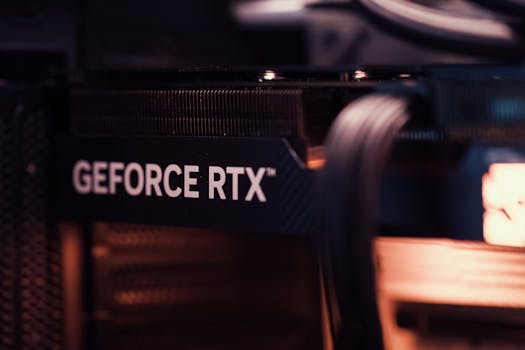 Photo: Matheus Bertelli / Pexels
 Photo: Matheus Bertelli / Pexels
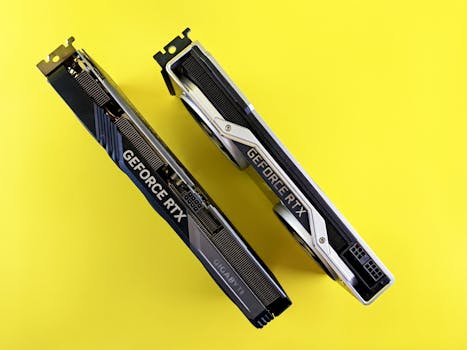 Photo: Andrey Matveev / Pexels
 Photo: Andrey Matveev / Pexels