✓ Simplicity is key for beginners; focus on devices with easy setup and intuitive apps.
✓ Starting with a smart speaker or smart lighting is often the most accessible entry point.
✓ Compatibility between devices is crucial; choose a platform like Google Home, Amazon Alexa, or Apple HomeKit.
✓ Smart home technology can enhance convenience, security, and energy efficiency.
✓ You don't need to automate your entire home at once; start small and expand gradually.
How It Works
1
Choose Your Ecosystem
Decide on a primary smart home platform (e.g., Amazon Alexa, Google Assistant, Apple HomeKit) as this will dictate device compatibility. Most devices work with at least one of these, simplifying your initial choices.
2
Start with a Smart Speaker or Hub
A smart speaker acts as the brain of your smart home, allowing voice control and connecting other devices. Some smart displays also serve as hubs, offering visual control and additional features.
3
Add Simple Devices
Begin with easy-to-install gadgets like smart plugs for lamps, smart light bulbs, or a smart thermostat. These offer immediate benefits and are straightforward to integrate into your chosen ecosystem.
4
Expand and Automate
Once comfortable, you can add more complex devices like smart doorbells or security cameras. Explore automation routines where devices work together (e.g., lights turn on when you unlock the door).
Understanding the Smart Home Ecosystem for First-Timers
Photo: Pavel Danilyuk / Pexels
Embarking on the smart home journey can feel overwhelming, but understanding the core concept of an 'ecosystem' is your first crucial step, especially when looking for the best smart home devices for beginners. Think of a smart home ecosystem as the operating system for your connected devices, much like iOS or Android for your smartphone. The three dominant players in this arena are Amazon Alexa, Google Assistant, and Apple HomeKit. Each has its strengths and weaknesses, and choosing one early on will significantly streamline your setup process and ensure compatibility across your devices.
Amazon Alexa, powered by devices like the Echo Dot and Echo Show, is renowned for its vast compatibility with third-party devices and its user-friendly voice commands. It's an excellent choice for those who prioritize a wide range of device options and robust voice control. Google Assistant, found in Google Nest devices, shines with its deep integration with Google's search and calendar services, making it perfect for users already embedded in the Google ecosystem. Its AI is often praised for its contextual understanding and ability to answer complex queries. Apple HomeKit, while having a more limited selection of compatible devices (due to stricter security and quality requirements), offers unparalleled privacy features and seamless integration for iPhone, iPad, and Mac users. It's often favored by those who value a cohesive and secure Apple-centric experience.
For beginners, the key is not to get bogged down in trying to make every device work with every platform. Instead, pick one primary ecosystem and try to stick to devices that are explicitly compatible with it. Many modern smart devices are 'platform agnostic,' meaning they work with multiple ecosystems, offering flexibility. However, starting with a clear path will prevent headaches. Consider which voice assistant you might already be using on your phone or which brand's aesthetic you prefer. Your choice of ecosystem will influence the type of smart speakers, displays, and even the apps you use to control your home. This foundational decision will simplify future purchases and ensure a smoother, more integrated smart home experience, making your search for smart home starter kits much easier. Don't worry if your initial choice isn't perfect; many devices can be reset and reconfigured for a different ecosystem if you decide to switch later, though it's always best to aim for consistency from the start.
Essential Smart Home Devices for a Simple Start
Photo: Jonathan Borba / Pexels
Once you've chosen your smart home ecosystem, the next step is to identify the essential smart home devices that offer maximum impact with minimal fuss, perfect for beginners. The goal here is to introduce convenience and automation without overwhelming yourself with complex installations or endless configuration.
**1. Smart Speaker/Display:** This is arguably the most fundamental device for any smart home beginner. Devices like the Amazon Echo Dot or Google Nest Mini act as the central voice command hub. They allow you to play music, get news updates, set timers, and, most importantly, control other smart devices with simple voice commands. A smart display, such as the Google Nest Hub or Amazon Echo Show, offers all the benefits of a smart speaker with the added advantage of a screen for visual feedback, video calls, recipe guides, and even displaying security camera feeds. Starting with one of these provides the foundation for all future smart home additions.
**2. Smart Plugs:** These are the unsung heroes for smart home novices. Smart plugs transform any ordinary appliance into a 'smart' one. Simply plug a lamp, coffee maker, or fan into a smart plug, and you can control it via your smartphone app or voice assistant. They are incredibly affordable, require no wiring, and offer immediate benefits like scheduling lights to turn on at sunset or remotely turning off forgotten appliances. They’re a fantastic way to dip your toes into smart home automation without a significant investment or commitment.
**3. Smart Light Bulbs:** Upgrading your lighting is another excellent entry point. Smart light bulbs (like Philips Hue or Sengled) screw into existing fixtures and can be controlled wirelessly. You can change brightness, color temperature, and even the color itself, all from your phone or voice. Imagine saying, "Alexa, turn the living room lights to cozy," or having your lights gradually brighten in the morning to simulate a sunrise. Some smart bulbs require a hub, while others connect directly via Bluetooth or Wi-Fi, making them incredibly easy to install and use. They offer both aesthetic enhancement and energy-saving potential.
**4. Smart Thermostat:** While slightly more involved than plugs or bulbs, a smart thermostat like the Google Nest Thermostat or Ecobee SmartThermostat offers significant long-term benefits, especially in energy savings. These devices learn your preferences, adjust temperatures based on your schedule, and can be controlled remotely. Forgot to turn down the heat before leaving for vacation? No problem – just open the app. They provide an immediate return on investment through reduced energy bills and enhanced comfort, making them a smart choice for any beginner looking for practical automation.
These four categories represent the easiest and most impactful ways to begin building a smart home. They are generally simple to install, intuitive to operate, and provide tangible benefits that will quickly demonstrate the value of smart home technology. Focus on one or two areas that appeal most to you first, then gradually expand as you become more comfortable.
Expanding Your Smart Home: Security, Comfort, and Convenience
Photo: Giant Asparagus / Pexels
Once you've mastered the basics with smart speakers, plugs, and lighting, you're ready to explore how to expand your smart home for enhanced security, comfort, and convenience. This next phase introduces devices that offer more specialized functions but are still designed with user-friendliness in mind, making them excellent choices for those seeking the best smart home devices for beginners who are ready for the next step.
**1. Smart Doorbells:** A smart doorbell, such as the Ring Video Doorbell or Google Nest Doorbell, is a game-changer for home security and package delivery. These devices typically include a camera, microphone, and speaker, allowing you to see, hear, and speak to visitors from anywhere using your smartphone. You'll receive alerts when someone is at your door, whether they ring the bell or simply approach. This not only adds a layer of security but also immense convenience, as you can communicate with delivery drivers even when you're not home. Installation usually involves replacing your existing doorbell, often with simple wiring instructions or even battery-powered options.
**2. Smart Security Cameras:** For broader home monitoring, smart security cameras like Arlo Essential or Wyze Cam offer peace of mind. These cameras can be placed indoors or outdoors, providing live video feeds to your phone, motion detection alerts, and often two-way audio. Many offer cloud storage options for recorded footage, ensuring you can review events even if you miss a live notification. They are invaluable for checking in on pets, ensuring children arrived home safely, or deterring potential intruders. Setup is often as simple as plugging them in and connecting to your Wi-Fi.
**3. Smart Locks:** Ditch the keys with a smart lock, like the August Smart Lock or Schlage Encode. These devices allow you to lock and unlock your door remotely, grant temporary access to guests or service providers, and receive notifications when the door is opened or closed. Many integrate with your smart home ecosystem, allowing voice control or automated locking when you leave. While installation might require a bit more DIY effort than a smart plug, most are designed to replace existing deadbolts without extensive modifications, making them surprisingly accessible for beginners ready to enhance their home's access control and security. Home security systems are increasingly incorporating these smart locks for a comprehensive approach.
**4. Smart Blinds/Shades:** For ultimate comfort and energy efficiency, consider smart blinds or shades. Brands like Lutron Serena or IKEA’s FYRTUR offer automated window coverings that can be controlled via app, voice, or scheduled routines. Imagine your blinds automatically opening with the sunrise to gently wake you, or closing in the afternoon to block harsh sunlight and reduce cooling costs. While typically a larger investment, they add a touch of luxury and significant convenience, contributing to a more comfortable and energy-efficient living space. Installation can vary, with some being DIY-friendly and others recommending professional help.
These devices move beyond basic control to offer more sophisticated home management. They integrate seamlessly with your existing smart home ecosystem, allowing for complex routines and a truly interconnected living experience. Remember to check compatibility with your chosen hub before purchasing to ensure a smooth integration.
Tips for a Smooth Smart Home Setup and Avoiding Common Pitfalls
Photo: Anete Lusina / Pexels
Starting your smart home journey should be exciting, not frustrating. By following a few key tips and being aware of common pitfalls, you can ensure a smooth setup experience, especially when dealing with the best smart home devices for beginners. These insights will help you maximize your enjoyment and minimize headaches.
**1. Start Small and Grow Gradually:** This is perhaps the most important advice for any beginner. Don't try to automate your entire home in one go. Begin with one or two devices that address a specific need or provide immediate convenience, like a smart speaker and a smart plug. Get comfortable with how they work, how to control them, and how they integrate with your chosen ecosystem. Once you feel confident, then gradually add more devices. This incremental approach prevents overwhelm and allows you to learn as you go.
**2. Prioritize Wi-Fi Strength and Coverage:** Most smart home devices rely heavily on a stable and robust Wi-Fi connection. Before investing heavily, ensure your home Wi-Fi network is up to the task. If you have dead zones or slow speeds, consider upgrading your router or investing in a mesh Wi-Fi system. Many smart devices operate on the 2.4GHz band, which offers better range than 5GHz, but ensuring overall network health is crucial for reliable performance.
**3. Check Compatibility (Again!):** We've touched on this, but it bears repeating. Always, always check device compatibility with your chosen smart home ecosystem (Alexa, Google Assistant, HomeKit) *before* purchasing. Look for badges on packaging or product descriptions that explicitly state compatibility. While some devices offer their own app control, full integration with your voice assistant provides the most seamless experience.
**4. Read Reviews and Watch Setup Videos:** Before you even unbox a new device, take a few minutes to read recent user reviews and watch official or independent setup videos. This can provide valuable insights into common installation challenges, software quirks, and real-world performance. It often highlights tips and tricks that aren't immediately obvious in the instruction manual.
**5. Understand Privacy and Security Settings:** Smart home devices collect data, and it's essential to understand what information is being gathered and how it's used. Review the privacy policies of your devices and platforms. Utilize strong, unique passwords for all your accounts, enable two-factor authentication whenever possible, and be mindful of camera and microphone placements. Regularly check for firmware updates, as these often include critical security patches.
**6. Don't Be Afraid to Experiment with Routines:** The real magic of a smart home lies in its ability to automate tasks. Once you have a few devices, explore creating routines or automations. For example, set up a routine where your lights turn on, and your thermostat adjusts when you say, "I'm home." Or have your smart plug turn on your coffee maker at 7 AM. Experimenting with these features will unlock the full potential of your smart home and significantly enhance your daily convenience.
**Common Pitfalls to Avoid:**
* **Impulse Buying:** Don't buy every cool gadget you see. Stick to your plan and prioritize needs.
* **Ignoring Updates:** Firmware updates are crucial for security and performance. Install them promptly.
* **Over-complicating:** Keep your initial automations simple. You can always add complexity later.
* **Poor Wi-Fi Placement:** Don't hide your router in a closet; central placement is key.
* **Mixing Too Many Ecosystems:** While possible, it often leads to a disjointed experience for beginners.
By keeping these tips in mind, your journey into smart home technology will be much more enjoyable and rewarding.
Comparison
Feature
Amazon Echo Dot (5th Gen)
Google Nest Mini (2nd Gen)
TP-Link Kasa Smart Plug Mini
Primary Function
Smart Speaker
Smart Speaker
Smart Plug
Voice Assistant
Alexa
Google Assistant
Alexa, Google Assistant
Setup Difficulty
Easy
Easy
Very Easy
Connectivity
Wi-Fi, Bluetooth
Wi-Fi, Bluetooth
Wi-Fi (2.4GHz)
Key Benefit
Voice control, wide compatibility
Google integration, contextual AI
Automate any appliance
Price Range (approx.)
$30-$50
$25-$49
$10-$15
Requires Hub
✗
✗
✗
What Readers Say
★★★★★
"As someone completely new to smart homes, this guide to the best smart home devices for beginners was a lifesaver. I started with a smart plug and an Echo Dot, and the setup was incredibly simple. Now my lights turn on automatically when I get home!"
Sarah J. · Austin, TX
★★★★★
"I was hesitant to dive into smart home tech, but these recommendations for easy-to-use devices made it approachable. The smart thermostat has already saved me money on my energy bill, and I love controlling it from my phone."
Mark D. · Seattle, WA
★★★★★
"This article really helped me pick the best smart home devices for beginners. I chose the Google Nest ecosystem, and the integration between my speaker and smart bulbs is seamless. I feel much more secure with my new smart doorbell too."
Emily R. · Orlando, FL
★★★★★
"Good overview for beginners, though I wish there were a few more specific product recommendations beyond the general categories. Still, the advice on starting small and checking compatibility was invaluable for my first smart home purchases."
David K. · Denver, CO
★★★★★
"I'm not tech-savvy at all, but the step-by-step approach in this guide made setting up my smart home surprisingly easy. My favorite purchase has been the smart light bulbs; changing the ambiance with just my voice is fantastic!"
Jessica L. · Chicago, IL
Frequently Asked Questions
What is the absolute easiest smart home device to start with?
For absolute beginners, a smart plug is often considered the easiest. You simply plug it into an existing outlet, plug in a regular appliance (like a lamp), and control it via an app or voice assistant. No wiring or complex setup required, offering immediate smart home benefits.
Are smart home devices safe and secure for beginners?
Yes, major brand smart home devices are generally safe and secure, but user vigilance is key. Always use strong, unique passwords, enable two-factor authentication, and keep device firmware updated. Choosing reputable brands and understanding their privacy policies also helps ensure security.
How do I connect smart home devices if I'm not tech-savvy?
Most beginner-friendly smart home devices are designed for easy setup. Typically, you download the device's app, plug in the device, and follow simple on-screen instructions to connect it to your home Wi-Fi and smart home ecosystem. Many also offer voice prompts during setup.
How much do the best smart home devices for beginners cost?
The cost for beginner smart home devices varies widely. You can find smart plugs for as little as $10-$15, smart speakers for $30-$50, and smart light bulbs for $15-$25 each. A good starter kit can range from $50-$150, making smart home technology accessible on almost any budget.
Can I mix and match different brands of smart home devices?
Yes, you can often mix and match different brands of smart home devices, as long as they are compatible with your chosen primary smart home ecosystem (Amazon Alexa, Google Assistant, or Apple HomeKit). Always check for compatibility logos or descriptions before purchasing to ensure seamless integration.
Who should consider investing in the best smart home devices for beginners?
Anyone looking to simplify daily routines, enhance home security, improve energy efficiency, or simply add a touch of modern convenience to their living space should consider beginner smart home devices. They are particularly beneficial for those who are curious about smart tech but want an easy, low-commitment entry point.
What are the privacy risks associated with smart home devices?
Privacy risks include potential data collection by manufacturers, the possibility of unauthorized access if security protocols are weak, and the recording of audio or video. To mitigate these, choose trusted brands, secure your Wi-Fi, use strong passwords, and be aware of what information your devices are collecting.
What's the future trend for smart home devices for beginners?
Future trends for beginner smart home devices include even simpler 'plug-and-play' setups, greater interoperability across different brands and ecosystems (driven by standards like Matter), and more intuitive AI that anticipates needs rather than just responding to commands, making smart homes more invisible and seamless.
Ready to transform your home with intelligent technology? Explore our recommendations for the best smart home devices for beginners and take the first step towards a smarter, more convenient, and more secure living space. Your ultimate smart home journey starts now!
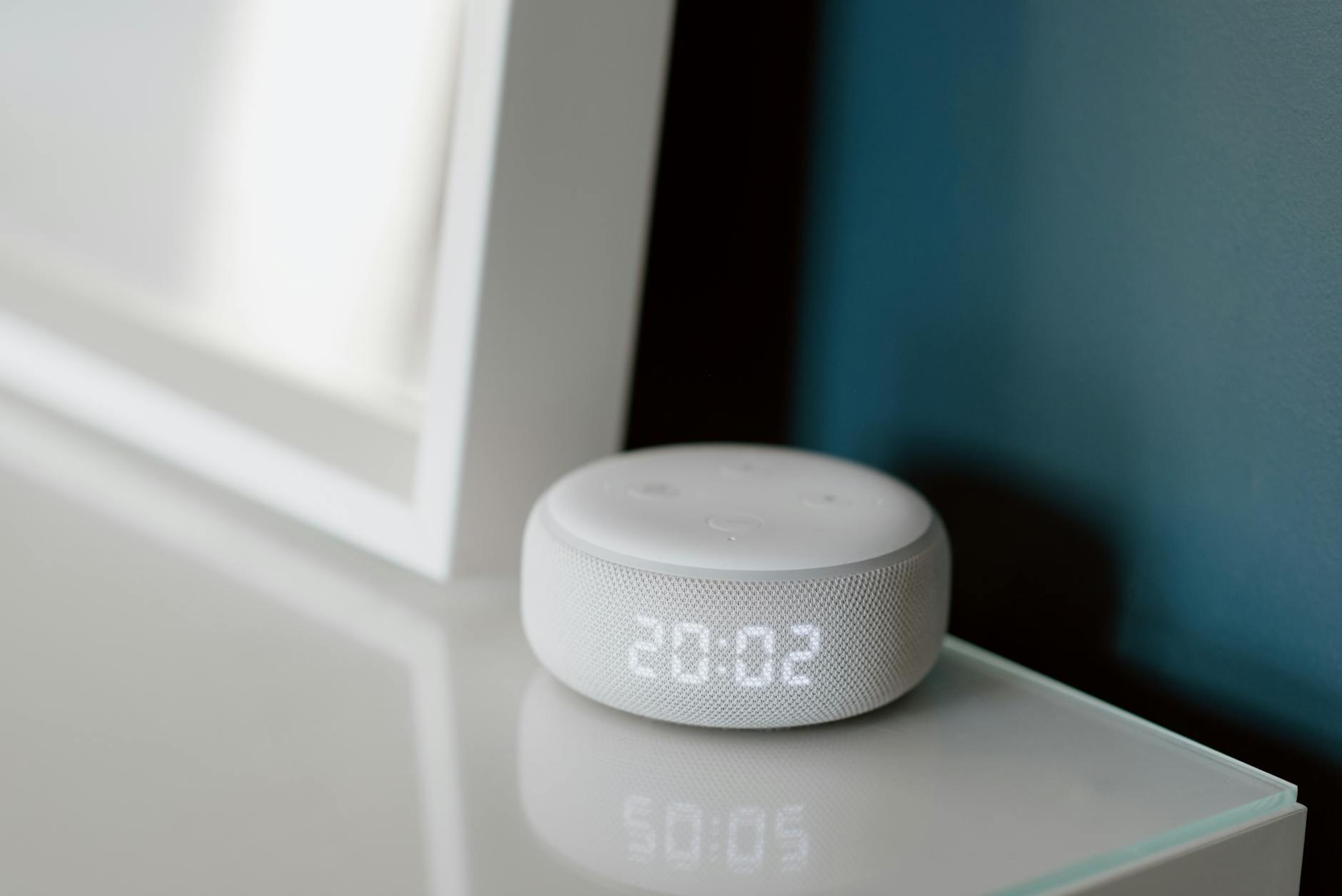
 Photo: Pavel Danilyuk / Pexels
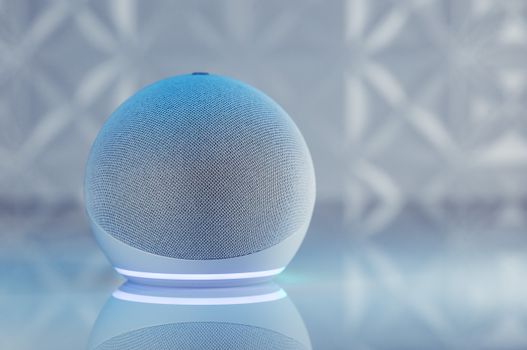 Photo: Jonathan Borba / Pexels
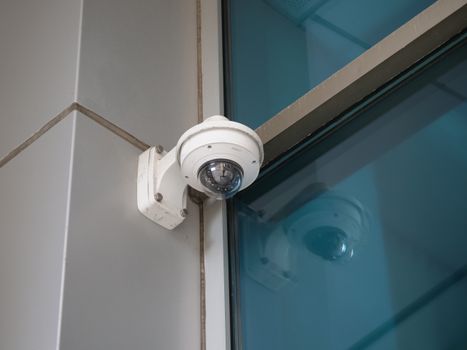 Photo: Giant Asparagus / Pexels
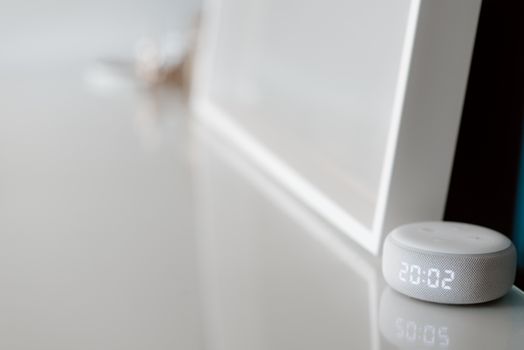 Photo: Anete Lusina / Pexels