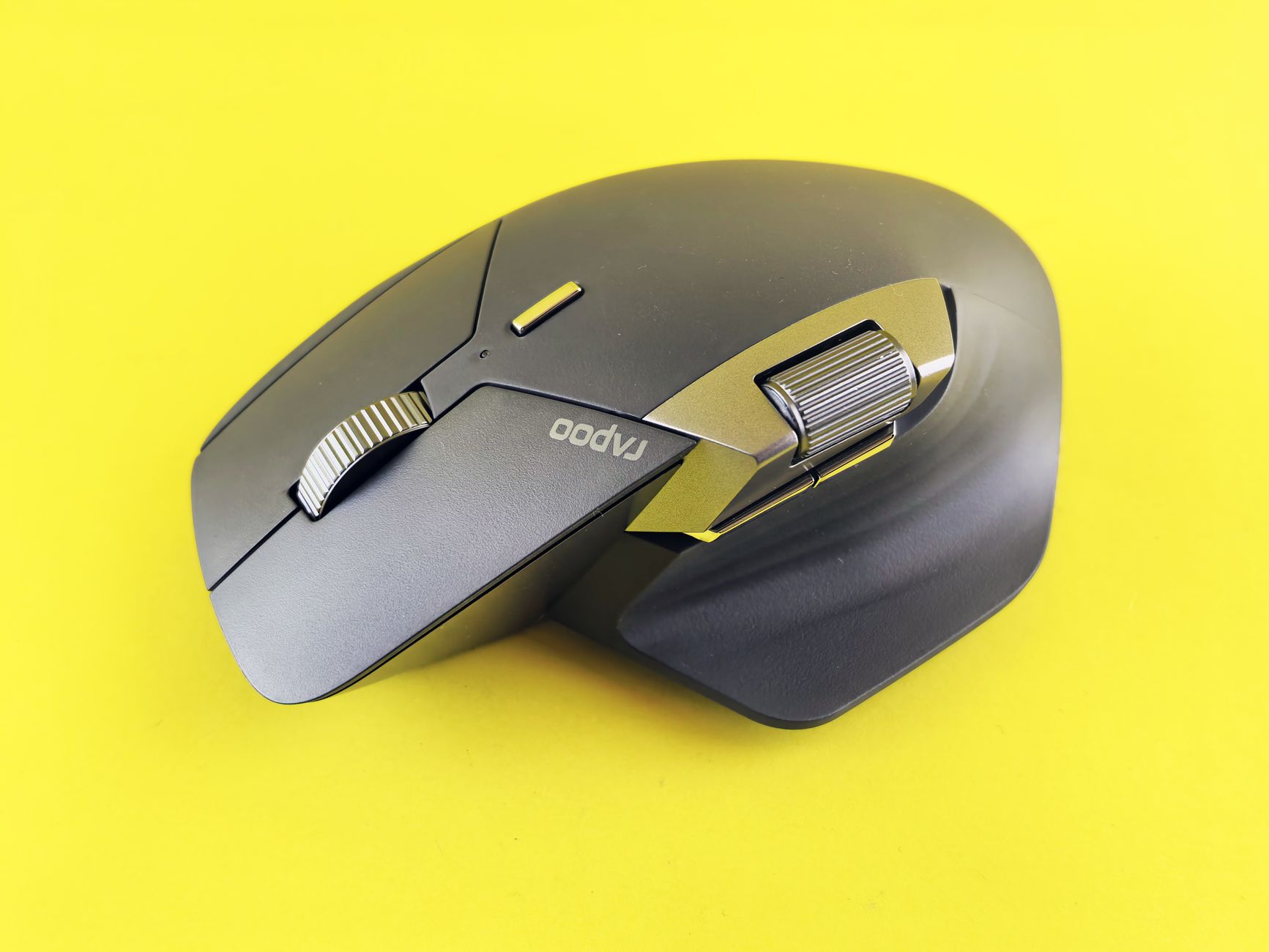
Find the Best Ergonomic Mouse for Carpal Tunnel Relief
Alleviate discomfort and enhance productivity with our top picks for ergonomic mice designed for carpal tunnel sufferers.
Explore Mice NowKey Takeaways
- ✓ Ergonomic mice can significantly reduce wrist strain and alleviate carpal tunnel symptoms.
- ✓ Vertical and trackball designs are often recommended for carpal tunnel relief.
- ✓ Proper mouse grip and posture are crucial, even with an ergonomic mouse.
- ✓ Wireless options offer greater flexibility and reduce cable clutter.
How It Works
Carpal tunnel syndrome occurs when the median nerve, running from the forearm into the palm of the hand, becomes compressed at the wrist. This can lead to pain, numbness, and tingling.
Different ergonomic mice, such as vertical, trackball, and joystick mice, aim to position your hand and wrist in a more natural, neutral posture. This reduces pressure on the median nerve.
Consider your hand size, dominant hand, and the specific tasks you perform. A mouse that fits your hand well and supports your workflow will be most effective.
Once you choose an ergonomic mouse, spend time using it to ensure it truly alleviates your symptoms. Adjust your desk setup, chair, and posture for optimal results.
Understanding Carpal Tunnel Syndrome and Mouse Use
 Photo: Pavel Danilyuk / Pexels
Key Features to Look for in a Carpal Tunnel Mouse
 Photo: Marvin Henner / Pexels
Top Ergonomic Mouse Recommendations for Carpal Tunnel Sufferers
 Photo: Helena Lopes / Pexels
Maximizing Comfort: Tips for Using Your Ergonomic Mouse and Preventing CTS Recurrence
 Photo: Kindel Media / Pexels
Comparison
| Feature | Logitech MX Vertical | Logitech ERGO M575 | Anker Vertical Mouse | Kensington Expert Trackball |
|---|---|---|---|---|
| Design Type | Vertical Mouse | Thumb Trackball | Vertical Mouse | Finger Trackball |
| Connectivity | BT, USB Receiver | BT, USB Receiver | 2.4G Wireless | BT, USB Receiver |
| Customizable Buttons | ✓ | ✓ | ✗ | ✓ |
| Rechargeable Battery | ✓ | ✗ (AA) | ✗ (AAA) | ✗ (AA) |
| Price Range (USD) | $$ | $ | $ | $$$ |
| Hand Orientation | Right | Right | Right | Ambidextrous |
| Wrist Support | Contoured Grip | Fixed Base | Contoured Grip | Detachable Wrist Rest |
What Readers Say
"The Logitech MX Vertical changed my life! My wrist pain from carpal tunnel was unbearable, but after a week with this mouse, the numbness and tingling are almost gone. It feels so natural."
Sarah J. · Austin, TX"I was skeptical about trackball mice, but the Logitech ERGO M575 is fantastic. My wrist stays completely still, and my carpal tunnel symptoms have significantly reduced since I started using it."
Mark D. · Seattle, WA"After years of struggling with wrist pain, the Anker Vertical Mouse offered incredible relief without breaking the bank. It's comfortable, responsive, and my hand feels so much better at the end of the day."
Emily R. · Miami, FL"The Evoluent VerticalMouse took some getting used to, as the angle is quite pronounced. However, it's been instrumental in managing my severe carpal tunnel. Just wish the buttons were a bit quieter."
David L. · Denver, CO"As a graphic designer, precision is key. The Kensington Expert Trackball gives me that precision while keeping my wrist perfectly still. It's a game-changer for my productivity and my wrist health."
Jessica M. · Chicago, ILFrequently Asked Questions
What is the best type of ergonomic mouse for carpal tunnel?
The 'best' type largely depends on individual preference and the severity of symptoms, but vertical mice and trackball mice are generally considered most effective for carpal tunnel syndrome. Vertical mice promote a natural 'handshake' grip, while trackball mice minimize wrist movement altogether. Trying different types can help determine which provides the most relief for you.
Will an ergonomic mouse cure my carpal tunnel syndrome?
While an ergonomic mouse cannot 'cure' carpal tunnel syndrome, it can significantly alleviate symptoms, reduce strain, and prevent further progression of the condition. It helps by maintaining a more natural wrist posture, thereby reducing pressure on the median nerve. For a complete solution, it should be part of a broader ergonomic strategy including proper posture and regular breaks.
How do I properly hold an ergonomic mouse?
The goal is to maintain a neutral wrist position, meaning your wrist should be straight, not bent up, down, or to the sides. For a vertical mouse, your hand should be in a handshake position. For a trackball, your hand and wrist should remain stationary, with only your thumb or fingers moving the ball. Avoid gripping the mouse too tightly.
Are ergonomic mice expensive?
The price of ergonomic mice varies widely. You can find effective entry-level models for under $30, while premium options with advanced features and superior build quality can range from $70 to $150 or more. Consider it an investment in your health and productivity, as the cost of ongoing pain or medical treatment can be far greater.
How does a vertical mouse compare to a trackball mouse for carpal tunnel?
A vertical mouse reduces forearm pronation by orienting your hand in a natural handshake position, minimizing wrist twisting. A trackball mouse, on the other hand, virtually eliminates wrist and arm movement, as you control the cursor with your thumb or fingers. Both are excellent for carpal tunnel; the choice often comes down to personal preference for hand movement and desk space availability.
Who should consider using an ergonomic mouse for carpal tunnel?
Anyone experiencing symptoms of carpal tunnel syndrome (pain, numbness, tingling in the hand or wrist), especially those who spend long hours at a computer, should consider an ergonomic mouse. It's also highly recommended for individuals looking to prevent CTS or those seeking to improve overall hand and wrist comfort during prolonged computer use.
Are there any risks associated with using an ergonomic mouse?
Generally, there are no risks associated with using an ergonomic mouse. The primary 'risk' is that it might not completely resolve your symptoms if your carpal tunnel is severe or if other ergonomic factors (like keyboard, posture, or chair) are not addressed. Some users might experience a short adaptation period as they get used to the new shape and grip.
What's the future of ergonomic mouse design for wrist health?
The future of ergonomic mouse design is likely to focus on even greater customization and integration with smart technology. Expect more adaptive designs that conform to individual hand shapes, advanced sensor technology for posture feedback, and potentially haptic feedback to encourage breaks or proper grip. Wireless charging and multi-device connectivity will also continue to evolve, making ergonomic solutions more seamless and intuitive.
Don't let carpal tunnel syndrome dictate your comfort and productivity. Investing in the best ergonomic mouse for carpal tunnel is a crucial step towards a pain-free computing experience. Explore our top recommendations and take control of your wrist health today.