
Unleash Your Game: Best Cheap Gaming Monitor 144Hz 1ms
Experience competitive gaming performance and buttery-smooth visuals without emptying your wallet. Your ultimate guide starts here.
Find Your Monitor NowKey Takeaways
- ✓ 144Hz refresh rate provides significantly smoother gameplay than 60Hz.
- ✓ 1ms response time virtually eliminates ghosting and motion blur.
- ✓ Affordable options exist that deliver excellent performance for competitive gaming.
- ✓ Panel type (TN, VA, IPS) influences color accuracy, viewing angles, and response time.
How It Works
Familiarize yourself with refresh rate (Hz), response time (ms), and panel type (TN, VA, IPS) to make an informed decision. These are the pillars of a great gaming display.
Determine how much you're willing to spend, keeping in mind that 'cheap' can still mean excellent value. Look for sales and refurbished options to stretch your dollar further.
Decide if color accuracy, viewing angles, or raw speed are most important for your specific games. This will guide your panel type selection and feature preferences.
Consult expert and user reviews for real-world performance insights and potential drawbacks. Compare several models side-by-side before committing to a purchase.
The Essential Trifecta: 144Hz, 1ms, and Affordability
 Photo: Yan Krukau / Pexels
Let's break down the '144Hz' first. This refers to the monitor's refresh rate, indicating how many times per second the display can update its image. A standard office monitor typically operates at 60Hz. While perfectly fine for browsing and productivity, 60Hz can feel sluggish and create noticeable motion blur in fast-paced games. Imagine a series of still images flashing before your eyes – 60Hz shows 60 images per second, while 144Hz displays 144. The difference is profound. A 144Hz refresh rate translates to significantly smoother motion, more fluid animations, and a much more responsive feel. In competitive titles like first-person shooters (FPS) or racing games, this extra smoothness can provide a critical advantage, allowing you to react faster and track targets more accurately. It reduces eye strain during long gaming sessions, making the overall experience more enjoyable and less fatiguing.
Next, we tackle the '1ms' response time. This specification measures how quickly a pixel can change from one color to another. A low response time is crucial for eliminating ghosting and motion blur. Ghosting occurs when pixels don't change fast enough, leaving a faint trail behind moving objects. This can be incredibly distracting and negatively impact gameplay clarity, making it harder to distinguish fine details during rapid movement. A 1ms response time, typically associated with TN (Twisted Nematic) panels, ensures that pixel transitions are almost instantaneous. This results in incredibly crisp and clear motion, even in the most chaotic in-game scenarios. While other panel types like IPS and VA are catching up, 1ms response time remains a gold standard for competitive gamers prioritizing speed above all else. The combination of 144Hz and 1ms creates a synergy that delivers an unparalleled visual fluidity, allowing you to perceive and react to in-game events with minimal delay. This is why a cheap gaming monitor 144Hz 1ms has become the sweet spot for budget-conscious gamers seeking a competitive edge without compromising on core performance.
The 'cheap' aspect is where the real magic happens. Advancements in manufacturing technology and increased competition in the monitor market have driven prices down considerably. What was once considered premium technology is now accessible to a broader audience. This doesn't mean sacrificing quality entirely; rather, it means focusing on core performance metrics and perhaps foregoing some high-end luxury features like extensive RGB lighting, built-in speakers, or advanced ergonomic stands. The market is saturated with excellent value propositions that deliver the essential 144Hz and 1ms experience without demanding a premium price tag. Understanding these fundamental specifications is the first step towards making an informed decision and finding the perfect cheap gaming monitor 144Hz 1ms that fits both your performance needs and your budget. For further insights into optimizing your gaming setup, explore our guide on essential gaming peripherals.
Navigating Panel Types: TN, VA, and IPS on a Budget
 Photo: Ron Lach / Pexels
TN panels have historically been the go-to for competitive gamers due to their inherently fast response times. They are the easiest to produce with true 1ms GtG (Grey-to-Grey) response times, making them the most common choice for a cheap gaming monitor 144Hz 1ms. The primary advantage of TN panels is their speed, which directly translates to minimal motion blur and ghosting. This makes them ideal for twitch-based games where every millisecond counts. However, TN panels have notable drawbacks: limited viewing angles and generally poorer color reproduction compared to other panel types. Colors can appear washed out or shift dramatically when viewed from off-center angles. While modern TN panels have improved, they still lag behind VA and IPS in visual fidelity. If your priority is raw speed for competitive play and you're always viewing the screen head-on, a TN panel is an excellent and often the most affordable option for a 144Hz 1ms experience.
VA panels offer a compelling middle ground, particularly for gamers who enjoy a mix of competitive and immersive single-player titles. Their standout feature is their superior contrast ratio, which results in deeper blacks and more vibrant colors than TN panels. This makes games, movies, and other media content look significantly more impactful and immersive. VA panels also boast better viewing angles than TN, though not quite as wide as IPS. The challenge with VA panels, especially on the budget end, has traditionally been their response times. While many VA panels are advertised with 1ms MPRT (Moving Picture Response Time), their GtG response times can be slower than TN, leading to a phenomenon known as 'VA ghosting' or 'black smearing,' where dark colors leave noticeable trails. However, manufacturers have made significant strides, and many modern, even affordable, VA panels offer acceptable GtG response times that are perfectly fine for most gamers, especially those who value image quality alongside speed. If you want a cheap gaming monitor 144Hz 1ms that delivers a great visual experience with good contrast, a VA panel might be your best bet, provided you choose a model with good response time performance for its class.
IPS panels are renowned for their outstanding color accuracy and wide viewing angles. They offer the most vibrant and true-to-life colors, making them ideal for content creation, media consumption, and any game where visual fidelity is a high priority. Traditionally, IPS panels were the slowest and most expensive, making a cheap gaming monitor 144Hz 1ms with an IPS panel a rarity. However, this has changed dramatically in recent years. 'Fast IPS' technology has emerged, allowing IPS panels to achieve true 1ms GtG response times, rivaling TN panels in speed while retaining their superior color and viewing angle advantages. The catch? While more affordable than ever, fast IPS monitors at 144Hz 1ms still tend to be slightly more expensive than their TN or VA counterparts, especially when considering the absolute lowest budget tier. They might also exhibit a phenomenon called 'IPS glow' or 'backlight bleed' to varying degrees, which is a slight glow visible in dark scenes, particularly from off-angles. If your budget allows for a little more flexibility and you prioritize stunning visuals and wide viewing angles alongside high refresh rates and low response times, a fast IPS panel is arguably the best all-around choice for a cheap gaming monitor 144Hz 1ms, offering a premium experience without the premium price tag of just a few years ago.
Essential Features Beyond Speed: What to Look For
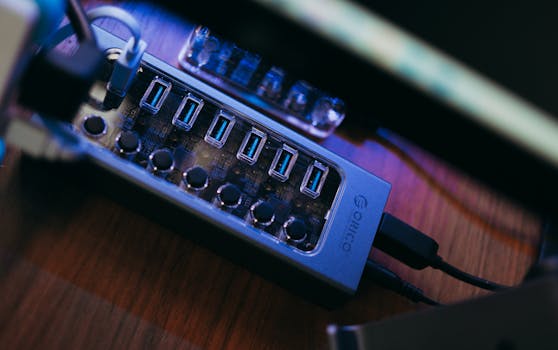 Photo: FOX ^.ᆽ.^= ∫ / Pexels
First, consider Adaptive Sync technology. The two main players are AMD FreeSync and NVIDIA G-Sync Compatible. Both technologies synchronize the monitor's refresh rate with your graphics card's frame rate, eliminating screen tearing and stuttering. Screen tearing occurs when the graphics card renders frames faster or slower than the monitor can display them, resulting in a horizontal split in the image. Stuttering happens when frames are held back, causing noticeable hitches. FreeSync is an open standard and is widely supported by most modern graphics cards (both AMD and NVIDIA) and monitors, making it prevalent in the budget segment. G-Sync Compatible monitors are those that NVIDIA has certified to work well with their G-Sync technology, even if they aren't equipped with NVIDIA's proprietary G-Sync module. Ensuring your chosen cheap gaming monitor 144Hz 1ms supports either FreeSync or G-Sync Compatible is crucial for a smooth, tear-free gaming experience, regardless of frame rate fluctuations. This feature is often included even in budget models and can dramatically improve perceived smoothness.
Next, pay attention to the resolution and screen size. For a cheap gaming monitor 144Hz 1ms, 1080p (Full HD, 1920x1080) is the most common and recommended resolution. It strikes the perfect balance between visual clarity and demanding less from your graphics card to achieve high frame rates. Pushing 144 frames per second at 1440p or 4K requires a much more powerful and expensive GPU, which defeats the purpose of a budget-friendly setup. Common screen sizes for 1080p gaming monitors range from 21.5 inches to 27 inches. A 24-inch monitor is often considered the sweet spot for 1080p, offering good pixel density without being too large. Going larger than 27 inches at 1080p can start to reveal individual pixels, making the image appear less sharp. Some gamers prefer a curved display for increased immersion, especially with VA panels, which can enhance the feeling of being enveloped in the game world. While curved monitors were once premium, many affordable options now exist.
Connectivity options are another critical, often overlooked, aspect. Ensure the monitor has the necessary ports to connect to your PC. DisplayPort (DP) is the preferred connection for achieving 144Hz and utilizing Adaptive Sync. HDMI can also support 144Hz, but often requires a specific HDMI version (usually HDMI 2.0 or newer) and might have limitations with Adaptive Sync depending on the monitor and GPU. DVI-D is an older standard that can support 144Hz at 1080p but is less common on newer monitors. Check the monitor's specifications and your graphics card's outputs to ensure compatibility. USB passthrough ports, while not essential for gaming performance, can be a convenient addition for connecting peripherals. Finally, consider the stand's ergonomics. While budget monitors often come with basic stands, look for options that offer tilt adjustment at a minimum. VESA mount compatibility is also a huge plus, allowing you to use an aftermarket monitor arm for greater flexibility and better desk organization. These seemingly minor details contribute significantly to the overall user experience and can make a cheap gaming monitor 144Hz 1ms feel much more premium. Dive deeper into optimizing your connectivity with our guide on choosing the right display cables.
Common Pitfalls and Smart Buying Tips for Budget Gamers
Comparison
| Feature | Best Budget TN | Best Budget VA | Best Budget Fast IPS |
|---|---|---|---|
| Response Time (GtG) | 1ms | 3-5ms (with good overdrive) | 1-2ms |
| Color Accuracy | Good (post-calibration) | Very Good | Excellent |
| Contrast Ratio | Low | Excellent | Good |
| Viewing Angles | Narrow | Good | Excellent |
| Ghosting/Smearing | Rare (TN specific) | Possible (VA specific) | Rare (Fast IPS specific) |
| Adaptive Sync | ✓ | ✓ | ✓ |
| Price Range (USD) | $120 - $180 | $150 - $220 | $180 - $250 |
What Readers Say
"I was skeptical about finding a decent cheap gaming monitor 144Hz 1ms, but this one blew me away. The smoothness in Valorant is incredible, and I've definitely seen an improvement in my reaction times. No more ghosting!"
Alex P. · Austin, TX"Coming from a 60Hz monitor, upgrading to this cheap gaming monitor 144Hz 1ms was a game-changer. Everything is so fluid, even desktop use feels snappier. The colors are surprisingly good for the price too."
Sarah L. · Orlando, FL"My K/D ratio in Apex Legends has noticeably improved since I got this cheap gaming monitor 144Hz 1ms. The fast response time makes tracking enemies a breeze. It's truly a competitive advantage on a budget."
Mark D. · Seattle, WA"While the cheap gaming monitor 144Hz 1ms delivers fantastic performance for its price, the stand is a bit basic. However, its VESA mount compatibility meant I could easily attach it to my monitor arm, solving that issue perfectly."
Jessica R. · Denver, CO"As a casual gamer who mostly plays single-player RPGs but enjoys the occasional competitive shooter, this cheap gaming monitor 144Hz 1ms is perfect. It offers the best of both worlds – smooth action and decent visuals for immersion."
Chris B. · Chicago, ILFrequently Asked Questions
Is a cheap gaming monitor 144Hz 1ms truly good enough for competitive gaming?
Absolutely. A 144Hz refresh rate combined with a 1ms response time provides the core performance metrics crucial for competitive gaming. While premium monitors might offer additional features like higher resolutions or better HDR, these budget options deliver the essential speed and fluidity needed to excel in fast-paced titles, often making a significant difference over standard 60Hz displays. The key is to choose wisely within the budget segment.
Will a cheap gaming monitor 144Hz 1ms compromise on image quality?
It depends on the panel type. TN panels, often the cheapest for 1ms, historically have weaker color reproduction and viewing angles. VA panels offer better contrast and colors but can sometimes have 'black smearing.' Fast IPS panels provide the best color and viewing angles but are usually slightly more expensive. While not always matching high-end monitors, many budget options offer surprisingly good image quality for their price, especially fast IPS variants.
How do I ensure my PC can run games at 144Hz on a cheap gaming monitor 144Hz 1ms?
To run games at 144 frames per second (which is required to fully utilize a 144Hz monitor), you'll need a graphics card powerful enough for your chosen games at your desired settings and resolution (typically 1080p for budget setups). Ensure your PC is connected via DisplayPort or a compatible HDMI 2.0+ cable. You'll also need to enable the 144Hz refresh rate in your operating system's display settings after connecting the monitor.
Are curved cheap gaming monitors 144Hz 1ms worth it?
Curved monitors can enhance immersion, especially for larger screens and certain game genres, by drawing you into the action and making the edges of the screen more visible without head movement. For a cheap gaming monitor 144Hz 1ms, curved options are available, typically with VA panels. Whether it's 'worth it' is subjective; if you value immersion and the slight premium doesn't break your budget, it can be a nice addition, but it's not a performance necessity.
What's the difference between 1ms GtG and 1ms MPRT on a cheap gaming monitor 144Hz 1ms?
1ms GtG (Grey-to-Grey) refers to the true pixel response time, measuring how quickly a pixel changes color. This is the ideal metric for minimal ghosting. 1ms MPRT (Moving Picture Response Time) is a measure of motion blur that involves backlight strobing, which rapidly turns the backlight on and off. While it can reduce perceived motion blur, it often lowers overall screen brightness and can introduce flicker, and it's not a true measure of pixel transition speed. For pure pixel speed, prioritize GtG.
Who should consider buying a cheap gaming monitor 144Hz 1ms?
This type of monitor is ideal for budget-conscious gamers who want a significant upgrade from standard 60Hz displays without spending a fortune. It's perfect for competitive players in FPS, MOBA, or fighting games where reaction time and visual fluidity are key. It's also great for general gamers who want a smoother, more enjoyable experience across all game genres and even for everyday desktop use.
Are there any health concerns with using a 144Hz monitor?
No, quite the opposite. A higher refresh rate like 144Hz can actually reduce eye strain because the smoother motion is easier on your eyes than the choppier movement on a 60Hz screen. Many monitors also include features like flicker-free backlights and low blue light modes to further enhance eye comfort during long sessions. Always ensure proper monitor distance and take regular breaks for optimal eye health.
What future trends should I be aware of when buying a cheap gaming monitor 144Hz 1ms?
While 144Hz 1ms remains an excellent standard, future trends include more widespread adoption of higher refresh rates (165Hz, 240Hz) and faster response times on IPS panels, further blurring the lines between speed and image quality. Expect continued improvements in HDR support, even in budget models, and more seamless integration of Adaptive Sync technologies. However, these advancements will likely initially command higher price points, making the current 144Hz 1ms sweet spot a solid choice for the foreseeable future.
Don't let budget constraints hold back your gaming potential. With a cheap gaming monitor 144Hz 1ms, you unlock a world of smooth, responsive gameplay that can truly elevate your performance and enjoyment. Explore the options and make the smart upgrade today!