Unleash Visuals: Cheap 4K Monitors for Gaming
cheap 4K monitors for gaming

Unleash Visuals: Cheap 4K Monitors for Gaming

Experience breathtaking 4K gaming visuals without emptying your wallet – stunning performance is now within reach.

Find Your Perfect Monitor

Key Takeaways

  • ✓ 4K resolution offers four times the pixels of 1080p, delivering unparalleled visual detail.
  • ✓ Affordable 4K monitors for gaming are now widely available, challenging the premium perception.
  • ✓ Panel type (IPS, VA, TN) significantly impacts color, viewing angles, and response time.
  • ✓ Refresh rate and response time are crucial for smooth, responsive gaming experiences.

How It Works

1
Define Your Budget & Needs

Determine your maximum spending limit and prioritize features like screen size, refresh rate, and panel type. This helps narrow down the vast selection of monitors available.

2
Research Key Specifications

Look for a balance between resolution, refresh rate (ideally 60Hz+ for 4K), and response time (5ms or less). Pay attention to adaptive sync technologies like FreeSync or G-Sync compatibility.

3
Read Reviews & Compare Models

Scrutinize professional and user reviews for real-world performance insights, especially regarding ghosting, input lag, and color accuracy. Compare several promising models side-by-side.

4
Check Connectivity & Ergonomics

Ensure the monitor has the necessary ports (DisplayPort 1.4, HDMI 2.0/2.1) for your graphics card. Consider stand adjustability and VESA mounting options for comfort.

The Allure of 4K Gaming: Why Resolution Matters
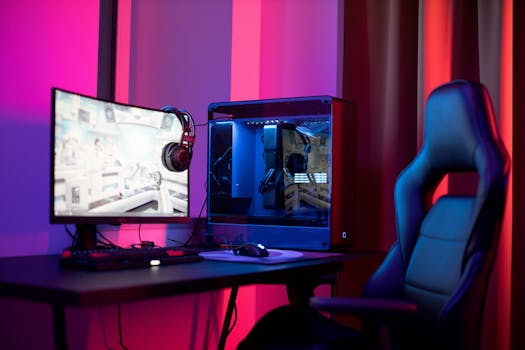
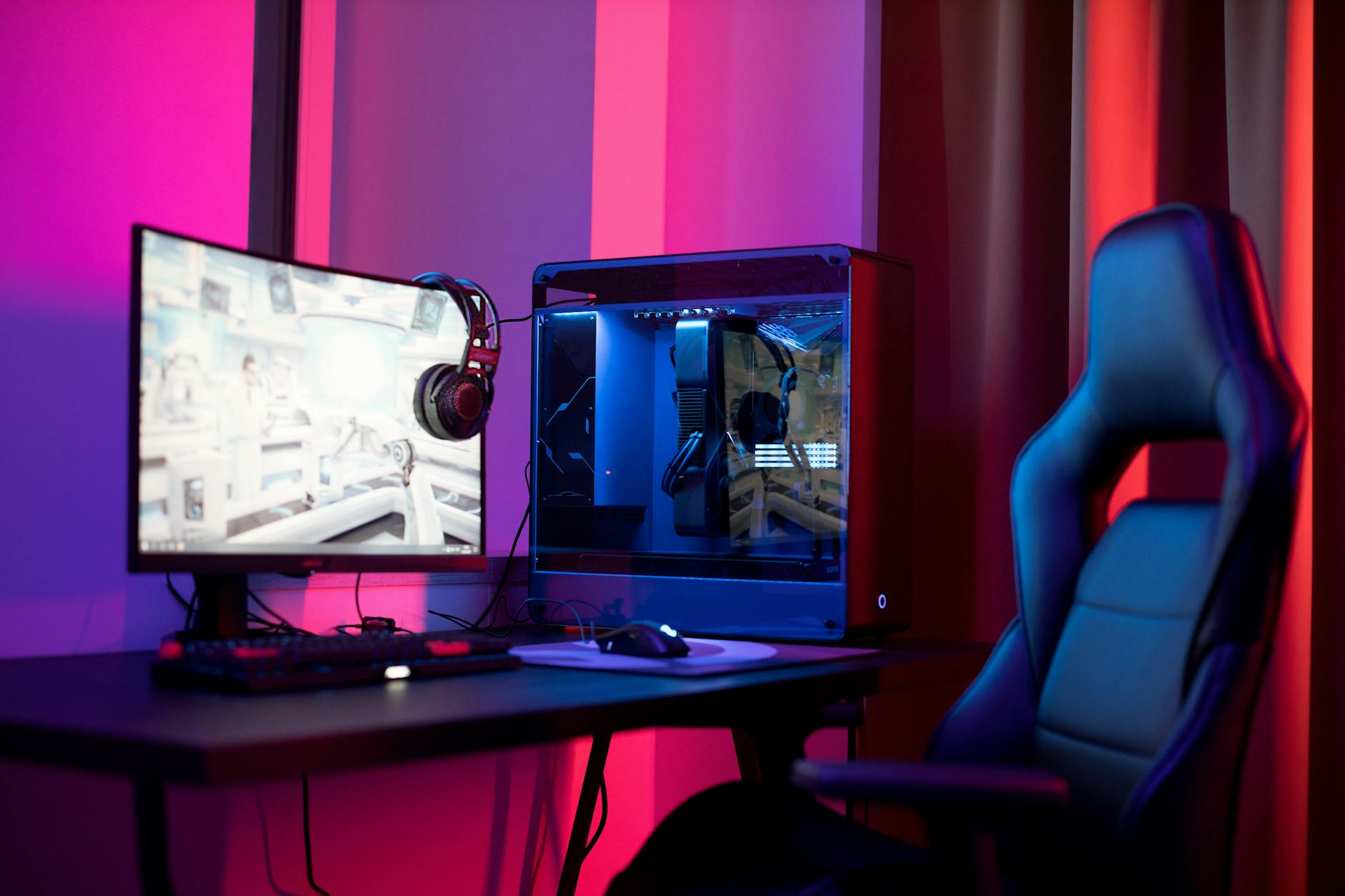
A sleek gaming setup featuring a high-end PC, widescreen monitor, and ergonomic chair lit by neon lights. Photo: Ron Lach / Pexels
For years, 4K gaming was a distant dream for many, synonymous with exorbitant prices and demanding hardware. Today, however, the landscape has dramatically shifted, making cheap 4K monitors for gaming a tangible reality. But what exactly makes 4K resolution so desirable for gamers? Simply put, 4K (3840 x 2160 pixels) offers four times the pixel count of a standard 1080p Full HD display. This exponential increase in pixels translates into an unparalleled level of detail, sharpness, and immersion. Imagine exploring vast open worlds in games like Red Dead Redemption 2 or Cyberpunk 2077, where every blade of grass, every architectural detail, and every particle effect pops with stunning clarity. Textures that once appeared muddy or blurry on lower resolutions become crisp and defined, bringing the game world to life in a way you've never experienced before. Beyond just raw detail, 4K resolution also significantly reduces the appearance of jagged edges (aliasing), even without aggressive anti-aliasing settings, resulting in a much smoother and more natural image. This can be particularly beneficial in competitive games where spotting distant enemies requires the utmost visual precision. While some argue that the difference between 1440p and 4K is negligible on smaller screens, for monitors 27 inches and above, the leap in visual fidelity is often immediately apparent and deeply satisfying. When you're immersed in a cinematic single-player experience, the added realism and depth that 4K provides can elevate your gaming sessions from merely playing a game to truly inhabiting its world. Moreover, 4K isn't just about gaming; it also offers a massive canvas for productivity, allowing you to multitask with multiple windows open side-by-side without feeling cramped. As graphics card technology continues to advance and become more accessible, driving 4K resolutions at playable frame rates is no longer reserved for the ultra-enthusiast. This convergence of more powerful GPUs and more affordable displays has paved the way for a golden age of high-resolution gaming, making the quest for cheap 4K monitors for gaming a perfectly sensible and achievable goal. It's about getting the most visual bang for your buck and truly seeing what modern game engines are capable of producing. Don't let the past perception of 4K price tags deter you; stunning visuals are more accessible than ever. For more on optimizing your setup, explore advanced gaming PC builds.

Navigating the Market: What to Look for in Budget 4K Gaming Displays
A focused young woman working with computer monitors in a modern tech environment. Photo: Ron Lach / Pexels
When hunting for cheap 4K monitors for gaming, it’s crucial to understand that 'cheap' doesn't have to mean 'compromised.' The market is now rich with options that strike an excellent balance between price and performance, but knowing what specifications to prioritize is key. The first major consideration is the panel type. You'll primarily encounter three: IPS (In-Plane Switching), VA (Vertical Alignment), and TN (Twisted Nematic). IPS panels are renowned for their superior color accuracy and wide viewing angles, making them excellent for vibrant, immersive gaming experiences and general media consumption. Historically, they had slower response times, but modern IPS panels have significantly improved, often reaching 1ms GtG (Gray-to-Gray). VA panels offer excellent contrast ratios, leading to deeper blacks and richer colors than TN, though their response times can sometimes lag behind IPS, and viewing angles are narrower. TN panels are typically the fastest in terms of response time and are often the most affordable, making them a common choice for competitive gamers where every millisecond counts, but they suffer from poor color reproduction and narrow viewing angles. For 4K gaming, especially if you value visual fidelity, a good IPS or VA panel is often preferred. Next, consider the refresh rate. While 4K monitors with 144Hz or higher refresh rates are available, they often come at a premium. For budget-conscious buyers, a 60Hz 4K monitor is perfectly acceptable, especially for single-player, graphically intensive games where frame rates typically hover around 60fps even with powerful hardware. However, if your budget allows, a 75Hz or 120Hz 4K monitor offers a noticeable smoothness improvement. Paired with this is response time, which dictates how quickly pixels can change color. A 1ms GtG response time is ideal for fast-paced gaming to minimize ghosting and motion blur. Many budget 4K monitors offer 4ms or 5ms GtG, which is still perfectly fine for most gamers, though competitive players might notice a slight difference. Adaptive sync technologies like AMD FreeSync and NVIDIA G-Sync (or G-Sync Compatible) are also vital. These technologies synchronize the monitor's refresh rate with your graphics card's frame rate, eliminating screen tearing and stuttering, leading to a much smoother gaming experience. Many cheap 4K monitors for gaming now support FreeSync, and some are G-Sync Compatible, so keep an eye out for these features. Finally, connectivity is important: ensure the monitor has at least DisplayPort 1.4 or HDMI 2.0 (HDMI 2.1 is even better for higher refresh rates at 4K) to handle the bandwidth required for 4K resolution. Don't forget ergonomic adjustments like height, tilt, and pivot for comfortable long gaming sessions.

Optimizing Performance: Getting the Most from Your Affordable 4K Monitor

A sleek gaming setup featuring a high-end PC, widescreen monitor, and ergonomic chair lit by neon lights. Photo: Ron Lach / Pexels
Acquiring one of the best cheap 4K monitors for gaming is only half the battle; optimizing your system and settings to truly leverage its capabilities is equally important. First and foremost, your graphics card is the engine that drives your 4K experience. While modern mid-range GPUs can handle 4K at playable frame rates in many games, achieving consistent 60fps or higher, especially in demanding titles, often requires a high-end graphics card (e.g., NVIDIA RTX 3070/4070 or AMD RX 6800 XT/7800 XT and above). If your GPU isn't quite up to snuff, don't despair. You can still enjoy 4K by adjusting in-game settings. Reducing graphics presets from 'Ultra' to 'High' or even 'Medium' can significantly boost frame rates without a drastic drop in visual quality. Features like ray tracing are incredibly demanding at 4K, so consider turning them off or lowering their intensity if performance is an issue. Modern upscaling technologies like NVIDIA's DLSS (Deep Learning Super Sampling) and AMD's FSR (FidelityFX Super Resolution) are game-changers for 4K gaming. These technologies render games at a lower resolution (e.g., 1440p) and then intelligently upscale them to 4K, often resulting in a significant performance boost with minimal perceived loss in image quality. Activating these features in supported games can transform your 4K gaming experience, allowing you to hit higher frame rates or enable more demanding graphical options. Ensure your graphics drivers are always up to date, as driver updates frequently include performance optimizations for new games and hardware. Calibration is another often-overlooked aspect. While budget monitors might not come factory-calibrated to perfection, a few tweaks can significantly improve color accuracy and overall image quality. Use your monitor's OSD (On-Screen Display) menu to adjust brightness, contrast, and color temperature to your liking. Many online guides and software tools can help you calibrate your display more precisely. Furthermore, ensure your display settings in your operating system are correctly set to 4K resolution and the highest available refresh rate. Sometimes, after connecting a new monitor, Windows or macOS might default to a lower resolution or refresh rate. Always double-check these basic settings. Finally, proper cable management and ensuring you're using a high-quality DisplayPort 1.4 or HDMI 2.0/2.1 cable are essential for stable 4K signal transmission. Cheap or old cables can lead to display artifacts or signal drops. By meticulously optimizing these aspects, you'll ensure that your investment in cheap 4K monitors for gaming delivers the stunning, fluid experience you expect. For further setup guidance, check out our insights on maximizing PC gaming performance.

Common Pitfalls and Smart Buying Tips for Affordable 4K Monitors
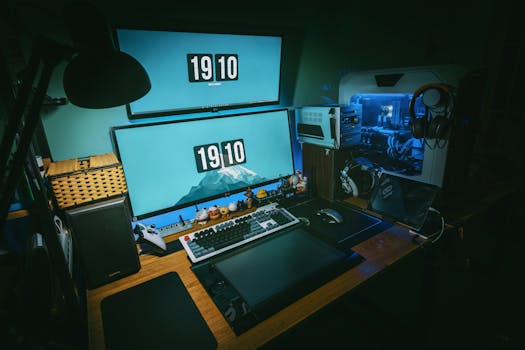
A sleek gaming desk setup featuring dual monitors, keyboard, and gaming PC in a dimly lit home office. Photo: FOX ^.ᆽ.^= ∫ / Pexels
When searching for cheap 4K monitors for gaming, it's easy to fall into common traps that can lead to buyer's remorse. Being aware of these pitfalls and adopting smart buying strategies will ensure you make a truly informed decision. One major mistake is solely focusing on the '4K' label without considering other crucial specifications. A 4K monitor with a poor refresh rate (e.g., 30Hz), slow response time (e.g., 8ms+), or a low-quality TN panel might offer resolution but will deliver a subpar gaming experience. Always aim for at least 60Hz and 5ms GtG for a satisfactory experience, with IPS or VA panels being preferable for most. Another pitfall is underestimating the power required to drive 4K. As discussed, a powerful GPU is essential. If your current graphics card is several generations old or a lower-tier model, investing in a 4K monitor might lead to disappointing frame rates and a frustrating experience. Consider upgrading your GPU first, or at least setting realistic expectations for in-game settings. Don't forget about screen size; while 4K on a 24-inch monitor technically offers higher pixel density, the benefits are often less discernible at typical viewing distances compared to 27-inch or larger displays. For 4K, most users find 27 inches to be the sweet spot, with 32 inches offering an even more immersive experience. Smart buying tips include: * **Read user reviews extensively:** Pay close attention to comments regarding backlight bleed, dead pixels, ghosting, and overall build quality. Budget monitors can sometimes have more QC issues. * **Watch for sales:** Major retailers frequently offer discounts on 4K monitors, especially during holiday seasons like Black Friday, Prime Day, or back-to-school sales. Patience can save you a significant amount. * **Consider refurbished options:** Reputable retailers often sell certified refurbished monitors with warranties at a substantial discount. These are usually thoroughly tested and can be an excellent value. * **Check return policies:** Always purchase from retailers with a clear and generous return policy, just in case the monitor doesn't meet your expectations or has defects. * **Don't forget the stand:** While not directly affecting display quality, a monitor with a highly adjustable stand (height, tilt, swivel, pivot) can greatly enhance comfort and ergonomics. If the budget monitor has a basic stand, factor in the cost of a VESA-compatible monitor arm if you need more flexibility. By being diligent and considering these points, you can confidently navigate the market and find cheap 4K monitors for gaming that deliver excellent value and a truly stunning visual upgrade to your setup.

Comparison

FeatureLG 27GN950-B (Premium)Dell S2721QS (Value Pick)Acer Nitro XV272K (Mid-Range)
Resolution3840x2160 (4K)3840x2160 (4K)3840x2160 (4K)
Screen Size27 inches27 inches27 inches
Refresh Rate144Hz (160Hz OC)60Hz144Hz
Response Time1ms GtG4ms GtG1ms GtG
Panel TypeIPSIPSIPS
Adaptive SyncFreeSync Premium Pro, G-Sync CompatibleFreeSyncFreeSync Premium
HDR SupportHDR600HDRHDR400

What Readers Say

"I was skeptical about finding cheap 4K monitors for gaming, but this one blew me away. The colors are vibrant, and games look incredible, especially for the price. No regrets at all!"

Alex P. · Austin, TX

"Upgrading from 1080p to 4K on a budget seemed impossible. This monitor proved me wrong. The clarity in my favorite RPGs is stunning, and I saved a ton of money."

Maria S. · Miami, FL

"My old monitor felt sluggish, but this budget 4K display transformed my setup. The smooth visuals and crisp details have improved my gaming performance and enjoyment immensely."

Ben T. · Seattle, WA

"It's a fantastic value for a 4K gaming monitor. While the stand is a bit basic, the display itself is gorgeous, and I haven't noticed any major ghosting issues in fast-paced games."

Chloe L. · Chicago, IL

"Even for my work-from-home setup, the extra screen real estate and clarity from this affordable 4K monitor are a game-changer. Gaming after hours is just a bonus!"

David R. · Denver, CO

Frequently Asked Questions

Are cheap 4K monitors for gaming actually good, or are there major compromises?

Yes, many cheap 4K monitors for gaming offer excellent value today. While they might not have the absolute highest refresh rates or most advanced HDR certifications of premium models, they deliver stunning 4K resolution with respectable refresh rates (60-144Hz) and low response times, making them perfectly suitable for most gamers. The key is to research specific models and manage expectations based on the price point.

Do I need a powerful graphics card to run games at 4K on a budget monitor?

Yes, driving games at 4K resolution still requires a relatively powerful graphics card, even with a budget monitor. While you can lower in-game settings or use upscaling technologies like DLSS/FSR, a mid-to-high-end GPU (e.g., RTX 3070/4070 or RX 6800 XT/7800 XT and above) is generally recommended to achieve playable frame rates (60fps+) in modern titles at 4K.

How do I ensure my cheap 4K monitor is running at its optimal settings?

First, make sure your graphics drivers are up to date. Then, in your operating system's display settings, confirm that the resolution is set to 3840x2160 and the refresh rate is at its highest available (e.g., 60Hz, 75Hz, or 144Hz). Also, use a DisplayPort 1.4 or HDMI 2.0/2.1 cable to ensure sufficient bandwidth for 4K. Finally, tweak in-game graphics settings and consider using upscaling technologies like DLSS or FSR for better performance.

Is it worth buying a cheap 4K monitor over a high refresh rate 1440p monitor?

This depends on your priorities. A cheap 4K monitor offers unparalleled visual detail and sharpness, ideal for immersive single-player games and content creation. A high refresh rate 1440p monitor (e.g., 144Hz+) provides a much smoother, more responsive experience, which is often preferred for competitive gaming. If visual fidelity is paramount and your GPU can handle 4K, go for 4K. If competitive advantage and ultra-smoothness are key, 1440p high refresh is better.

What's the difference between FreeSync and G-Sync, and do cheap 4K monitors support them?

Both FreeSync (AMD) and G-Sync (NVIDIA) are adaptive sync technologies that eliminate screen tearing and stuttering by synchronizing the monitor's refresh rate with the GPU's frame rate. FreeSync is an open standard and more commonly found on cheap 4K monitors, often compatible with both AMD and NVIDIA GPUs (as 'G-Sync Compatible'). G-Sync is NVIDIA's proprietary hardware solution, typically found on more expensive monitors, but many budget displays now offer 'G-Sync Compatible' support via FreeSync.

Who should consider buying cheap 4K monitors for gaming?

Anyone looking to significantly upgrade their visual gaming experience without spending a fortune should consider cheap 4K monitors. This includes gamers with a capable mid-to-high-end GPU, those who prioritize stunning visual fidelity and immersion in single-player titles, and users who also benefit from the increased screen real estate for productivity tasks.

Are there any health or safety concerns with using 4K monitors for extended periods?

Using any monitor for extended periods can lead to eye strain, regardless of resolution. 4K monitors, with their higher pixel density, can actually reduce eye strain by making text and images sharper. However, it's crucial to take regular breaks, maintain proper viewing distance, adjust monitor brightness, and utilize features like blue light filters or flicker-free technology, which many modern monitors, including budget 4K models, now include.

What future trends should I expect for affordable 4K gaming monitors?

Expect to see higher refresh rates (120Hz-144Hz) becoming more standard at lower price points, improved HDR performance, and wider adoption of advanced panel technologies like OLED or Mini-LED trickling down to more affordable categories. USB-C connectivity with power delivery will also likely become more prevalent, simplifying setups for laptops and consoles.

Ready to transform your gaming world with breathtaking clarity? Explore the best cheap 4K monitors for gaming today and experience unparalleled visuals without compromising your budget. Your next immersive adventure awaits.

Topics: cheap 4K monitors for gamingaffordable 4K gaming displaysbudget 4K gaming monitorsbest value 4K monitorsgaming monitor deals
Leo List

DK Escorts LU Escorts AT Escorts SE Escorts FI Escorts CH Escorts DE Escorts HR Escorts IE Escorts GR Escorts CZ Escorts NO Escorts BE Escorts FR Escorts SI Escorts IL Escorts NL Escorts PL Escorts HU Escorts ES Escorts IT Escorts PT Escorts SK Escorts RO Escorts ZA Escorts UY Escorts US Escorts UK Escorts NZ Escorts AU Escorts
Brampton weed
Adultwork EstrelaBet Vai de Bet R7 Bet Betão Galera Bet Rainbet Bet9ja Shop SportyBet BetKing Sisal Loto Foot Hollywoodbets YesPlay Odibets RushBet Jugabet BetWarrior BetCity MSport betPawa Fortebet