✓ 4K resolution offers four times the pixels of Full HD, significantly improving detail.
✓ Color accuracy (sRGB, Adobe RGB, DCI-P3 coverage) is crucial for graphic design.
✓ IPS panels provide superior viewing angles and color consistency compared to TN or VA.
✓ While high-end monitors exist, excellent affordable options now cater to designers.
How It Works
1
Define Your Needs
Assess your primary design tasks, software usage, and workspace. This helps narrow down essential features like size and connectivity.
2
Research Key Specifications
Focus on resolution, panel type (IPS), color gamut coverage (sRGB, Adobe RGB), and calibration options. These are paramount for design work.
3
Set Your Budget
Determine a realistic price range for an 'affordable' 4K monitor. Excellent options exist between $300-$600, offering great value.
4
Read Reviews & Compare
Consult expert reviews and user feedback for real-world performance insights. Compare shortlisted models based on your defined needs and budget.
Why 4K Resolution is a Game-Changer for Creative Professionals
Photo: Josh Sorenson / Pexels
For graphic designers, the visual fidelity of their monitor is not merely a luxury; it's a fundamental tool that directly impacts the quality and efficiency of their work. Stepping up to a 4K resolution (3840 x 2160 pixels) from a traditional Full HD (1920 x 1080) display offers an exponential leap in visual workspace and clarity. This isn't just about having more pixels; it's about the practical advantages these pixels bring to the design workflow. Imagine working on a complex illustration in Adobe Illustrator or editing high-resolution photographs in Photoshop. With a 4K monitor, you can view your artwork at a much higher zoom level without pixelation, allowing for meticulous detail work that would be cumbersome or impossible on a lower-resolution screen. Text and fine lines render with crisp precision, reducing eye strain during long design sessions. Furthermore, the expanded screen real estate means you can comfortably arrange multiple application windows side-by-side. You might have your primary design software open, a reference image, and a color palette all visible simultaneously, eliminating the constant need to switch between tabs and improving overall productivity. This ability to see more of your project at once, with incredible detail, significantly streamlines the creative process and helps prevent costly errors that might only be visible on a higher resolution. For web designers, a 4K display allows for accurate previewing of designs across various screen densities, ensuring your work looks sharp on modern high-DPI devices. The benefits extend beyond just the 'more pixels' argument; it's about enhanced precision, better multitasking, and a more immersive and less fatiguing design environment. Many designers often pair their primary 4K monitor with a secondary display for palettes and tools, further optimizing their workflow. While some might argue that 4K is overkill for certain tasks, for anyone serious about graphic design, the visual upgrade translates directly into professional advantages. The myth that affordable 4K monitors sacrifice too much in other areas is rapidly debunked by today's market offerings. You no longer need to spend thousands to get a capable 4K display that meets professional design standards. Understanding the core benefits of a 4K resolution is the first step towards making an informed decision about upgrading your setup. Learn more about monitor technologies.
Essential Monitor Specifications for Color Accuracy and Design Workflow
Photo: Egor Komarov / Pexels
Beyond resolution, several key specifications define a monitor's suitability for graphic design, with color accuracy taking center stage. For designers, 'what you see is what you get' is paramount, and this relies heavily on a monitor's ability to reproduce colors faithfully. The most critical factor here is color gamut coverage, typically expressed as percentages of sRGB, Adobe RGB, and sometimes DCI-P3.
sRGB is the standard color space for web content and most consumer devices. A monitor with 99-100% sRGB coverage is a baseline requirement for any graphic designer. For print work or professional photography, Adobe RGB becomes crucial, as it encompasses a wider range of colors, particularly in the cyan and green spectrum. Monitors with 90% or higher Adobe RGB coverage are ideal for these applications. DCI-P3 is gaining traction, especially with Apple devices and HDR content, offering an even wider gamut than sRGB. Aiming for monitors that specify at least 95% DCI-P3 can future-proof your setup.
Panel technology is another non-negotiable. In-Plane Switching (IPS) panels are overwhelmingly preferred for graphic design due to their superior viewing angles and consistent color reproduction. Unlike TN (Twisted Nematic) panels, which suffer from significant color shift when viewed off-center, IPS panels maintain color integrity from almost any angle, crucial for collaboration or when repositioning yourself. While VA (Vertical Alignment) panels offer better contrast than IPS, they often fall short on color accuracy and viewing angles for critical design work.
Calibration is the process of adjusting your monitor's settings to achieve accurate color reproduction. Many affordable 4K monitors for graphic design come pre-calibrated from the factory, but investing in a hardware calibrator (like a Spyder or X-Rite i1Display) is highly recommended for professional consistency. This ensures your monitor maintains accurate colors over time and matches output across different devices.
Connectivity options are also important. Look for monitors with DisplayPort 1.2 or higher, or HDMI 2.0 or higher, to ensure full 4K resolution at 60Hz. USB-C with power delivery is an excellent feature for modern laptops, simplifying cable management and charging your device simultaneously. Ergonomics, such as height adjustment, tilt, swivel, and pivot (for portrait mode), are often overlooked but contribute significantly to comfort and productivity during long design sessions. A good stand can prevent neck and back strain, making your investment in a quality monitor even more worthwhile. While refresh rates above 60Hz are not strictly necessary for graphic design, they can offer a smoother experience when navigating the OS. Response time, while critical for gaming, is less of a concern for static design work, though lower is generally better.
Top Picks: Affordable 4K Monitors for Graphic Design in the US Market
Photo: hitesh choudhary / Pexels
Navigating the vast market of 4K monitors can be daunting, but several brands consistently deliver excellent value and performance for graphic designers on a budget. When scouting for affordable 4K monitors for graphic design, we’re looking for a sweet spot where high resolution meets strong color accuracy and essential features without an exorbitant price tag. Typically, this means monitors in the $300-$600 range, which offer a significant upgrade over entry-level displays.
One standout contender is the **Dell UltraSharp U2723QE** (or similar models like the U2720Q). Dell's UltraSharp line is renowned for its professional-grade features, and even their more budget-friendly 4K offerings provide exceptional value. The U2723QE, for instance, often boasts 99% sRGB, good Adobe RGB coverage, and excellent factory calibration. Its IPS panel ensures wide viewing angles, and the comprehensive ergonomic stand is a major plus for any designer spending hours in front of the screen. Dell monitors also tend to have robust connectivity, including USB-C with power delivery, which is a huge convenience for laptop users. While not the absolute cheapest, its feature set often justifies the slightly higher price point within the 'affordable' category.
Another strong option comes from **LG's UltraFine or Ergo series**, such as the LG 27UK500-B or the LG 27UN880-B. LG monitors are frequently praised for their vibrant IPS panels and impressive color reproduction, often covering 98-99% of the sRGB gamut. The Ergo line, in particular, offers an innovative C-clamp stand that frees up desk space and provides unparalleled flexibility in positioning, which can be a game-changer for smaller workspaces or multi-monitor setups. These models strike a great balance between price, performance, and features, making them highly suitable for a wide range of design tasks. Their picture quality is consistently excellent, providing sharp images and accurate colors essential for graphic work.
**BenQ** also offers compelling choices like the BenQ PD2705U, often targeted specifically at designers. BenQ monitors frequently emphasize color accuracy, with models often featuring factory calibration reports and various color modes (like CAD/CAM mode, Animation mode, Darkroom mode) tailored for specific design applications. They typically offer strong sRGB and Rec. 709 coverage, and sometimes even Adobe RGB, making them versatile for both web and print design. Their ergonomic stands are usually robust, and connectivity is comprehensive. BenQ understands the needs of creative professionals, and their monitors often reflect this focus through thoughtful features.
Finally, for those seeking maximum value, brands like **Acer** (e.g., Acer Nitro XV272K) or **HP** (e.g., HP U27 4K) often provide competitive 4K IPS displays that can meet the sRGB requirements for general graphic design. While they might sometimes lack the extensive features or calibration rigor of a Dell UltraSharp or BenQ PD series, they still offer a significant resolution upgrade and decent color performance for their price. Always check specific model reviews for color gamut coverage and uniformity. When comparing these budget-friendly options, pay close attention to the warranty and customer support offered by each brand, as this can be a crucial factor in your long-term satisfaction. Explore more budget-friendly tech accessories.
Maximizing Your Investment: Calibration, Setup, and Maintenance Tips
Photo: Alexander Dummer / Pexels
Acquiring one of the best affordable 4K monitors for graphic design is a significant step, but optimizing its performance requires more than just plugging it in. Proper calibration, thoughtful setup, and ongoing maintenance are crucial for ensuring your monitor consistently delivers accurate colors and a comfortable working environment.
**Calibration is Non-Negotiable:** While many modern monitors come factory-calibrated, this calibration can drift over time and may not be perfect for your specific workflow. Investing in a hardware calibrator (like an X-Rite i1Display Studio/Pro or Datacolor SpyderX Pro) is the single best way to ensure consistent color accuracy. These devices measure your screen's output and create a custom ICC profile, which your operating system then uses to adjust colors. Aim to recalibrate your monitor every 2-4 weeks, or whenever your lighting conditions significantly change. This ensures that the colors you see on your screen are as true to life as possible, minimizing discrepancies between your digital work and printed output or how it appears on other devices.
**Optimal Ergonomic Setup:** Your monitor's physical placement dramatically impacts comfort and productivity. Position your monitor directly in front of you, with the top of the screen at or slightly below eye level. This prevents neck strain. Ensure the monitor is about an arm's length away from your eyes. Utilize your monitor's ergonomic features (height, tilt, swivel, pivot) to achieve this ideal position. If your monitor lacks these features, consider a VESA-compatible monitor arm, which offers greater flexibility and can free up desk space. Proper lighting in your workspace is also vital. Avoid direct glare from windows or overhead lights on your screen. Ambient, diffused lighting is best, and consider bias lighting (a soft light behind your monitor) to reduce eye fatigue and improve perceived contrast.
**Software and Driver Updates:** Always ensure your graphics card drivers are up to date. Manufacturers frequently release updates that improve display performance, stability, and compatibility with new software versions. Similarly, check for any firmware updates for your monitor, as these can sometimes address bugs or enhance features.
**Cleanliness and Care:** Dust and smudges can degrade picture quality. Use a microfiber cloth specifically designed for electronics and a gentle screen cleaner (or just distilled water) to clean your monitor. Avoid harsh chemicals or abrasive materials. Regular, gentle cleaning will maintain the clarity of your display. Also, consider turning off your monitor when not in use for extended periods to prolong its lifespan.
**Understanding Your Monitor's OSD (On-Screen Display):** Familiarize yourself with your monitor's OSD menu. This is where you'll find settings for brightness, contrast, color temperature, and specific color modes. After hardware calibration, avoid tweaking these settings directly, as the ICC profile handles color management. However, adjusting brightness to match your ambient lighting is often necessary for comfort. Some monitors also offer features like blue light filters, which can be beneficial during long work sessions, though they can affect color accuracy if used during critical design work.
By following these tips, you'll not only extend the life of your affordable 4K monitor but also ensure it consistently performs at its best, supporting your creative endeavors with reliable and accurate visual feedback. This holistic approach transforms your monitor from a simple display into a finely tuned instrument essential for professional graphic design.
Comparison
Feature
Dell UltraSharp U2723QE
LG 27UN880-B Ergo
BenQ PD2705U
Resolution
4K (3840x2160)
4K (3840x2160)
4K (3840x2160)
Panel Type
IPS
IPS
IPS
sRGB Coverage
99%
98%
99%
Adobe RGB Coverage
95% (approx)
75% (approx)
90% (approx)
DCI-P3 Coverage
95%
85% (approx)
95%
USB-C (PD)
✓ (90W)
✓ (60W)
✓ (65W)
Ergonomics
Full Adjust (Height, Tilt, Swivel, Pivot)
Ergo Stand (C-clamp, Full Adjust)
Full Adjust (Height, Tilt, Swivel, Pivot)
Factory Calibration
✓ (Report included)
✓
✓ (Report included)
What Readers Say
★★★★★
"I was hesitant to buy an affordable 4K monitor for graphic design, thinking I'd have to spend a fortune. But my Dell U2723QE has been a revelation. The color accuracy out of the box was impressive, and the added screen real estate for Photoshop is a dream. Highly recommend for budget-conscious designers!"
Sarah J. · Austin, TX
★★★★★
"The LG Ergo monitor is fantastic. The 4K resolution makes my illustrations incredibly crisp, and the innovative stand saved so much desk space. It’s perfect for my small home office and handles all my design work with ease."
Mark D. · Portland, OR
★★★★★
"I upgraded to a BenQ PD2705U and immediately noticed a difference in my print projects. The color fidelity is spot-on, and clients have commented on the improved consistency of my work. This monitor paid for itself in reduced revisions."
Emily R. · New York, NY
★★★★★
"My Acer Nitro XV272K is a solid choice for an affordable 4K monitor. While it needed a bit more calibration out of the box compared to premium brands, once dialed in, it offers excellent clarity and color for my web design projects. Great value for the price."
David K. · Chicago, IL
★★★★★
"As a student, finding affordable 4K monitors for graphic design was tough. My HP U27 4K monitor has been a lifesaver. It's great for digital painting and video editing, offering sharp visuals and decent color without breaking my student budget."
Jessica L. · Denver, CO
Frequently Asked Questions
What is the most important feature for an affordable 4K monitor for graphic design?
The most crucial feature is color accuracy, often indicated by high sRGB (99%+) and potentially Adobe RGB or DCI-P3 coverage, paired with an IPS panel for wide viewing angles. While 4K resolution is key, poor color accuracy renders the extra pixels less useful for design work. Look for factory calibration reports where available.
Will an affordable 4K monitor be good enough for professional graphic design?
Absolutely. Modern manufacturing has made excellent 4K IPS monitors with strong color accuracy accessible at lower price points. While they might lack some premium features of high-end displays (like built-in calibrators or extremely wide color gamuts), many affordable options provide all the necessary specifications for professional-grade design work, especially with proper calibration.
How do I calibrate my affordable 4K monitor for graphic design?
The best way is to use a hardware calibrator (e.g., X-Rite i1Display or Datacolor SpyderX). These devices measure your screen's color output and create a custom ICC profile for your operating system. Software-only calibration is less accurate. Regular calibration is essential for maintaining color consistency over time.
Is a cheaper 4K monitor worth it, or should I save for a more expensive one?
For many graphic designers, a well-chosen affordable 4K monitor offers excellent value. The key is to select one with strong color accuracy (IPS panel, high sRGB coverage) and good connectivity, even if it lacks some bells and whistles. Saving up might be beneficial if your work demands extremely wide Adobe RGB or DCI-P3 coverage, or integrated calibration features.
How do affordable 4K monitors for graphic design compare to ultrawide monitors?
Affordable 4K monitors prioritize pixel density and vertical screen real estate, offering crisp detail and ample space for toolbars and multiple windows stacked vertically. Ultrawide monitors (e.g., 21:9 aspect ratio) focus on horizontal space, which is great for timelines in video editing or viewing large spreadsheets, but they generally have lower pixel density than 4K at the same price point and might not be true 4K resolution. For precision graphic design, 4K is often preferred.
Who should consider investing in affordable 4K monitors for graphic design?
Any graphic designer, illustrator, photographer, or video editor who needs sharp visual detail and accurate colors but is working within a budget will benefit. Students, freelancers, or small studio owners seeking a significant upgrade without the premium price tag will find these monitors ideal for enhancing their productivity and output quality.
Are there any risks with buying a cheaper 4K monitor for design work?
The primary risk is poor color accuracy or uniformity, which can lead to inconsistent output. Some cheaper models might also have less robust stands, limited connectivity, or higher input lag (though less critical for design). Always check specific model reviews for professional color testing and user feedback to mitigate these risks and ensure the monitor meets design standards.
What are the future trends for affordable 4K monitors for graphic design?
We can expect continued improvements in panel technology, leading to even wider color gamuts (e.g., DCI-P3 becoming standard) and better factory calibration at lower prices. USB-C with higher power delivery will become more common, and features like KVM switches and built-in calibrators might trickle down to more affordable models, making them even more versatile for designers.
Ready to elevate your creative output without overspending? Explore our recommended affordable 4K monitors for graphic design today and experience the clarity, color accuracy, and productivity boost you deserve. Invest in your vision, not just a price tag.
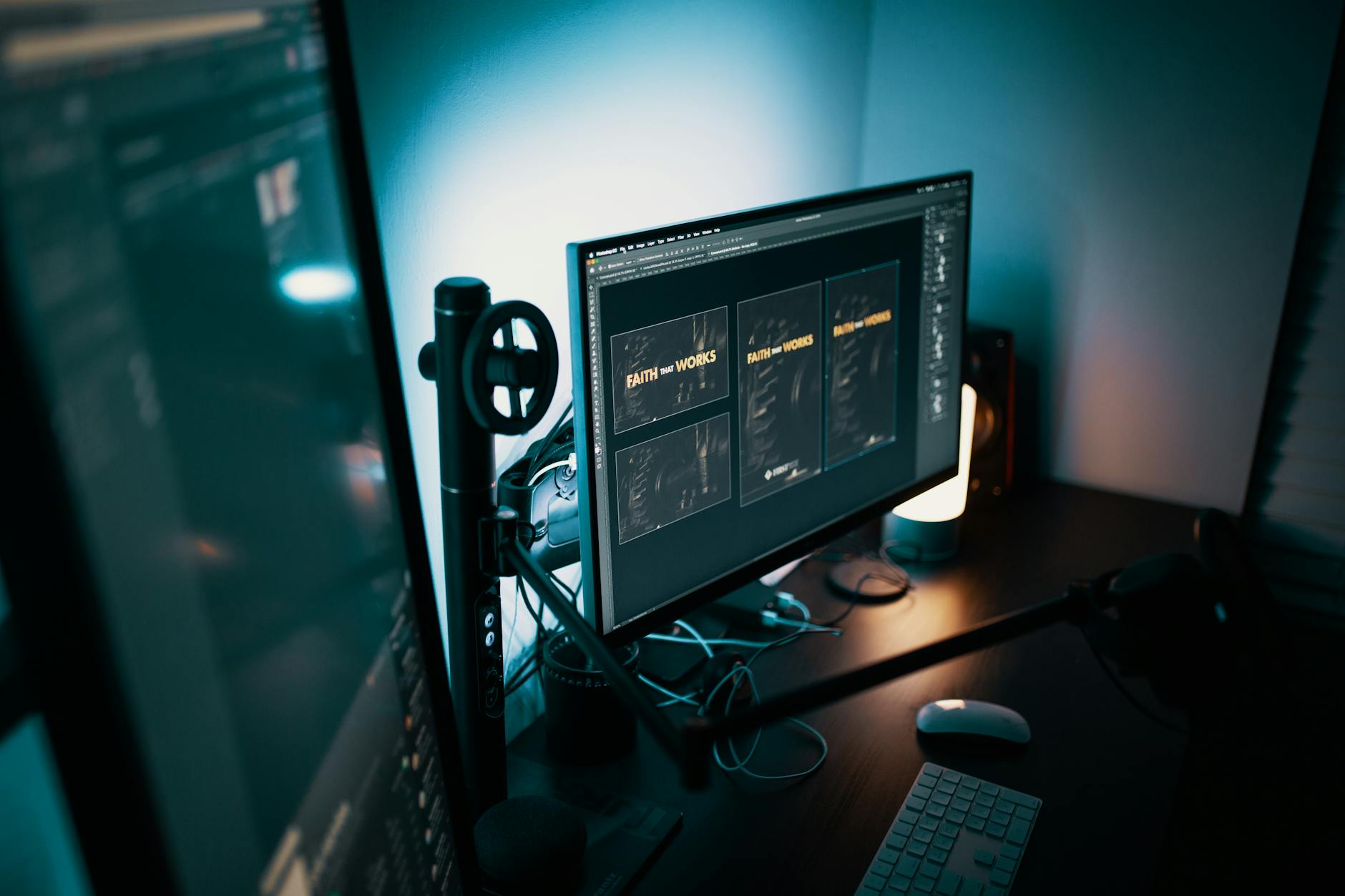
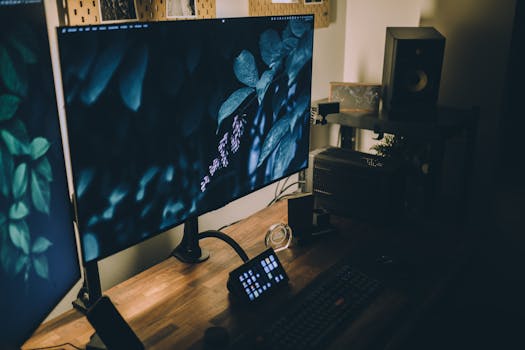 Photo: Josh Sorenson / Pexels
 Photo: Egor Komarov / Pexels
 Photo: hitesh choudhary / Pexels
 Photo: Alexander Dummer / Pexels