✓ 4K resolution offers four times the pixels of Full HD, providing unparalleled detail.
✓ Color accuracy (sRGB, Adobe RGB, DCI-P3 coverage) is paramount for graphic designers.
✓ IPS panels typically deliver the best color consistency and viewing angles.
✓ Affordable options now exist that meet professional design standards.
How It Works
1
Define Your Needs
Assess your primary design tasks (e.g., photo editing, video, web design) and determine essential features like screen size and color space requirements. This helps narrow down suitable monitor types.
2
Research Key Specifications
Look for monitors with high sRGB/Adobe RGB coverage, factory calibration reports, and IPS panel technology. Pay attention to refresh rates and response times if you also do light gaming or video editing.
3
Read Reviews & Compare
Consult expert reviews and user feedback, focusing on color accuracy, uniformity, and build quality. Compare prices across various retailers to find the best deals on your shortlisted models.
4
Calibrate & Optimize
Once you acquire your monitor, invest in a hardware calibrator for optimal color accuracy. Adjust settings like brightness and contrast to suit your working environment and ensure consistent results.
Why 4K Resolution is a Game-Changer for Graphic Designers
Photo: Tima Miroshnichenko / Pexels
For graphic designers, the canvas of creativity is often defined by the monitor they use. In an era where visual fidelity dictates perception, a 4K monitor isn't just a luxury; it's rapidly becoming a necessity. But what exactly makes 4K resolution so transformative for design work, and why should you consider investing in affordable 4K monitors for graphic design? Simply put, 4K (or Ultra HD) resolution packs 3840 x 2160 pixels onto your screen – that's over 8 million pixels, four times the detail of a standard 1080p Full HD display. This phenomenal pixel density translates into several significant advantages for anyone involved in visual creation.
Firstly, the sheer amount of screen real estate is revolutionary. Imagine being able to view your entire design project at 100% scale while simultaneously having multiple palettes, toolbars, and reference images open without feeling cramped. This increased workspace drastically improves workflow efficiency, reducing the constant need to zoom in and out or juggle windows. Designers can see more of their work at once, allowing for a more holistic view of their composition and intricate details. For tasks like photo manipulation, intricate vector art, or complex UI/UX designs, this expanded workspace is invaluable.
Secondly, and perhaps most critically for graphic designers, 4K resolution provides unparalleled sharpness and clarity. Pixels become virtually indistinguishable to the naked eye, resulting in incredibly smooth lines, crisp text, and nuanced gradients. This level of detail ensures that what you see on your screen is a far more accurate representation of the final output, whether it's for print or digital media. When working with high-resolution images or creating fine typography, every pixel matters. A 4K display allows designers to catch minute imperfections, refine edges, and ensure perfect alignment with a precision that lower-resolution screens simply cannot match. This enhanced clarity directly impacts the quality of your finished product and reduces the guesswork involved in the design process. Furthermore, for those involved in video editing or animation, a 4K monitor allows for native viewing of 4K content, eliminating downscaling artifacts and providing a true-to-source representation.
The increased pixel density also minimizes pixelation and aliasing, making for a much more comfortable viewing experience over long design sessions. Eye strain, a common complaint among designers, can be significantly reduced when you're not constantly trying to discern fuzzy edges or pixelated text. While the initial investment in a 4K monitor might seem daunting, the market for high-quality display technology has matured considerably. Today, it's entirely possible to find affordable 4K monitors for graphic design that offer excellent color accuracy and performance without breaking the bank. This accessibility means that professional-grade visual fidelity is no longer exclusive to those with limitless budgets, democratizing access to superior design tools. Choosing the right 4K monitor means investing in your productivity, your accuracy, and ultimately, the quality of your creative output. It’s an investment that pays dividends in both efficiency and professional results.
Essential Specifications for Color-Accurate Design Displays
Photo: Egor Komarov / Pexels
When evaluating affordable 4K monitors for graphic design, it's crucial to look beyond just the '4K' label. While resolution is key, several other technical specifications directly impact a monitor's suitability for professional design work, particularly concerning color accuracy and visual integrity. Understanding these specs will empower you to make an informed decision that truly supports your creative endeavors.
First and foremost is the panel technology. For graphic design, an In-Plane Switching (IPS) panel is almost universally recommended. IPS panels are renowned for their superior color consistency and wide viewing angles. Unlike cheaper TN (Twisted Nematic) panels, which suffer from significant color shifts when viewed from the side, IPS displays maintain accurate colors and contrast regardless of your viewing position. This is vital for collaborative work or when you need to step back from your screen to assess a design. While VA (Vertical Alignment) panels offer better contrast than IPS, they often fall short in viewing angles and color shift, making IPS the preferred choice for color-critical applications.
Next, pay close attention to color gamut coverage. This metric indicates the range of colors a monitor can display. For professional graphic design, monitors should ideally cover a high percentage of key color spaces: sRGB, Adobe RGB, and DCI-P3. sRGB (Standard Red Green Blue) is the most common color space for web content and consumer electronics. A monitor with 99-100% sRGB coverage is a must. Adobe RGB is a larger color space, particularly important for print design, photography, and video editing, as it encompasses more vibrant greens and cyans. Aim for at least 90% Adobe RGB coverage if your work involves print or high-end photography. DCI-P3 is a color space prevalent in digital cinema and increasingly relevant for HDR content creation. Monitors with high DCI-P3 coverage are excellent for video editors and designers working on modern film and streaming projects. Many affordable 4K monitors for graphic design now offer impressive sRGB coverage, with some extending into Adobe RGB and DCI-P3 territories, making them excellent value propositions.
Factory calibration is another critical feature to seek out. Even the best panels can exhibit minor color inaccuracies out of the box. Monitors that come factory calibrated with a calibration report provide assurance that the display has been professionally tuned for color accuracy. While a hardware calibrator is always recommended for long-term maintenance, a factory-calibrated monitor gives you a strong starting point. Look for a Delta E (ΔE) value of less than 2, which indicates that the color difference is imperceptible to the human eye. Uniformity compensation, though less common in budget models, is a premium feature that ensures consistent brightness and color across the entire screen, preventing hot spots or color shifts from the center to the edges. While it might be harder to find in the 'affordable' category, understanding its importance helps you appreciate the value of monitors that do offer it. Lastly, connectivity options such as DisplayPort 1.4, HDMI 2.0, and USB-C (for single-cable solutions, power delivery, and data transfer) are important for ensuring compatibility with your existing hardware and future-proofing your setup. A monitor with a built-in USB hub can also help declutter your workspace. By prioritizing these specifications, you can confidently select an affordable 4K monitor that truly meets the demands of professional graphic design.
Top Budget-Friendly 4K Monitors Delivering Professional Results
Photo: Josh Sorenson / Pexels
The quest for affordable 4K monitors for graphic design often feels like a balancing act between cost and capability. Fortunately, the market has matured significantly, offering a plethora of options that deliver professional-grade performance without requiring a second mortgage. Identifying the 'best' budget-friendly monitors involves a careful consideration of their core strengths, focusing on how they serve the unique demands of graphic designers.
One of the standout contenders in the affordable 4K segment for designers is often found within Dell's P-series or U-series (Ultrasharp). Monitors like the Dell U2723QE or P2721Q frequently earn high praise. They typically feature excellent IPS panels, offering robust sRGB coverage (often 99% or more) and decent Adobe RGB representation. Dell monitors are also known for their strong build quality, ergonomic stands allowing for tilt, swivel, pivot, and height adjustments – essential for comfortable long-term use. Many models also include USB-C connectivity, simplifying cable management and offering power delivery for compatible laptops. While they might not boast the absolute widest color gamuts of high-end professional displays, their consistent color accuracy out of the box and reliable performance make them a solid choice for most graphic design tasks, especially web design and general digital art. Exploring different monitor brands can yield surprising gems.
Another brand that consistently delivers value in the design space is LG. Their UltraFine or Ergo series often includes excellent 4K IPS monitors that hit the sweet spot for designers. Models such as the LG 27UP850-W or 32UN880-B are frequently cited for their strong DCI-P3 coverage (often 95% or higher), making them particularly attractive for video editors and those working with HDR content, in addition to traditional graphic design. LG displays are generally well-regarded for their vibrant colors, good viewing angles, and often include features like HDR support (though usually HDR400, which is a basic implementation) and USB-C connectivity. The Ergo series, in particular, offers an incredibly flexible stand that clamps to your desk, freeing up valuable desk space and providing extensive adjustability, which is a significant ergonomic advantage for designers who spend hours in front of their screens.
Samsung also offers compelling options with their ViewFinity series, such as the S80A or S70A. These monitors often provide crisp 4K IPS panels with good sRGB coverage and a sleek, minimalist design. While sometimes leaning more towards general productivity, their color performance is often more than adequate for many graphic design applications, especially considering their competitive price points. They often come with features like HDR10 support and eye-saver modes, enhancing the overall user experience. It's important to note that while these monitors are 'affordable,' they represent a smart investment. They provide a significant step up from basic consumer displays, offering the color accuracy, resolution, and ergonomic features that empower designers to produce their best work efficiently and comfortably. Always check for current sales and compare specifications carefully, as models and features can vary year by year. Ultimately, the best budget-friendly monitor will depend on your specific design needs and the color spaces most relevant to your projects.
Avoiding Common Pitfalls When Buying a Budget 4K Design Monitor
Photo: Josh Sorenson / Pexels
Navigating the market for affordable 4K monitors for graphic design can be tricky, and it's easy to fall into common traps that could compromise your design workflow. Being aware of these pitfalls will help you make a smarter, more cost-effective decision.
1. **Prioritizing Price Over Panel Type:** The biggest mistake is often selecting a monitor based solely on its low price without scrutinizing the panel technology. Some incredibly cheap 4K monitors use TN (Twisted Nematic) panels. While TN panels offer fast response times (great for gaming), they are notorious for poor color accuracy, limited viewing angles, and significant color shift. For graphic design, where precise color representation is paramount, a TN panel is a non-starter. Always opt for an IPS (In-Plane Switching) panel, even if it means spending a little more. The difference in color consistency and viewing angles is monumental for design work.
2. **Ignoring Color Gamut Coverage:** A monitor can be 4K and IPS, but if it doesn't cover the necessary color spaces, it's inadequate for design. Don't settle for vague descriptions like "vibrant colors." Look for explicit percentages for sRGB, Adobe RGB, and DCI-P3. Many budget monitors might boast 99% sRGB, which is good for web design, but if you're doing print work or high-end photography, you'll need higher Adobe RGB coverage. Not checking this specification means your designs might look dramatically different on other displays or in print than they do on your screen.
3. **Overlooking Ergonomics:** Graphic designers spend hours in front of their screens. A monitor with a fixed stand that offers no height, tilt, swivel, or pivot adjustments can lead to severe neck and back strain. While some budget monitors skimp on the stand, investing in a monitor arm or selecting a model with a fully adjustable stand is crucial for long-term comfort and productivity. A good ergonomic setup is an investment in your health and efficiency.
4. **Neglecting Connectivity Options:** Ensure the monitor has the necessary ports to connect to your computer and peripherals. Modern graphic design setups often benefit from DisplayPort 1.4 for full 4K resolution at 60Hz, HDMI 2.0, and increasingly, USB-C for single-cable solutions that handle video, data, and power delivery. A lack of appropriate ports can lead to adapter clutter or inability to use the monitor to its full potential.
5. **Skipping Calibration:** Even factory-calibrated monitors benefit from periodic re-calibration. Relying solely on out-of-the-box settings, especially on budget models, can lead to color discrepancies. Budget-friendly monitors might have slight variations in color or brightness uniformity. Investing in an affordable hardware calibrator (like those from Datacolor or X-Rite) is a non-negotiable step to ensure your monitor is displaying accurate colors. Without calibration, even the best monitor can mislead your design decisions.
By carefully considering these points, you can avoid common pitfalls and confidently choose an affordable 4K monitor that genuinely enhances your graphic design capabilities without compromising on essential quality.
Comparison
Feature
Dell U2723QE
LG 27UP850-W
Samsung ViewFinity S80A
Resolution
3840x2160 (4K)
3840x2160 (4K)
3840x2160 (4K)
Panel Type
IPS Black
IPS
IPS
sRGB Coverage
100%
99% (typ.)
99%
Adobe RGB Coverage
98%
85% (approx.)
75% (approx.)
DCI-P3 Coverage
98% (typ.)
95% (typ.)
85% (approx.)
USB-C Connectivity
✓ (90W PD)
✓ (96W PD)
✓ (90W PD)
Ergonomic Stand
✓ (Full Adjust)
✓ (Full Adjust)
✓ (Full Adjust)
HDR Support
HDR400
HDR400
HDR10
What Readers Say
★★★★★
"I was skeptical about finding affordable 4K monitors for graphic design that truly delivered, but the Dell Ultrasharp has blown me away. The colors are incredibly accurate, and the extra screen space is a game-changer for my photo editing workflow. My designs look so much crisper now."
Sarah J. · Austin, TX
★★★★★
"As a freelance web designer, budget is always a concern. This LG 4K monitor was the perfect balance of price and performance. The DCI-P3 coverage is fantastic for modern web projects, and the USB-C connection simplifies my setup dramatically. Highly recommend for any designer on a budget."
Mark T. · Portland, OR
★★★★★
"Upgrading to an affordable 4K monitor for graphic design from a 1080p screen was like seeing my work for the first time. The clarity on my new Samsung ViewFinity is stunning, and I've noticed a significant improvement in catching small details in my illustrations, leading to higher client satisfaction."
Emily R. · Chicago, IL
★★★★★
"The monitor I chose offers excellent value for the price, especially for its 4K resolution and IPS panel. While the factory calibration was good, I did invest in a separate calibrator to fine-tune the colors even further for my specific print projects. Still, a solid choice for an affordable 4K display."
David L. · Miami, FL
★★★★★
"Working on video projects, I needed a 4K monitor that wouldn't break the bank. This option delivered. The extra resolution is perfect for editing 4K footage natively, and the color reproduction is consistent enough for me to trust my grading decisions. It's a fantastic tool for content creators."
Jessica M. · Denver, CO
Frequently Asked Questions
Are affordable 4K monitors for graphic design good enough for professional work?
Yes, many affordable 4K monitors available today offer excellent color accuracy, IPS panel technology, and sufficient color gamut coverage (like 99% sRGB and often high DCI-P3) to meet the demands of professional graphic design. While they might lack some premium features of high-end monitors, they provide a significant upgrade for most designers, particularly when properly calibrated.
Will a 4K monitor make my older computer slow?
Driving a 4K monitor requires more processing power from your graphics card than a 1080p display. If your computer is several years old, you might experience some slowdown, especially in graphics-intensive applications. Ensure your GPU supports 4K resolution at 60Hz and has adequate video memory. Most modern mid-range to high-end graphics cards can handle 4K without issues for general design work.
How do I ensure color accuracy on my new 4K monitor?
The best way to ensure color accuracy is to invest in a hardware color calibrator (e.g., X-Rite i1Display Studio, Datacolor SpyderX Pro). While many affordable 4K monitors for graphic design come factory calibrated, regular calibration (monthly or quarterly) adjusts for environmental changes and monitor drift, ensuring your colors remain consistent and true to life for all your design projects.
What's the difference between sRGB, Adobe RGB, and DCI-P3?
These are different color spaces, or ranges of colors a device can display or reproduce. sRGB is the standard for web and general consumer use. Adobe RGB is a wider gamut, especially for greens and cyans, commonly used in print and photography. DCI-P3 is even wider and is the standard for digital cinema and HDR content. For graphic design, aim for high sRGB coverage, and consider Adobe RGB or DCI-P3 if your work involves print, professional photography, or video.
Should I get a 27-inch or 32-inch 4K monitor for graphic design?
The ideal size depends on your desk space and personal preference. A 27-inch 4K monitor offers a very high pixel density, making text and elements incredibly sharp but potentially small, requiring UI scaling. A 32-inch 4K monitor provides more screen real estate, allowing for a more comfortable viewing experience at native resolution or with less scaling. Both are excellent choices; consider trying both sizes if possible before committing.
Who benefits most from affordable 4K monitors for graphic design?
Freelance graphic designers, students, small design agencies, and hobbyists who need professional-grade visual fidelity without a premium budget will benefit immensely. Anyone working with high-resolution images, video, intricate vector graphics, or requiring extensive screen real estate for multitasking will find these monitors transform their workflow and output quality.
Are there any health risks associated with 4K monitors?
There are no inherent health risks specific to 4K monitors beyond those associated with any display. Prolonged screen time can lead to eye strain, headaches, and posture issues. However, the higher pixel density of 4K can actually reduce eye strain by making text and images sharper. To mitigate risks, ensure proper ergonomics, take regular breaks, and use features like blue light filters or 'eye-saver' modes found on many modern monitors.
What's the future trend for monitors in graphic design?
The future of graphic design monitors points towards even higher resolutions (5K, 8K), wider color gamuts (covering more of Rec.2020), and more advanced panel technologies like OLED for true blacks and infinite contrast. USB-C with higher power delivery and integrated KVM switches will become standard for seamless multi-device workflows. Expect greater adoption of HDR content creation, necessitating displays with even better HDR performance.
Embrace the visual revolution without emptying your wallet. Investing in affordable 4K monitors for graphic design is a strategic move that enhances your creativity, improves your workflow, and elevates the quality of your output. Don't let budget constraints limit your design potential – explore the options available today and unlock a new level of precision and detail in your work.
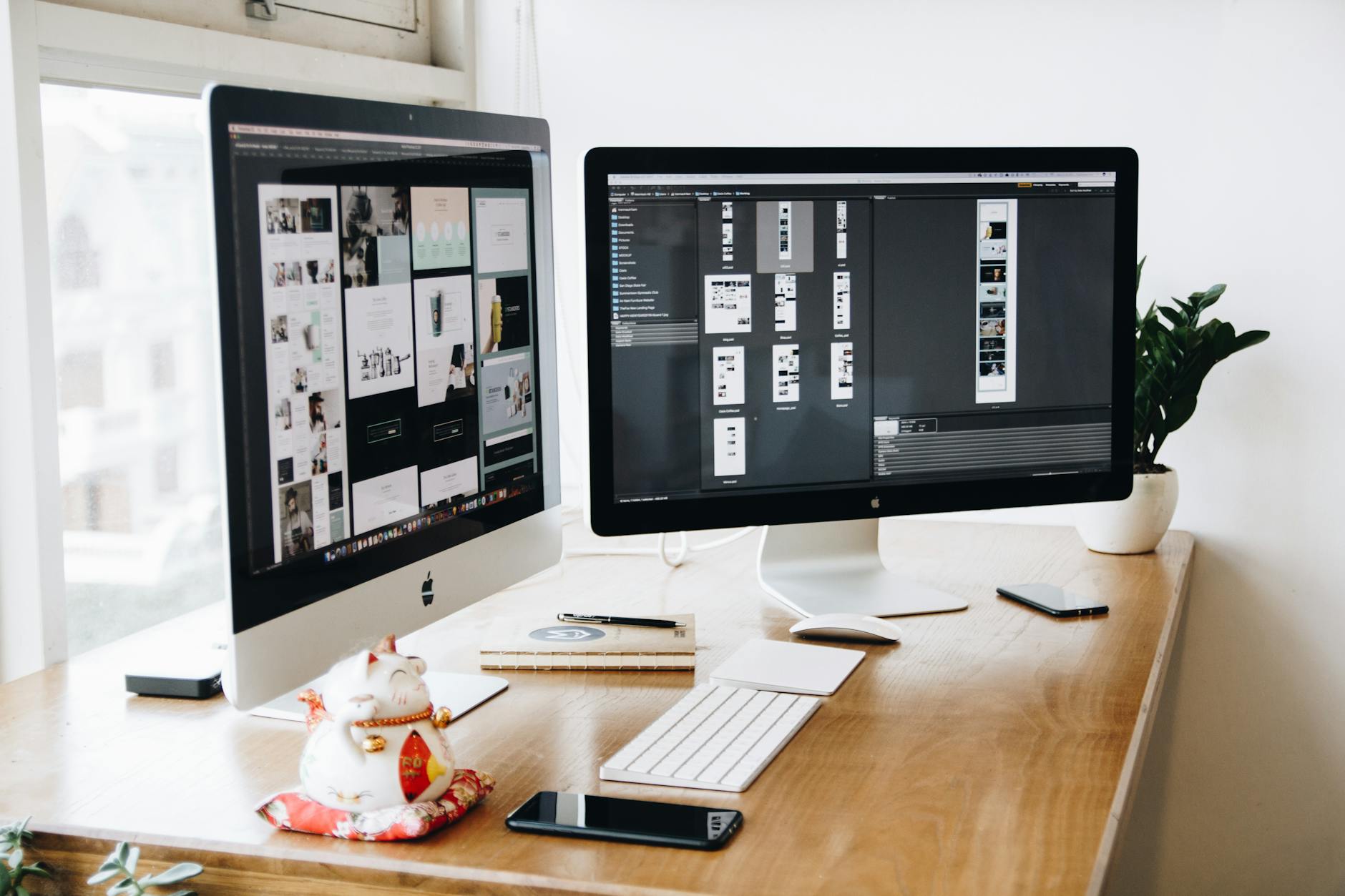
 Photo: Tima Miroshnichenko / Pexels
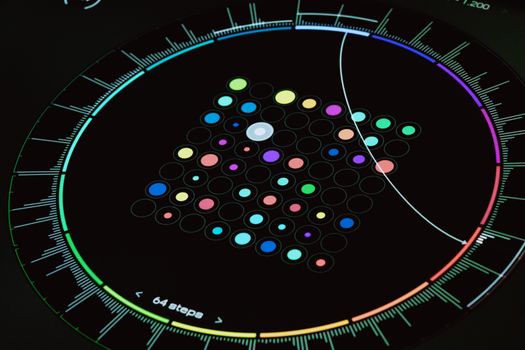 Photo: Egor Komarov / Pexels
 Photo: Josh Sorenson / Pexels
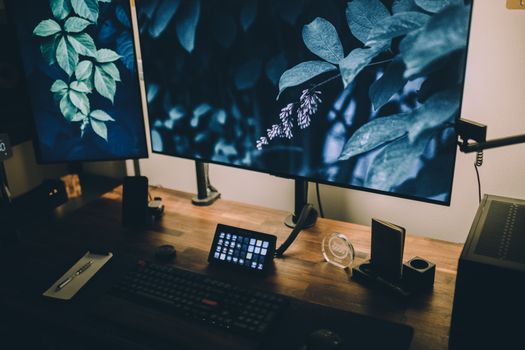 Photo: Josh Sorenson / Pexels