
Unlock Productivity: Affordable 4K Monitors for Work
Elevate your professional setup with stunning 4K clarity, even on a budget, for unparalleled work efficiency.
Find Your Perfect MonitorKey Takeaways
- ✓ 4K resolution offers four times the pixels of 1080p, significantly enhancing detail and screen real estate.
- ✓ Affordable 4K monitors are now widely available, making high-resolution work setups accessible to more professionals.
- ✓ Key features to consider include panel type (IPS for color accuracy), refresh rate, connectivity, and ergonomic adjustments.
- ✓ Upgrading to 4K can boost productivity by allowing more applications and content to be viewed simultaneously with greater clarity.
How It Works
Determine what tasks you'll primarily be performing (e.g., graphic design, coding, general office work). This will guide your feature priorities like color accuracy or refresh rate.
Define a realistic price range for your monitor. Remember that 'affordable' doesn't mean sacrificing all quality; many excellent options exist under $400-500.
Look for essential features like IPS panels for good viewing angles, adequate brightness, and appropriate port selections (HDMI 2.0, DisplayPort 1.2+). Ergonomics are also vital for long work sessions.
Consult expert reviews and user feedback to narrow down your choices. Once you've found a suitable option, purchase from a reputable retailer with a good return policy.
The Game-Changing Impact of 4K Resolution on Your Workflow
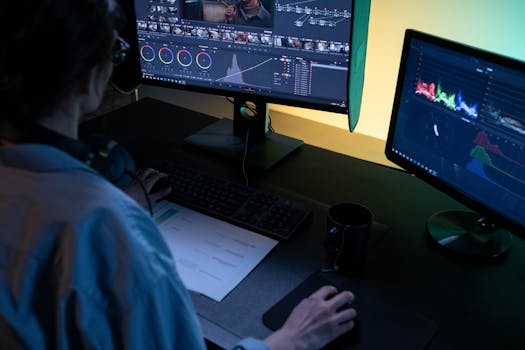 Photo: Ron Lach / Pexels
Essential Features to Seek in Budget-Friendly 4K Displays
 Photo: Tranmautritam / Pexels
Top Affordable 4K Monitors for Work: Recommendations & Reviews
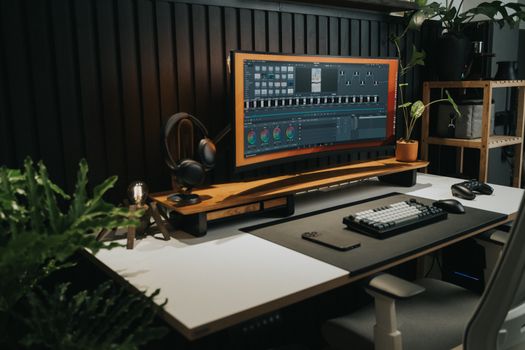 Photo: Minh Phuc / Pexels
Maximizing Your Investment: Tips for Using Your New 4K Monitor
Comparison
| Feature | Dell S2721QS | LG 27UP850-W | BenQ EW3270U |
|---|---|---|---|
| Screen Size | 27 inches | 27 inches | 32 inches |
| Panel Type | IPS | IPS | VA |
| Resolution | 3840x2160 (4K UHD) | 3840x2160 (4K UHD) | 3840x2160 (4K UHD) |
| Refresh Rate | 60Hz | 60Hz | 60Hz |
| Connectivity | 2x HDMI 2.0, 1x DP 1.2 | 1x USB-C (PD 90W), 2x HDMI 2.0, 1x DP 1.4 | 2x HDMI 2.0, 1x DP 1.4, 1x USB-C |
| Ergonomic Stand | ✓ (Height, Tilt, Swivel, Pivot) | ✓ (Height, Tilt, Pivot) | ✗ (Tilt only, VESA compatible) |
| HDR Support | HDR10 | HDR400 | HDR10 |
| Color Accuracy | Good (sRGB) | Excellent (DCI-P3 >95%) | Very Good (sRGB) |
| Price Range (approx.) | $250 - $350 | $350 - $450 | $350 - $450 |
What Readers Say
"My new Dell 4K monitor for work has transformed my coding setup. I can see so much more code and documentation without squinting, and the text is incredibly sharp. Definitely worth the investment for the productivity boost."
Sarah J. · Austin, TX"As a graphic designer on a budget, finding an affordable 4K monitor with accurate colors was a challenge. The LG 27UP850-W exceeded my expectations; colors are vibrant and true, and the USB-C connection is a lifesaver for my MacBook."
Mark D. · Seattle, WA"I used to struggle with two 1080p monitors. This BenQ 32-inch 4K display lets me have multiple windows open clearly, making my data analysis work so much more efficient. My eye strain has significantly reduced."
Emily R. · Boston, MA"The Philips 4K monitor was incredibly affordable, and it delivers on the 4K promise. While the stand is basic, adding a VESA arm made it perfect. For general office tasks and web browsing, it's an unbeatable value."
David L. · Denver, CO"I needed an affordable 4K monitor for work that could handle detailed architectural drawings. The crispness and clarity of this Dell IPS panel are fantastic, allowing me to zoom in without losing detail, which is crucial for my projects."
Jessica M. · Chicago, ILFrequently Asked Questions
Are affordable 4K monitors for work truly worth it over 1080p or 1440p?
Absolutely. For productivity, 4K offers significantly more screen real estate and sharper text, allowing you to view more content simultaneously and reduce eye strain. While 1440p is a good step up, 4K provides the ultimate clarity and future-proofing, and the price difference for quality models has narrowed considerably, making it a very worthwhile upgrade for most professional tasks.
Will my computer be able to handle a 4K monitor?
Most modern computers (laptops and desktops from the last 5-7 years) with integrated graphics or dedicated GPUs should be able to drive a 4K monitor at 60Hz. Ensure your computer has DisplayPort 1.2+ or HDMI 2.0+ output. If you plan to do heavy gaming or video editing, a more powerful dedicated graphics card will be beneficial, but for general office work, most current systems are capable.
How do I connect my laptop to a 4K monitor?
The best way to connect your laptop depends on its available ports. If your laptop has a USB-C port that supports 'DisplayPort Alt Mode' and Power Delivery, a single USB-C cable to a compatible monitor is ideal. Otherwise, use an HDMI 2.0+ or DisplayPort 1.2+ cable. Ensure your laptop's graphics drivers are up to date for optimal performance.
What's a good budget for an affordable 4K monitor for work?
You can find excellent affordable 4K monitors for work in the $250-$450 range. Monitors at the lower end of this spectrum will offer core 4K resolution with good panels, while the higher end might include better ergonomics, USB-C connectivity with power delivery, or enhanced color accuracy, providing more premium features for a still reasonable price.
Is an IPS panel always better than a VA panel for work?
For most professional work, especially tasks requiring accurate color reproduction or collaborative viewing, an IPS panel is generally superior due to its excellent color accuracy and wide viewing angles. VA panels offer deeper blacks and higher contrast, which can be great for media consumption, but they might have slower response times and color shifts at extreme angles, making IPS the preferred choice for general productivity and creative work.
Who should prioritize an affordable 4K monitor for their work setup?
Anyone who spends significant time in front of a screen can benefit from an affordable 4K monitor. This includes software developers, data analysts, writers, graphic designers (especially those not needing professional-grade calibration), video editors, academics, and general office workers who frequently multitask with multiple windows. The increased screen real estate and text clarity boost productivity and reduce eye strain significantly.
Will using a 4K monitor cause more eye strain?
Quite the opposite. While some users might initially find text small if scaling isn't adjusted, a properly configured 4K monitor typically reduces eye strain. The incredibly sharp text and images minimize pixelation, making content easier to read and view for extended periods. Look for monitors with flicker-free backlighting and low blue light modes for added eye comfort.
What are the future trends for affordable 4K monitors?
Future trends for affordable 4K monitors include wider adoption of USB-C with higher power delivery, more monitors integrating KVM switches for seamless multi-computer control, improved HDR performance at lower price points, and potentially higher refresh rates becoming standard even for non-gaming productivity monitors. We'll also see continued advancements in panel technology to improve contrast and color accuracy while maintaining affordability.
Embrace the clarity and productivity boost that an affordable 4K monitor for work can bring to your professional life. Explore our recommended options and transform your workspace without overspending, unlocking a new level of efficiency and visual comfort today.